
A hospital changes a nurse display name in Control Hub, and the next Directory Connector sync writes the old name back. Active Directory still holds the old name. Where should the name be changed so the sync keeps it?
Select an answer to reveal the explanation.
Short Explanation
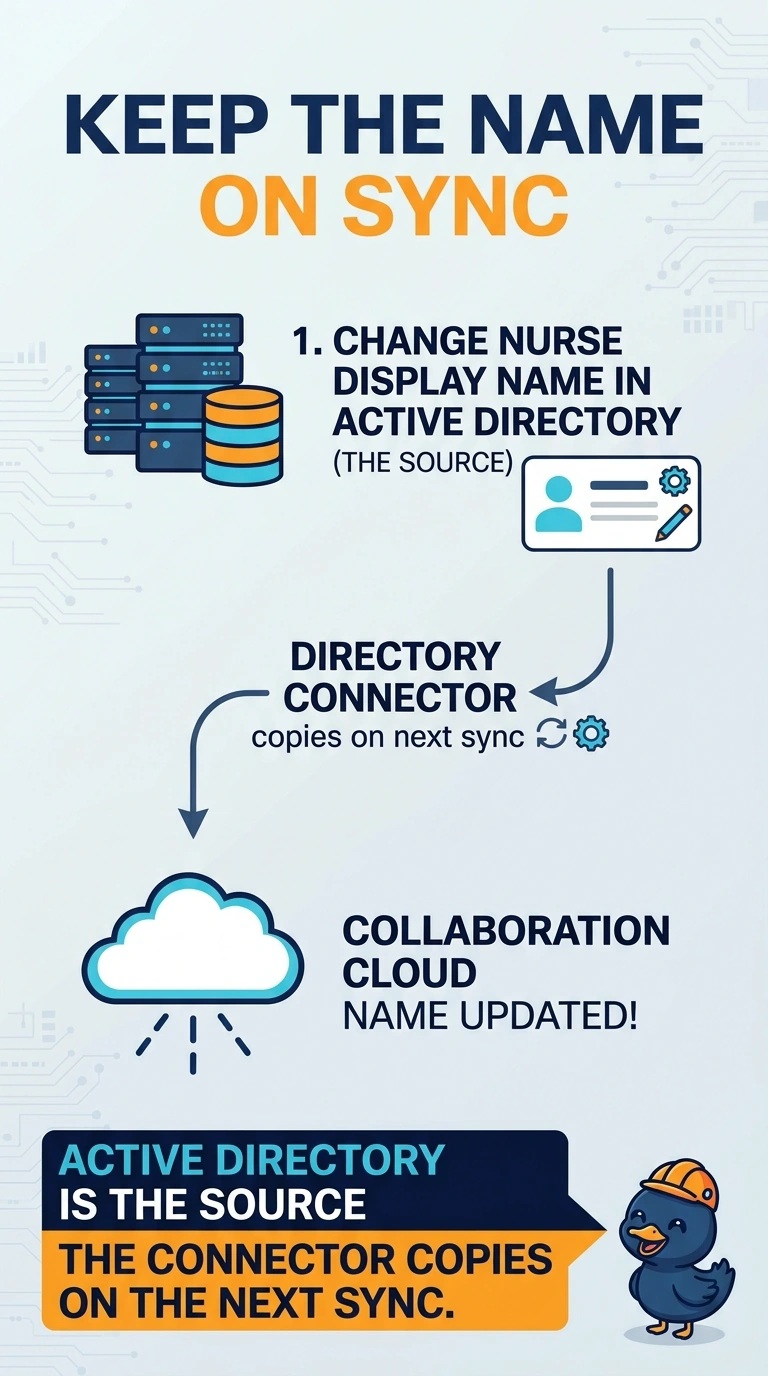
Editing the photocopy and then running the copier again just reprints the original. You change the nurse name in Active Directory, the source Directory Connector copies on the next sync. Rotating a SCIM token, stopping the connector, or replacing a sign-on certificate does not make Control Hub the source of truth.
Full Explanation
Change the nurse display name in Active Directory, because that directory is the source the connector copies on the next sync. Active Directory is the source of truth for a Directory Connector organization, so the name has to change there or the next sync restores the directory value. Rotate the SCIM bearer token so later display-name edits made in Control Hub survive the next Directory Connector sync. A SCIM token belongs to a SCIM provisioning path, and rotating it does not stop Directory Connector from copying Active Directory. Stop Directory Connector and continue to edit this nurse only inside Control Hub from that point forward. While Directory Connector owns the organization, those users are changed in the source directory rather than by turning the connector off to edit in Control Hub. Replace the single sign-on signing certificate so the new display name is accepted as an update to the directory. A signing certificate supports single sign-on, and replacing it does not make Control Hub the source of a directory-owned display name. Exam caveat: Do not also run SCIM as the source for the same organization, and do not expect a hand edit in Control Hub to survive the connector sync. Operational check: Change a test display name in Active Directory, let Directory Connector sync, and confirm Control Hub shows the directory value.