
A school provisions users with SCIM from Entra ID, matching on the mail attribute. After an employee mail address changes, Control Hub creates a second user instead of updating the original. What should change?
Select an answer to reveal the explanation.
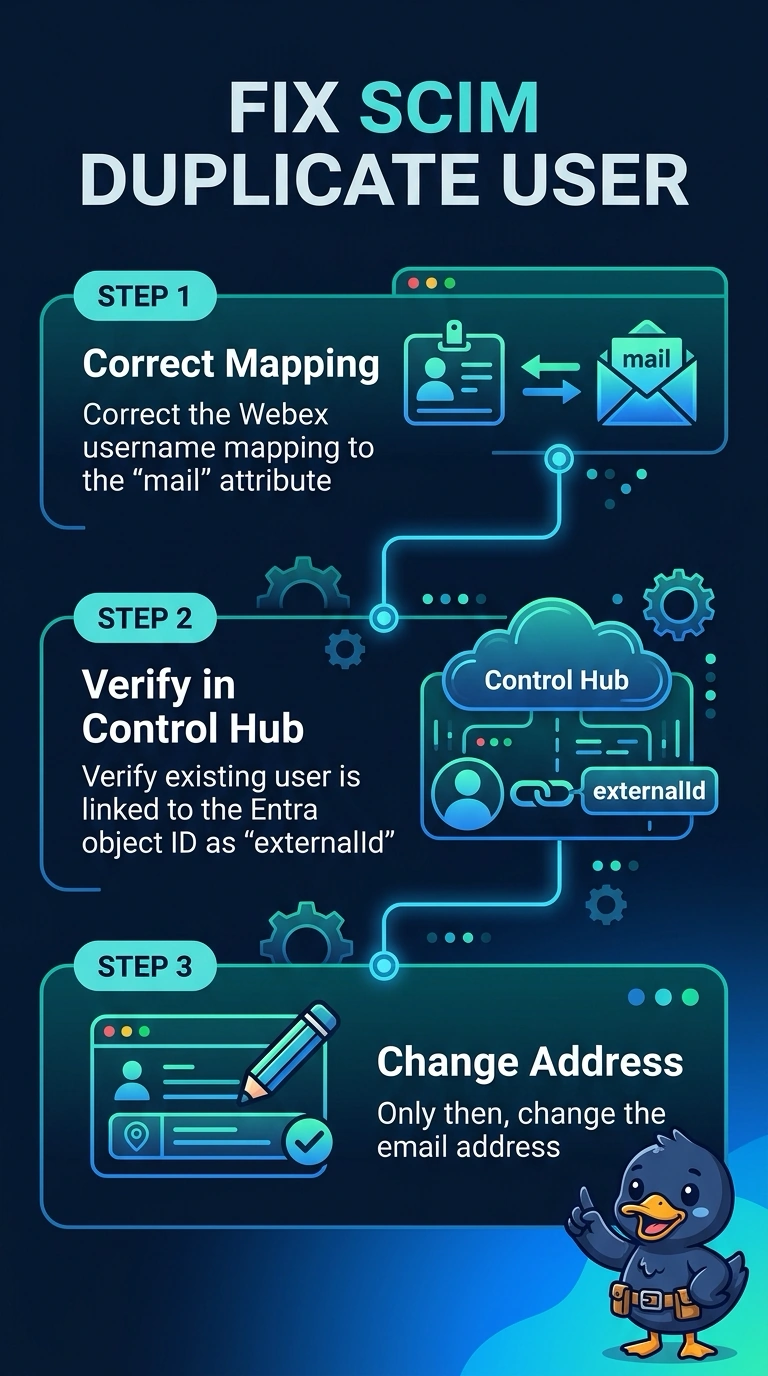
Short Explanation
If the filing cabinet matches people by a sticker, and someone replaces the sticker, you can end up with two folders for one person. You change the SCIM matching attribute so a mail change updates the existing user instead of creating a second one. Standing up Directory Connector beside SCIM is the trap, because those two must not both own the school.
Full Explanation
SCIM from Entra ID follows create, update, and delete in the identity provider and does not use an on-premises connector. Matching on mail treats a mail change as a new person, so Control Hub creates a second user instead of updating the original. Correct the Webex username mapping and verify the existing user is linked to the Entra object ID as externalId before changing the address, which keeps one school user through the address change. Running Directory Connector beside SCIM so both products own the same school users to merge the duplicate record gives the organization two directory sources, which is not allowed. Resetting an on-premises Directory Connector password, which repairs a SCIM mail match that split one person into two users, resets a connector this SCIM school does not use for provisioning. Stopping SCIM from processing deletes and keeping both school user records so the new mail address has its own separate login preserves the duplicate instead of making later changes update the original user; Resolve the existing duplicate through the supported user-management workflow. Exam caveat: Directory Connector and SCIM must not both own the same organization, and a mail change should update the matched user once matching is corrected. Operational check: change a test user's mail in Entra ID and confirm Control Hub updates the original user rather than creating another one.