
A hospital imaging service runs the same three application tiers in two public clouds. Staff copied the first cloud's native security group into a design note, but instances in the second cloud still accept traffic from anywhere. What must the team do so those tier limits apply in both clouds?
Select an answer to reveal the explanation.
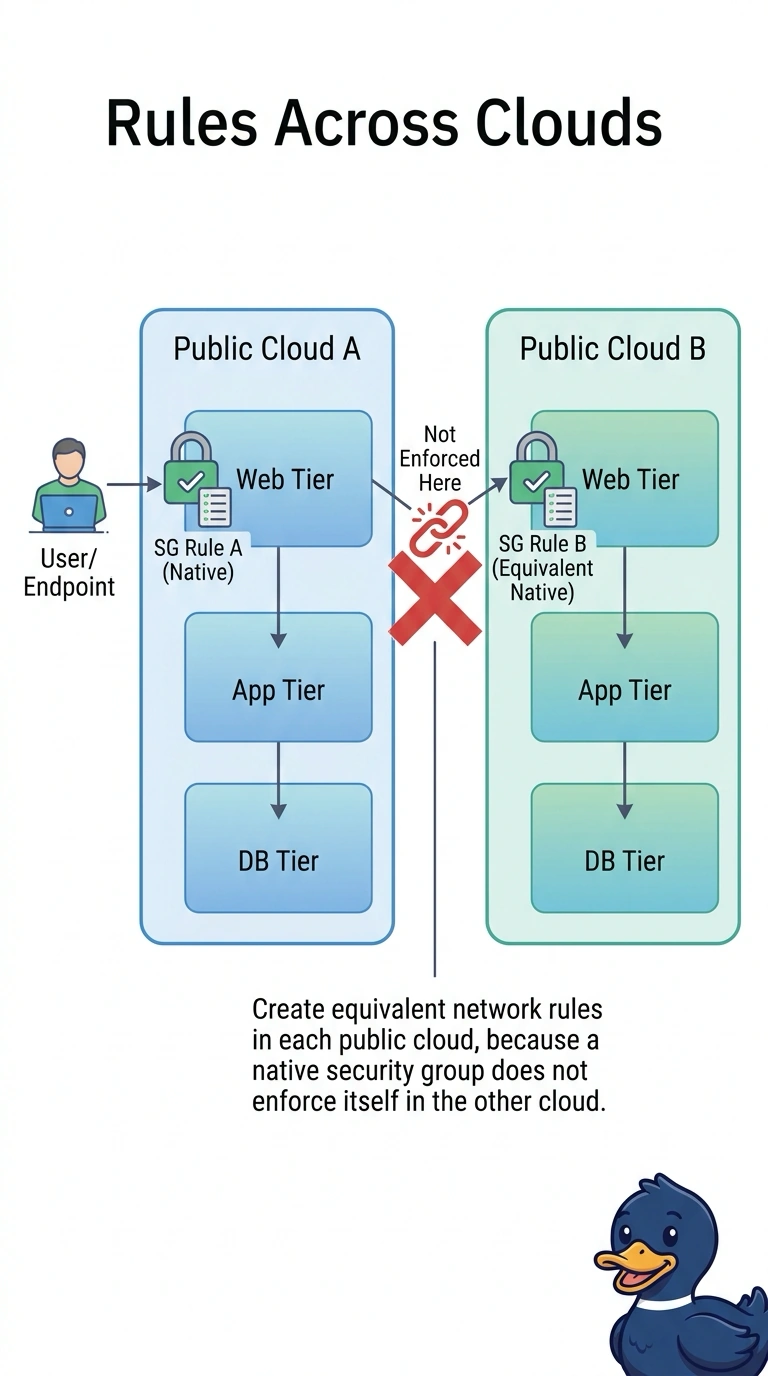
Short Explanation
A padlock on one building does not lock the building across the street. You have to write equivalent network rules in each public cloud, because a native security group stays where it was created. The trap is a copied design note, a foreign group identifier, or a standing owner key.
Full Explanation
A native security group is an object inside one public cloud. It can limit which tiers talk to each other there, but it does not cross providers on its own, and pasting its text into a design note does not attach it to instances anywhere else. The imaging service needs the same intent deployed twice: equivalent network rules in each public cloud, because a native security group does not enforce itself in the other cloud. Treating the copied design note as live enforcement fails because a document that repeats tier names is not evaluated on the second cloud's traffic path. Attaching the first cloud's security group identifier to virtual machines that run only in the second cloud fails because that identifier belongs to the first provider and is not an enforceable object next door. Replacing the tier network limits with one standing owner key shared by both public cloud accounts fails because an owner key is a credential, not a filter between tiers, and a standing key is a weak stand-in for scoped network rules. Exam caveat: security groups and access lists are per-cloud controls, so a diagram of one cloud is not deployment in the other. Operational check: in each cloud, open the rules on the imaging tiers and confirm the allowed sources are the neighboring tier rather than every address.