
A university joins its two ISE nodes to the campus Active Directory domain, and users now authenticate successfully, yet the authorization rule granting wired access to the NET-ENGINEERS group never matches, because the condition simply reads Windows group equals NET-ENGINEERS. The administrator wants membership resolved by ISE from the directory, with no local copy of the users. Which configuration step retrieves that group for policy use?
Select an answer to reveal the explanation.
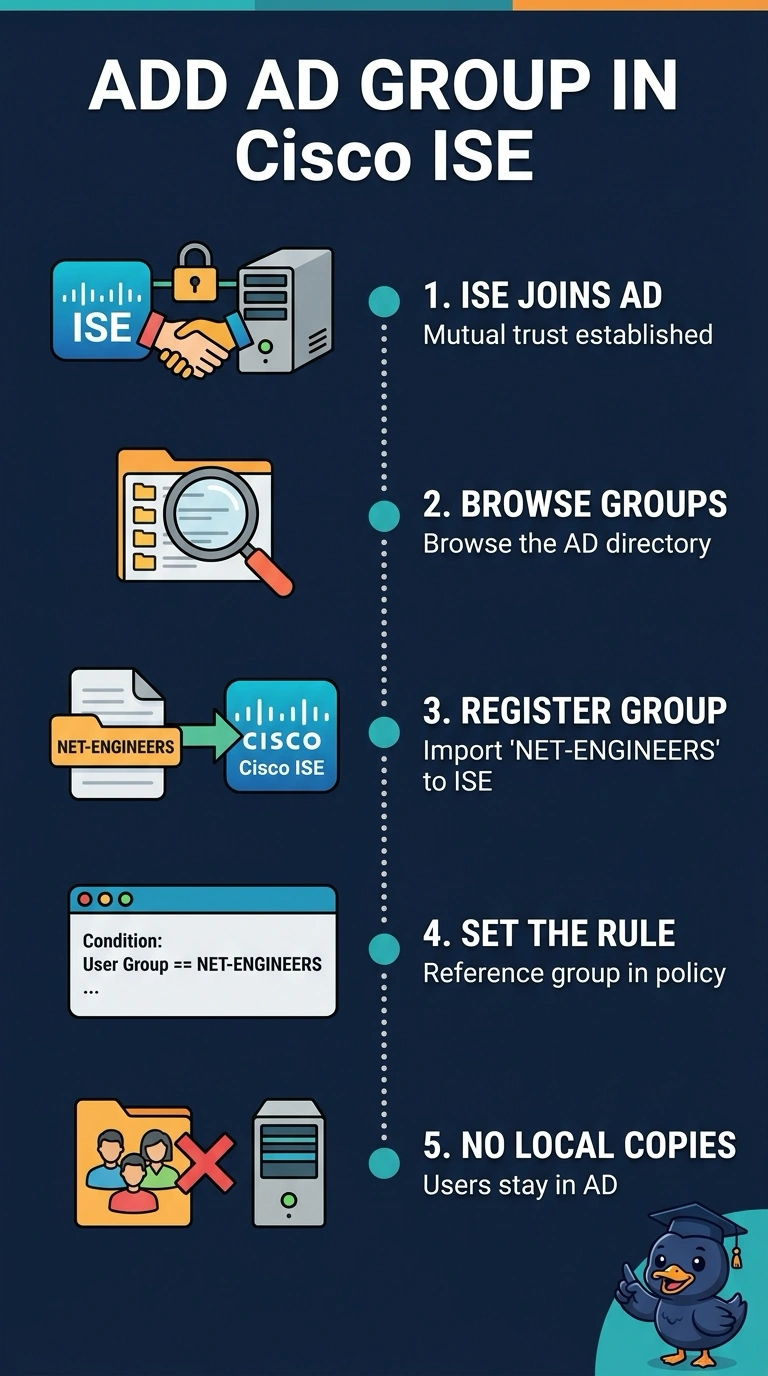
Short Explanation
ISE doesn't mirror the directory, so you register the single group the rule needs and match it by name. The external group acts like a name tag at the door: the rule checks the tag while Active Directory keeps the real list of people.
Full Explanation
The correct configuration is to register NET-ENGINEERS as an external group in ISE and then use that group in the rule's user-group condition. Joining ISE to the domain establishes trust and enables communication with Active Directory, but it does not by itself make every directory group available for selection in policy. Registering the required group makes it available for ISE to resolve against the authenticating user's directory membership, without creating a local copy of users. Using the user's memberOf attribute as a text comparison is not equivalent: that attribute is not a substitute for ISE's resolved external-group condition, and leaving group retrieval unconfigured means the rule still lacks the group membership value it needs. Enabling global-catalog access can help locate directory objects across a forest, but it does not automatically populate ISE's policy group list; the desired group still must be made available as an external group. Matching only the AD domain identifies the user's domain, not membership in NET-ENGINEERS, so it could match users who are not authorized for the wired access. Exam caveat: successful AD authentication confirms credentials, not that group lookup or authorization-policy matching is configured correctly. Practical check: in ISE, verify NET-ENGINEERS appears under the joined AD identity source's external groups, then test an authentication and inspect the authorization details to confirm that group is returned and the intended rule matches.