
A 400-person insurer is turning on BYOD self-registration for personal phones. During onboarding each phone must receive a client certificate that ISE will accept for EAP-TLS, the phone must verify ISE's server certificate during the TLS handshake, and the certificates must be issued by ISE's internal CA, and the security team requires each phone to build its own trust chain. Which certificate arrangement satisfies the BYOD trust requirements?
Select an answer to reveal the explanation.
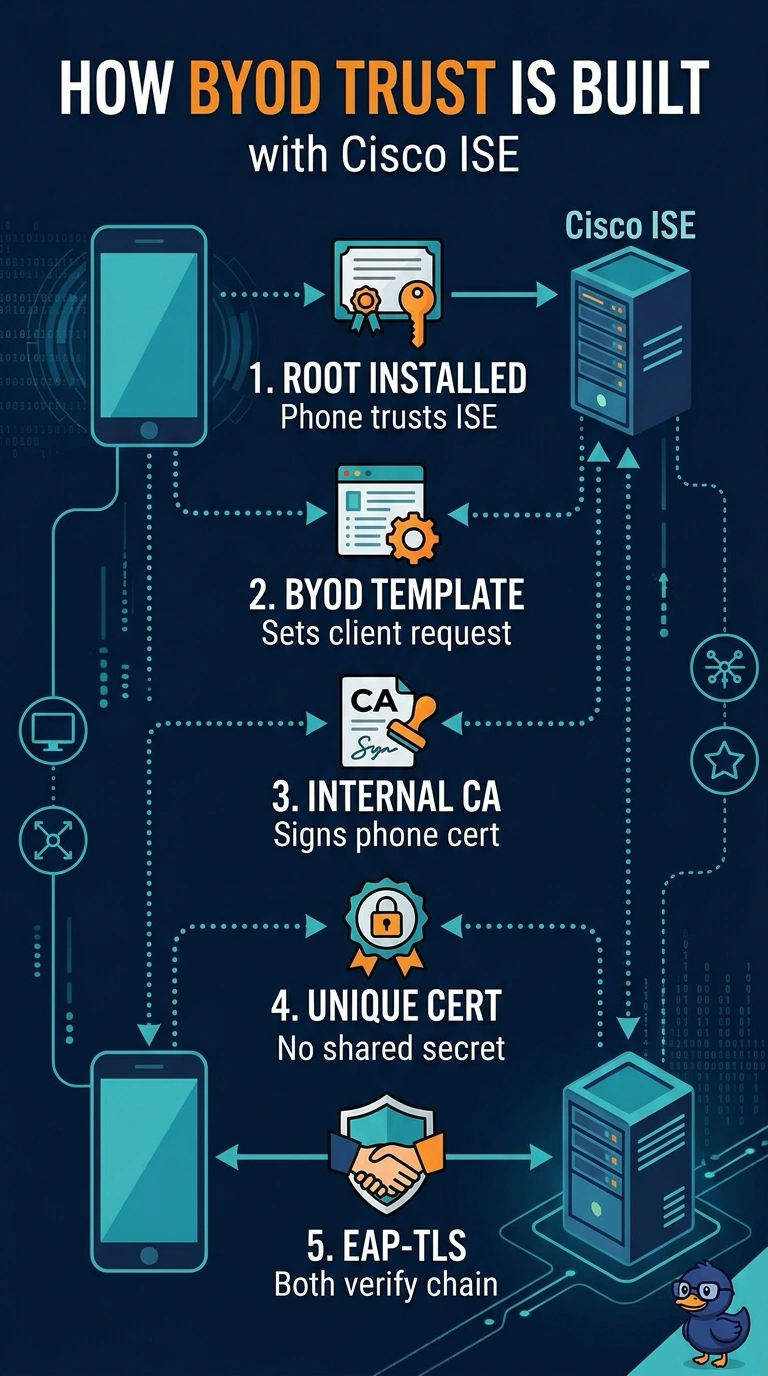
Short Explanation
You need ISE to trust each phone’s client certificate and each phone to validate ISE’s server certificate. With the configured BYOD template, your phone gets its client certificate from ISE’s internal CA and builds trust in ISE through the server certificate’s CA chain. That gives you the required two-way certificate authentication.
Full Explanation
The configured BYOD template lets ISE’s internal CA issue each phone’s client certificate, which ISE can accept for EAP-TLS; the phone then validates ISE’s server certificate by building a chain to its trusted CA. This meets the requirement that each phone build its own trust chain. An enterprise SCEP CA could issue client certificates that ISE accepts, but it is not ISE’s internal CA, so it fails the stated issuer requirement. Installing ISE’s server certificate itself as a direct trust anchor can let the phone trust that specific certificate, but it does not require the phone to build the CA chain. Checking a fingerprint supplied during onboarding is certificate pinning; it can restrict which server certificate the phone accepts, but it is not CA-chain validation. Exam caveat: EAP-TLS provides mutual certificate authentication, but does not by itself specify the client-certificate issuer or the phone’s server-certificate validation method; configure those separately. Practical check: inspect the enrolled client certificate’s issuer and EKU, then verify on a test phone that the ISE server certificate chains to the intended installed CA and that validation is enabled in the EAP profile.