
Guests at a warehouse scan a QR code, reach the ISE hotspot page and sign in successfully. ISE then logs a RADIUS Access-Accept, yet the switch keeps them in the pre-auth VLAN and the session stays unchanged. Which part of the central web authentication flow should be verified first?
Select an answer to reveal the explanation.
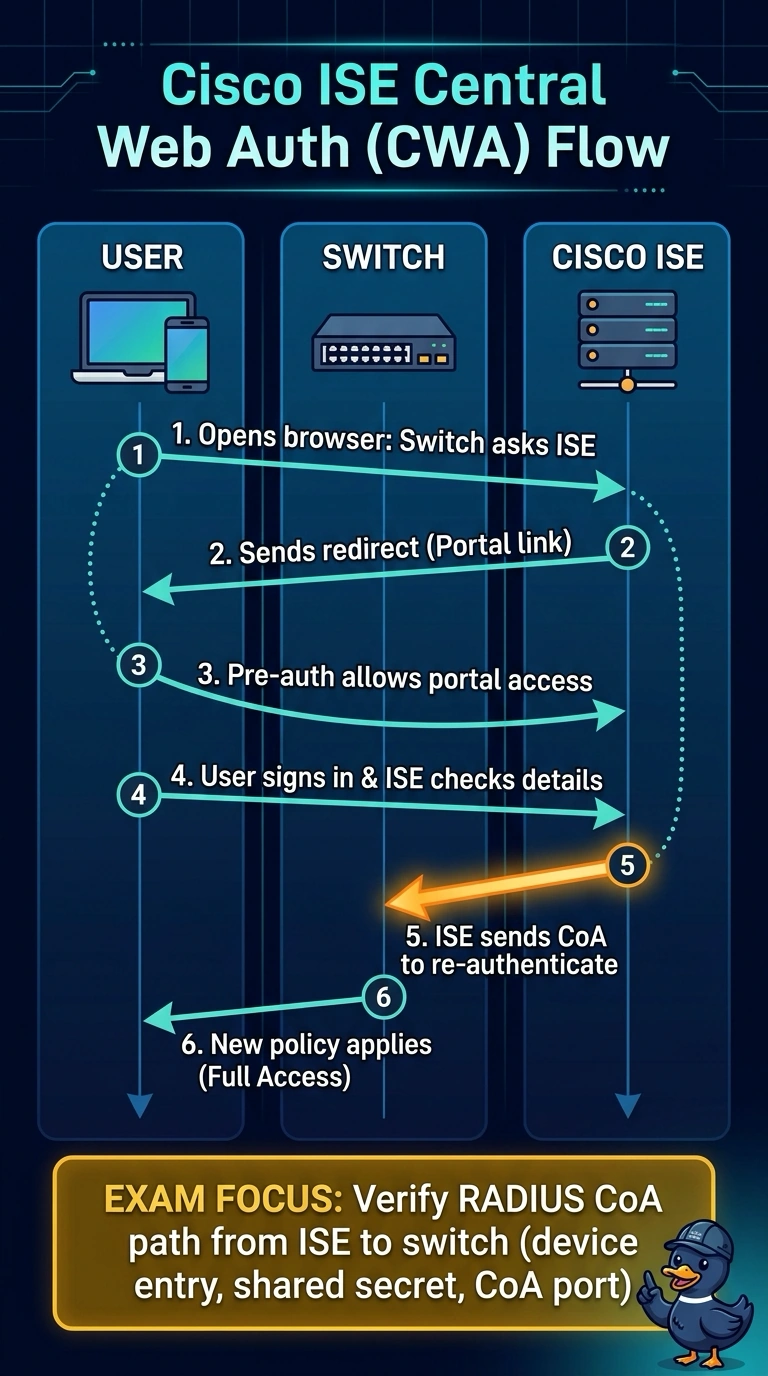
Short Explanation
You’ve confirmed the guest can reach the portal and sign in, so the missing step is the switch getting a prompt to update the session: RADIUS CoA. If that request cannot reach the switch, you’ll see the old pre-auth VLAN remain in place. You can first check the ISE device entry, shared secret, and CoA port.
Full Explanation
In central web authentication, the initial Access-Accept provides a redirect URL and restrictive pre-auth access. After the guest signs in on the ISE portal, ISE sends a RADIUS CoA to prompt the switch to re-evaluate the session and apply the resulting authorization. If the CoA does not reach the switch, the original pre-auth state remains, explaining why the guest stays in that VLAN despite a successful login. Checking whether the pre-auth VLAN permits HTTP and DNS to the ISE portal is less relevant here: the guest reached the page and signed in, showing that the necessary portal traffic worked. A portal certificate mismatch with the redirect hostname would cause a certificate warning or block during portal access, not explain an unchanged session after successful sign-in. Changing the guest authorization profile to a downloadable ACL does not resolve the missing update; the switch still needs to receive and act on the authorization change. Exam caveat: verify that the ISE device entry has the switch’s correct address, shared secret, and CoA port. Practical check: inspect ISE live logs for a CoA request during a guest sign-in, then verify that the switch records a follow-up RADIUS exchange.