
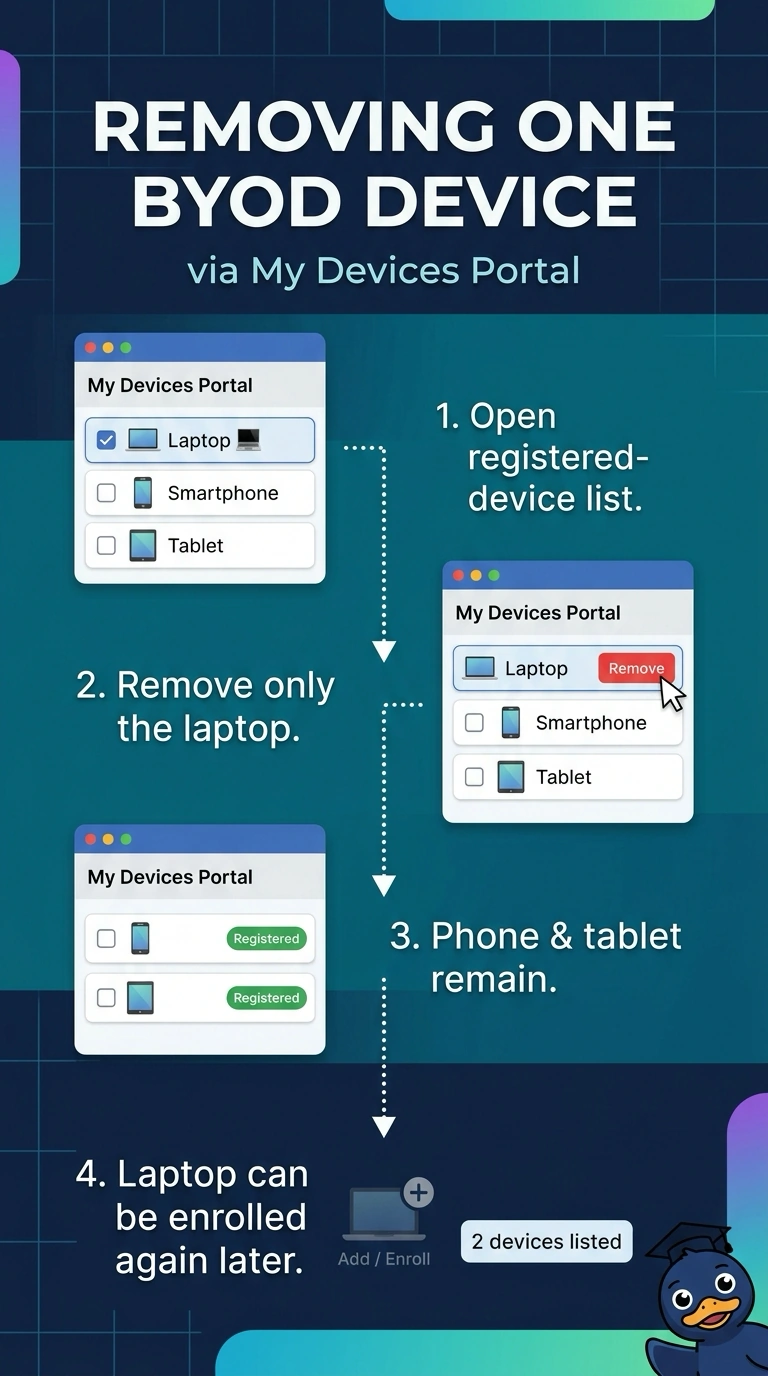
A company lets employees register personal laptops in the ISE My Devices Portal, and each person may enroll several devices. One employee is returning a company laptop to IT, so only that laptop's registration should be removed while the person's phone and tablet keep their registered access. Which action revokes this single device's BYOD registration?
Select an answer to reveal the explanation.
Short Explanation
Remove the laptop from your registered devices in the My Devices Portal, so your phone and tablet stay registered. It’s like taking one key off a key ring; policy changes, certificate revocation, or network quarantine can limit access, but they don’t remove the device’s registration.
Full Explanation
The required operation is to remove one device’s BYOD registration, not merely to prevent that device from connecting. Removing the laptop from the employee’s registered devices in the My Devices Portal targets that specific registration; the employee’s phone and tablet remain registered and retain their access. Revoking the laptop’s ISE-issued certificate is a valid way to invalidate its EAP-TLS credentials, but it does not itself remove the device’s registration from the portal. A laptop-specific deny rule is a standard policy control that can block the endpoint’s network access while its portal registration remains in place, so it changes authorization rather than enrollment state. Retiring the laptop in an MDM system can remove its managed profile and corporate access, but that action does not necessarily delete its separate ISE My Devices Portal registration; the stipulated registration would remain. Exam caveat: access revocation, credential revocation, MDM retirement, and BYOD deregistration are distinct operations, even when they produce similar immediate connection failures. In practice, verify the laptop is absent from the user’s registered-device list after removal, then confirm the phone and tablet still appear and can authenticate as expected.