
A telecom operations center turns on ISE TACACS+ for 120 routers and switches. Tier-1 staff must land at privilege 15 yet run only show and ping, tier-2 staff need full configuration rights, and rules must be chosen by device group rather than per-device configuration. Which device admin policy design fits all three requirements?
Select an answer to reveal the explanation.
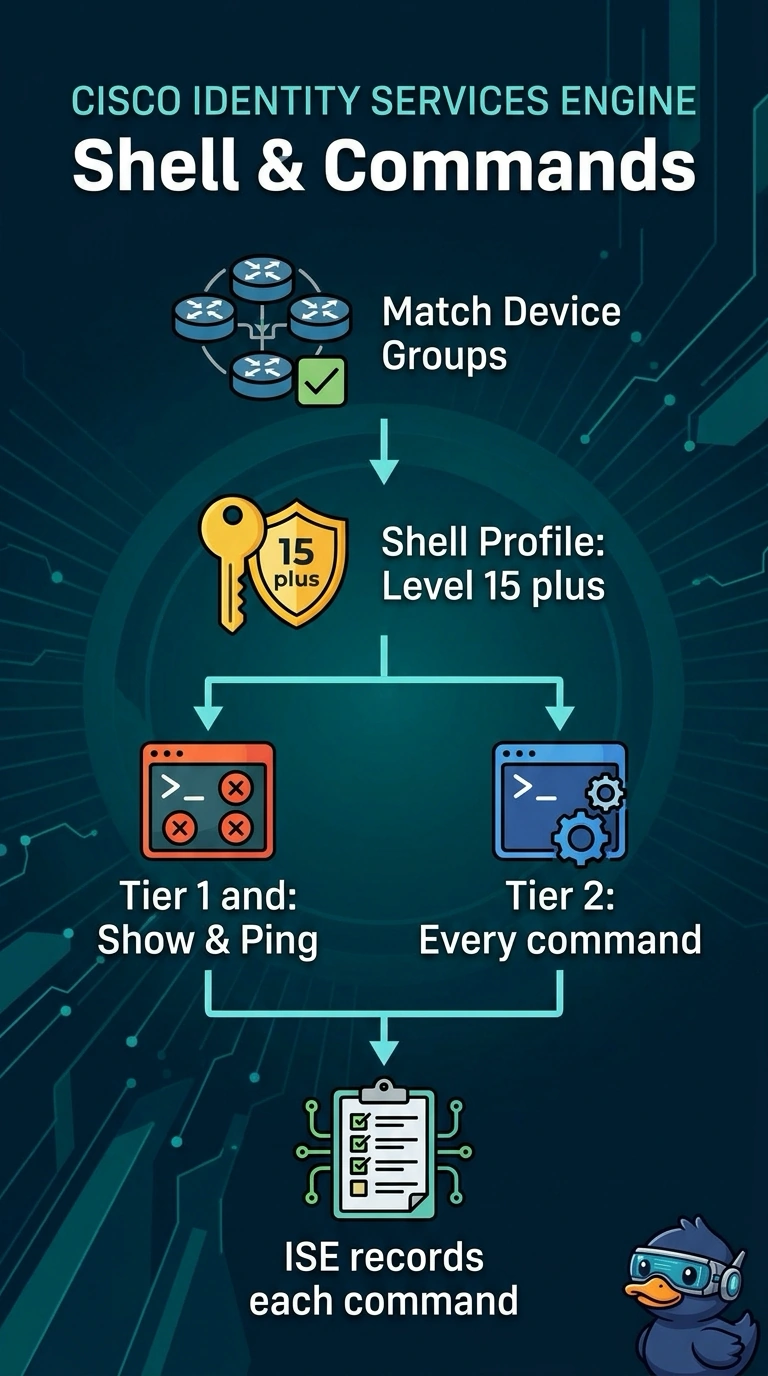
Short Explanation
You split the work into two parts: the shell profile sets privilege 15, and the command set decides which commands are allowed. Match the device groups in the policy set so tier-1 gets only show and ping while tier-2 gets unrestricted configuration rights. This gives both tiers the required access without relying on privilege level alone.
Full Explanation
Match device groups in the policy set, then assign each tier the required privilege level and command authorization: tier-1 receives privilege 15 but is limited to show and ping, while tier-2 receives unrestricted configuration rights. This separates privilege level from permitted commands, because privilege 15 alone does not enforce a show/ping-only restriction. Matching user groups instead can distinguish the staff tiers and return the right command sets, but selects policy by user rather than by the required device group. Giving tier-1 privilege 1 with show/ping authorization may restrict its access, but fails the explicit requirement that tier-1 land at privilege 15. Giving tier-2 a read-only command set preserves device-group selection and tier-1 restrictions, but prevents tier-2 from making configuration changes. Exam caveat: TACACS+ command authorization must be enabled and supported by the network devices; a shell profile’s privilege level alone does not limit commands. Practical check: test both tiers against representative device groups and verify the returned privilege level and allowed and denied commands, including a tier-1 configuration command and a tier-2 configuration change.