
A hospital wants company laptops and staff-owned phones to share one SSID so the WLAN build stays identical across twelve sites. Staff must sign in with their directory account over 802.1X on that SSID, then register the personal device so it reconnects on its own, while visitors stay on a separate network. Which BYOD design delivers that single-SSID flow?
Select an answer to reveal the explanation.
Short Explanation
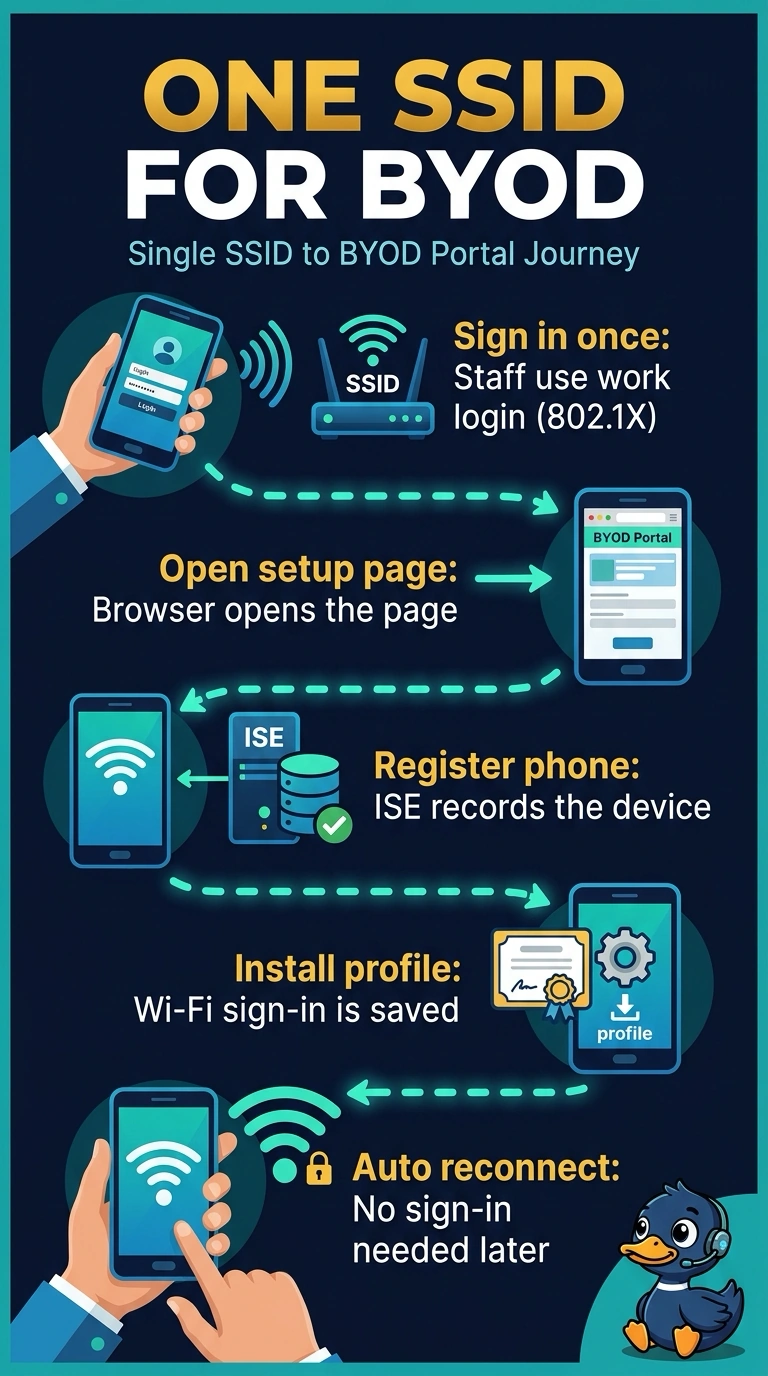
You want staff-owned phones to authenticate on the shared SSID and then enroll without moving to another network. Redirecting you to the ISE BYOD portal after 802.1X lets the phone receive a reusable wireless profile—the single-SSID flow—while visitors stay on their separate network. That profile lets your phone reconnect without entering credentials each time.
Full Explanation
The ISE BYOD portal design keeps the WLAN configuration consistent: the personal phone first authenticates to the shared SSID with the user’s directory account through 802.1X, then is redirected to the portal for device registration and delivery of a reusable wireless profile. That profile supports automatic reconnection, while visitors remain on a separate network. MDM can provision a certificate and profile before joining the directory-backed 802.1X network, but that is pre-provisioning rather than the required post-login portal registration flow. A persistent network role can provide appropriate access after 802.1X, but without BYOD portal enrollment it does not register the personal device as required. Registering through the portal but requiring credentials at every connection also fails: the phone has not received the reusable profile needed for automatic reconnection. Exam caveat: 802.1X authentication and BYOD enrollment are distinct steps; authenticating a user does not by itself register a personal device or provision its connection profile. Practical check: test a newly enrolled phone end to end and confirm it joins the shared SSID with directory-backed 802.1X, completes portal registration, reconnects without manual sign-in, and remains separate from the visitor network.