
A state university lets personal devices onto its secure WPA2-Enterprise network, but campus RF policy allows no SSID beyond the existing secure network and the visitor network, and employees are barred from onboarding over the visitor network. The devices have no MDM, every one of them supports 802.1X and can initially authenticate with employee credentials using a certificate-free EAP method, and each must end up holding an ISE-issued device certificate for EAP-TLS. Which BYOD flow meets these constraints?
Select an answer to reveal the explanation.
Short Explanation
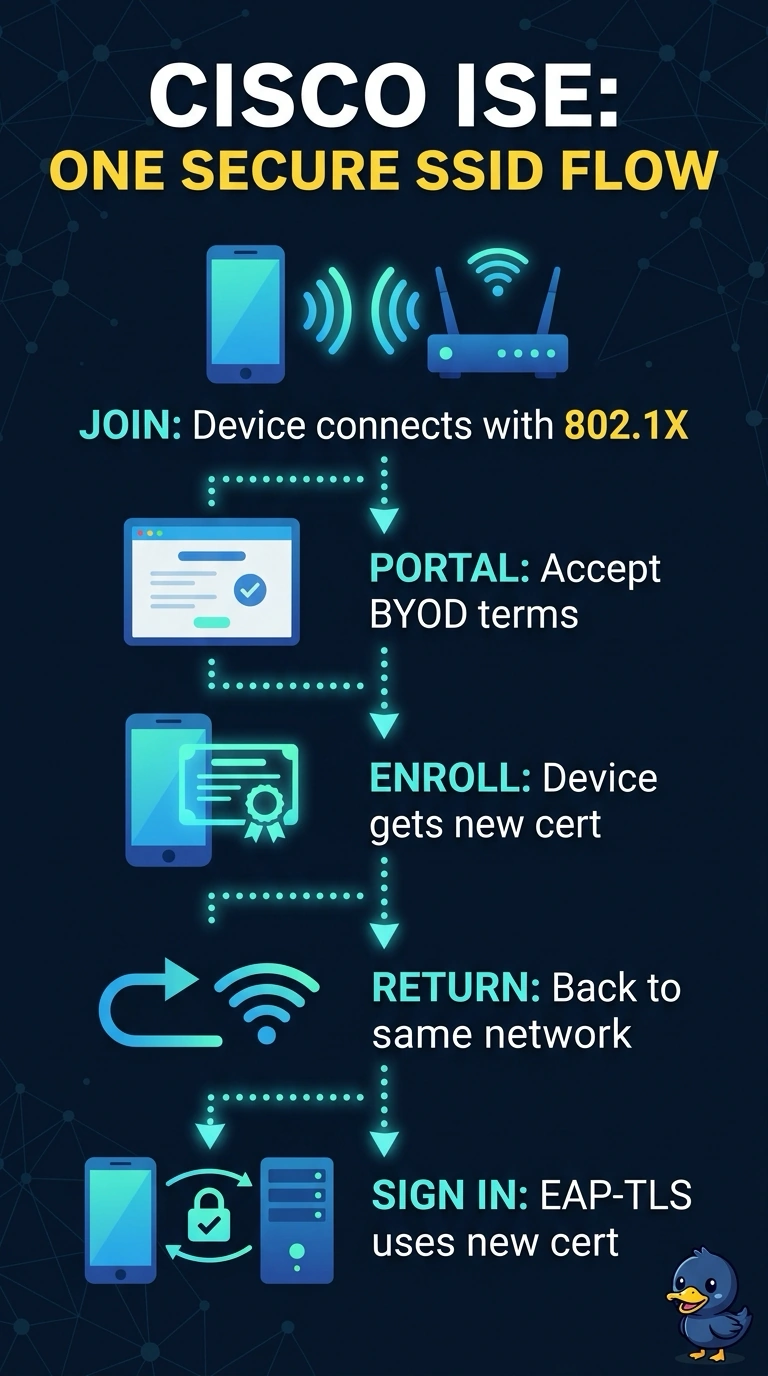
Because the visitor network is off limits and every device supports 802.1X and certificate-free initial authentication, the single-SSID flow is the only fit: the portal trip and the certificate both happen on the secure network. The device never leaves the corporate SSID, and you never juggle two networks. It's like ordering and collecting at the same window.
Full Explanation
The single-SSID flow fits because each device can use its supported certificate-free 802.1X method to reach the BYOD portal on the existing secure network, obtain an ISE-issued certificate, and return to that network for EAP-TLS. It needs neither an additional SSID nor MDM, and it avoids visitor-network onboarding. The dual-SSID approach using the visitor network is a familiar provisioning pattern, but it fails the explicit rule barring employees from onboarding there. A dedicated onboarding SSID can provide a controlled staging network and a clear transition to production, but it requires an additional SSID, which campus RF policy disallows. Using SCEP with the university’s certificate authority is also a standard way to automate device certificate enrollment; however, a certificate issued by that CA does not meet the requirement that ISE issue the device certificate. Exam caveat: BYOD flow names and portal behavior vary by ISE version and configuration, so do not infer the certificate issuer or allowed onboarding network from the flow label alone. Practical check: verify the configured allowed SSIDs and onboarding path, confirm the certificate’s issuer and identity on a test device, and validate a complete EAP-TLS reauthentication on the secure SSID.