
A community college runs central web authentication for guests on its wireless controllers. The splash page opens and the guest credentials are accepted, yet the device stays limited to the portal while the internet remains unreachable. Which message re-authorizes the endpoint after the portal form is submitted?
Select an answer to reveal the explanation.
Short Explanation
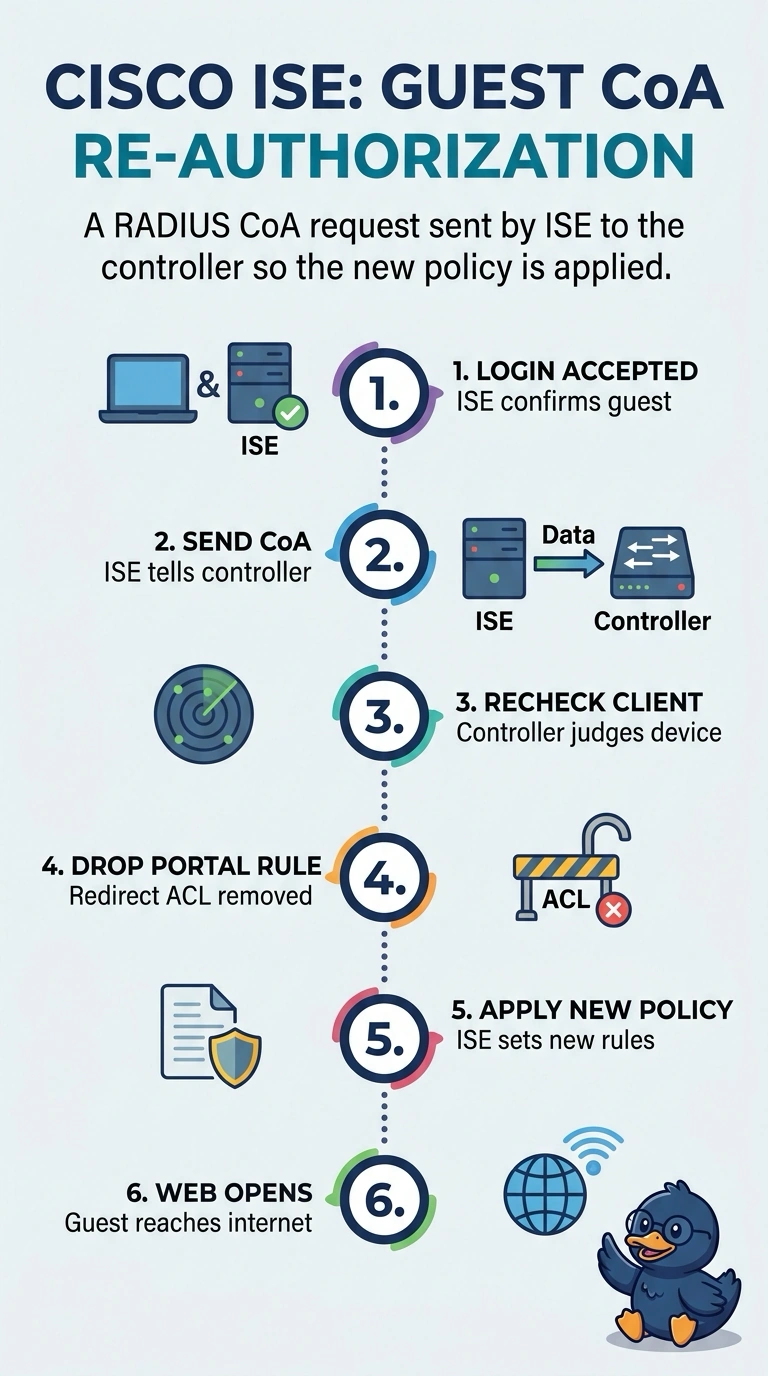
Once your guest’s credentials are accepted, the controller still needs an instruction about what access to allow. The RADIUS CoA request tells it to re-evaluate the endpoint and replace the redirect rule with the permitted policy. Think of it as a lobby guard calling ahead so the inner doors unlock after check-in.
Full Explanation
In central web authentication, the controller first matches a redirect ACL and sends the browser to the ISE guest portal. After ISE validates the guest, it sends a RADIUS CoA request to the controller, which re-evaluates the session and applies the permitted policy. That change replaces the endpoint’s pre-authentication redirect restriction and enables internet reachability; if the CoA request is missing or filtered, the guest can remain stalled at the portal. The controller’s HTTP redirect is only the entry step: it sends the browser to the login page but does not update the endpoint’s access policy. The initial Access-Accept installs the URL redirect profile for unauthenticated clients, so it initiates the portal flow rather than granting post-login access. The portal’s success page only reports that credentials were accepted; displaying it does not change the policy applied by the controller. Exam caveat: controllers can differ in how session re-evaluation is signaled, and some deployments rely on reauthentication rather than a plain CoA packet. Practical check: review the ISE live log for the authorization result, then confirm in the controller’s client view that the permitted access list is in place.