
A virtual Secure Firewall Management Center (FMC) is deployed on a vSphere host, and a Threat Defense Virtual appliance in the same cluster must be brought under its control. Its image offers only a command line, the appliance must originate its own management connection, and first trust must use a registration key configured in FMC. Which statement correctly describes that first registration?
Select an answer to reveal the explanation.
Short Explanation
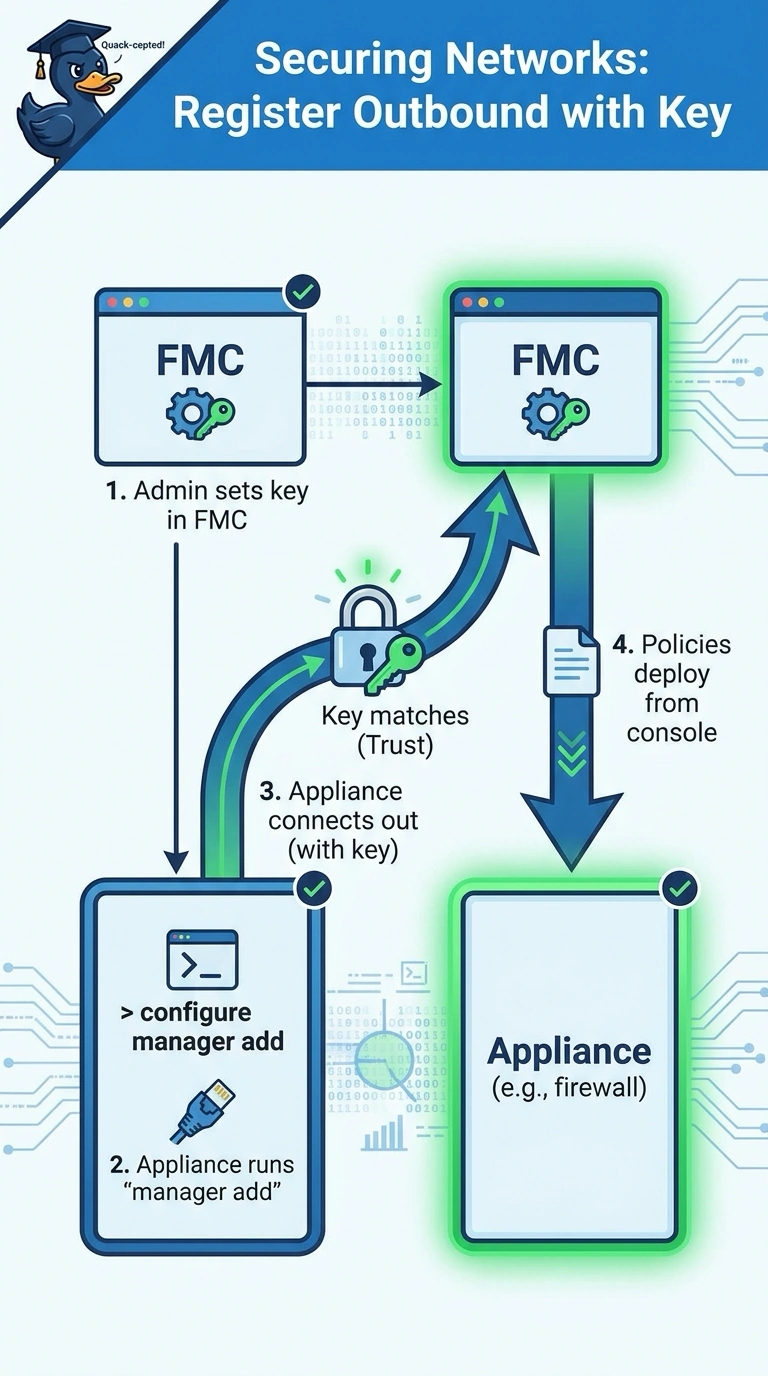
You start by configuring a registration key in FMC, then run configure manager add on the appliance so it reaches out to the manager. Think of it as giving someone your number so they call you; initial trust rests on that registration key.
Full Explanation
For this first registration, you configure the registration key in FMC, then run configure manager add on the Threat Defense Virtual appliance with the FMC address and key. The appliance initiates the management connection, allowing FMC to validate the key and establish management. A workflow in which you enter the FMC address and key in the appliance CLI but FMC initiates the connection uses the right details but reverses the required connection direction. A workflow in which you enter the address and key in a web setup wizard has the appliance initiate enrollment, but this image offers only a command line, so that method is unavailable. A workflow using certificate-based identity from the appliance CLI has the appliance initiate enrollment, but it substitutes certificates for the required FMC-configured registration key. Certificate-based trust can be appropriate in other deployments, but it does not meet this scenario’s specified first-trust method. Exam caveat: distinguish the initial registration key from certificates that may later authenticate or secure management communications; their presence does not make the key optional when the prompt explicitly requires it. Practical check: confirm the key is configured in FMC, verify the appliance’s manager configuration points to the correct FMC address, and check FMC for the newly registered device and its management status.