
A data center access control policy on your FTD has, near the top, a rule allowing every internal subnet to reach the new file server on TCP 445. Lower in the same policy, a rule sends TCP resets for the contractor VLAN's traffic to that server, yet contractors report the share still opens. Which change to the access control policy makes the contractor restriction take effect?
Select an answer to reveal the explanation.
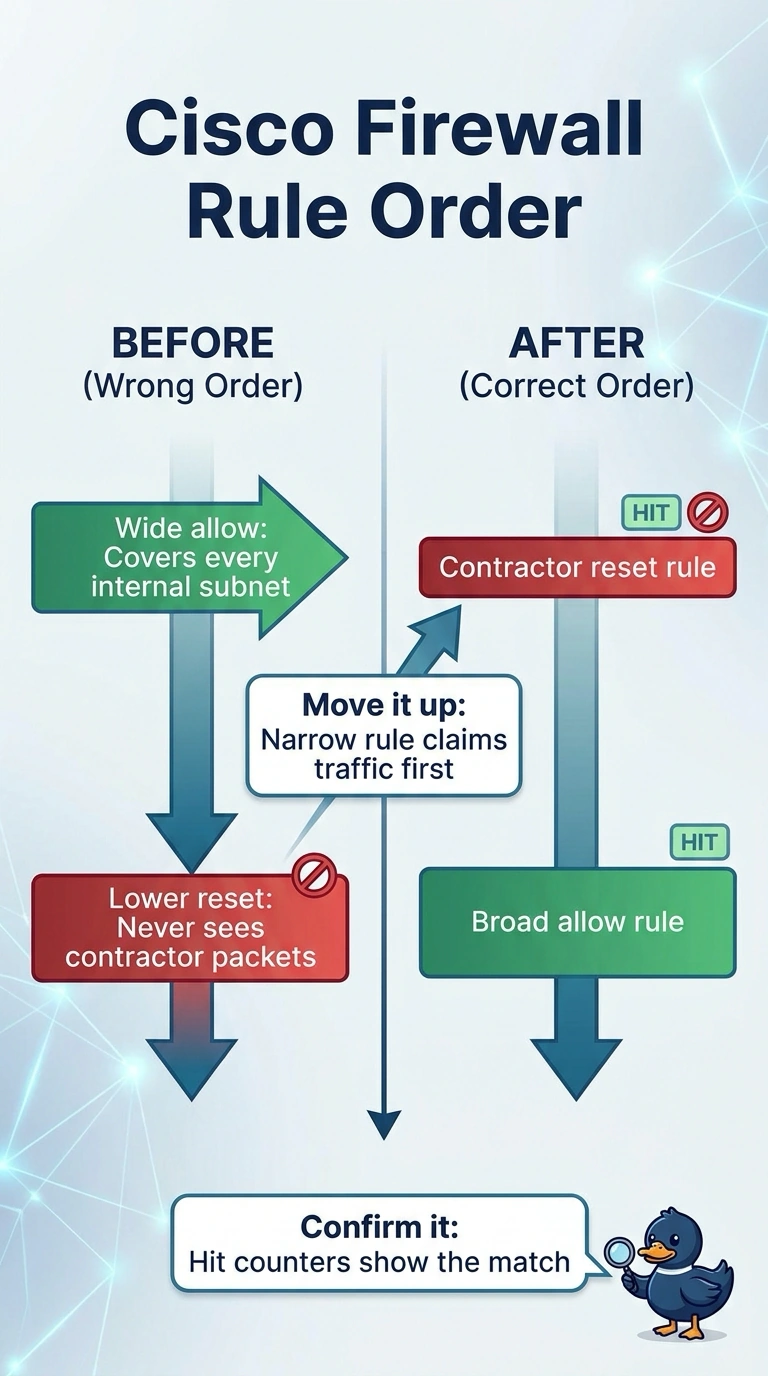
Short Explanation
Access control rules run from top to bottom, so the first match decides the packet's fate, like the first clerk to claim a ticket. Your contractor reset rule sits under a much broader allow, so it never runs and switching it to block wouldn't help either. The fix is reordering, which is exactly first-match evaluation at work.
Full Explanation
An access control policy is evaluated from the top rule downward and stops at the first rule whose conditions match the incoming packet, so a rule's position is what gives it real power. A narrow rule sitting below a much wider one never gets a chance to run, which is why the lower deny action is unreachable no matter how that action is configured. Moving the narrow rule above the wide allow restores the intended precedence, because the specific condition now claims those packets first. Setting the default action to block fails as a fix because that setting is consulted only when nothing in the list matches, while an explicit allow already matches here. Rewriting the action from reset to block fails because the engine selects an action only after a rule has matched, so ordering rather than the deny flavor decides the outcome. Building a second access control policy fails because a Threat Defense device carries a single applied policy at a time, and policies do not stack on one device. Exam caveat: the rule editor inserts a new rule at the position you choose, so always verify where an insertion lands. Practical check: read the rule hit counters in the management center and confirm the moved rule is now recording matches.