
Users report timeouts reaching an internal application behind a physical Secure Firewall Threat Defense appliance. The inside interface is up with the correct address, and a ping from the appliance to the server succeeds, so outbound reachability looks healthy. Starting from the device CLI, which command and mode confirm whether client packets arrive on the inside interface?
Select an answer to reveal the explanation.
Short Explanation
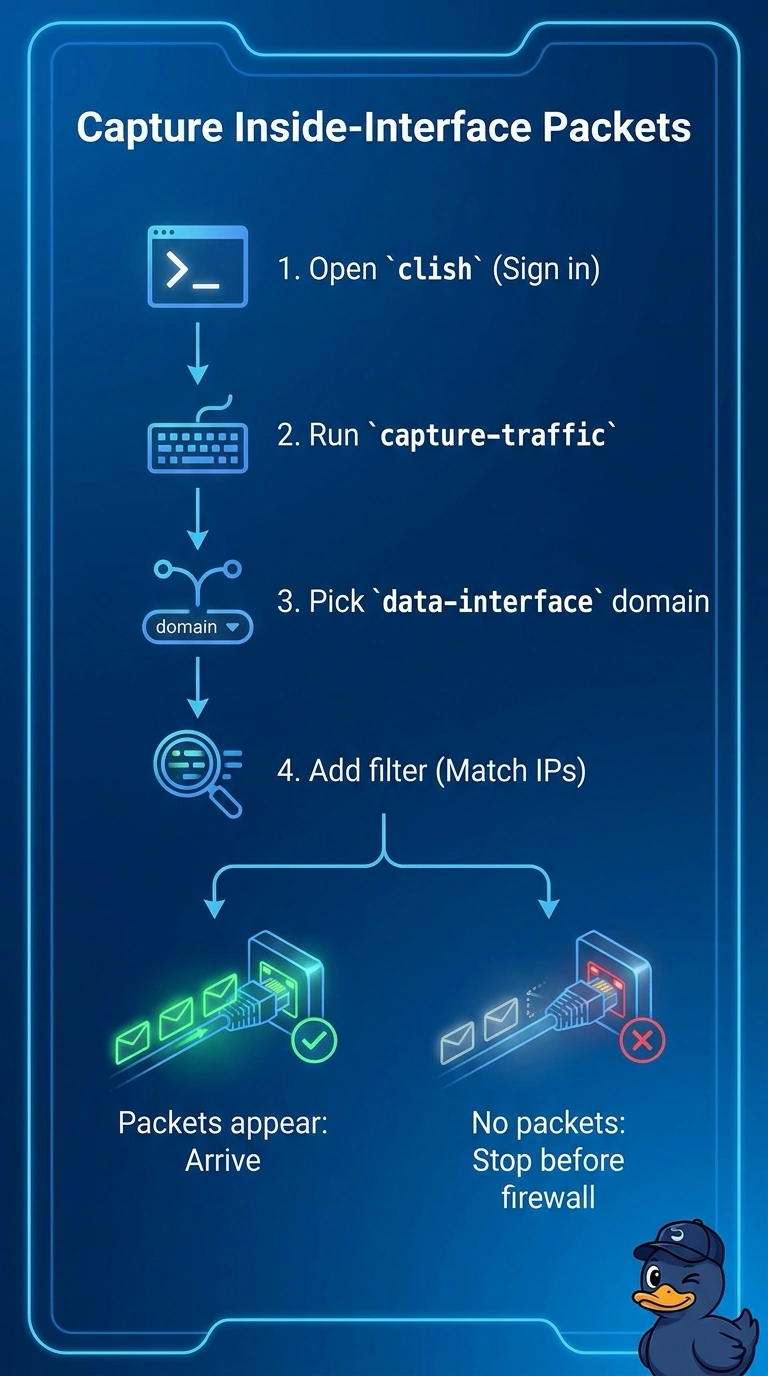
You already know the inside interface is up and the appliance can reach the server, but you still need to verify that client packets arrive. Run capture-traffic from clish, choose the data-interface domain, and filter for the client packets on the inside interface.
Full Explanation
Run capture-traffic from clish, choose the data-interface capture domain, and apply a filter for the affected clients’ packets on the inside interface. This live capture lets you verify directly whether those packets reach the appliance; a successful ping from the appliance to the server establishes outbound reachability, not inbound client delivery. Packet-tracer models how a simulated flow would be handled, but it does not observe actual client packets arriving, so it cannot confirm their arrival. An FMC packet capture can provide packet-level evidence, but it does not meet the request to start from the device CLI. Reviewing interface packet counters can indicate traffic volume, but aggregate counts generally cannot establish whether packets from these particular clients arrived. Exam caveat: distinguish an actual live capture from a simulated flow or aggregate counters, and follow the requested starting point and mode. Practical check: filter for the client and application server addresses, and confirm the capture is bound to the inside interface before interpreting an empty result.