
A hospital security lead searches the Management Center connection events for sessions between the new application server and the database tier and finds none, even though the app team confirms the nightly jobs succeed and a packet capture on the FTD shows the sessions. The server's host profile also lists a detected operating system. Which explanation best fits the missing connection events?
Select an answer to reveal the explanation.
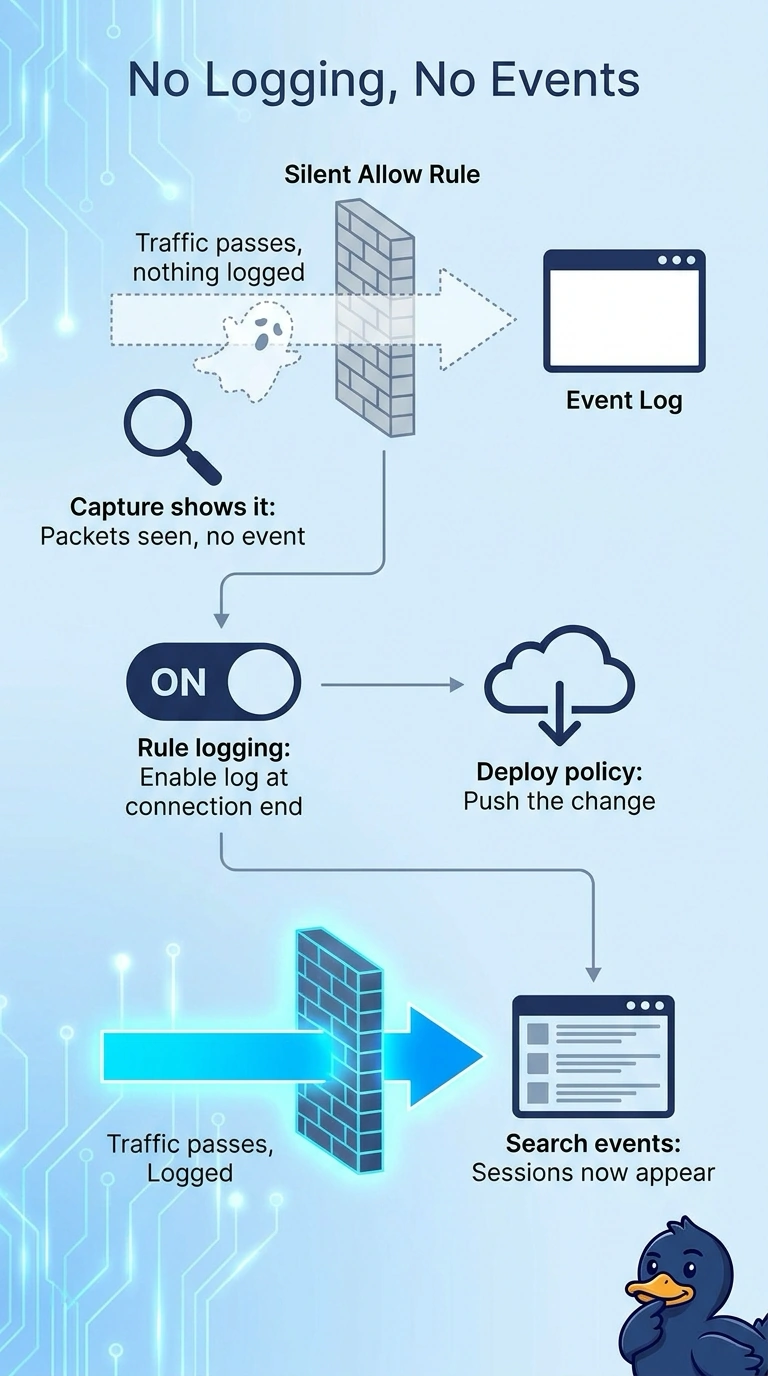
Short Explanation
Connection events exist only when the matching rule is told to log them, so a silent allow rule leaves nothing to search. It's like a camera that only records when someone badges in: the traffic crossed the door, but no event was written. The fix lives in the rule's connection logging settings.
Full Explanation
The correct explanation is that the matching access control rule, or the default action that handles these sessions, does not have connection logging enabled. A packet capture proves that sessions crossed the FTD, and the successful nightly jobs prove they were allowed, but the Management Center only receives a connection event when logging is turned on for the rule that handled the flow (at the beginning or end of the connection). The detected operating system shows that the server has a host profile from network discovery; discovery data and connection events are separate, so a populated host profile does not prove that connection events were logged. A subnet missing from the network discovery policy would leave the host without a profile, which contradicts the scenario. Requiring application identification is the wrong dependency: sessions with an unidentified application are still logged, as Unknown, when logging is enabled. There is no per-interface switch that silently suppresses connection events for allowed traffic. Exam caveat: distinguish packet observation from event logging, because captures show traffic even when no event was recorded. Practical check: open the matching access control rule, enable logging at the end of the connection, deploy, and then re-run the nightly job and search the connection events again.