
A manufacturer's new SCADA segment is routed through Secure Firewall Threat Defense and traffic flows normally, yet the discovered host and application lists come back empty for that subnet. The team wants the inventory limited to that segment so analysis load on the management center stays contained. Which configuration step produces the host and application visibility they need?
Select an answer to reveal the explanation.
Short Explanation
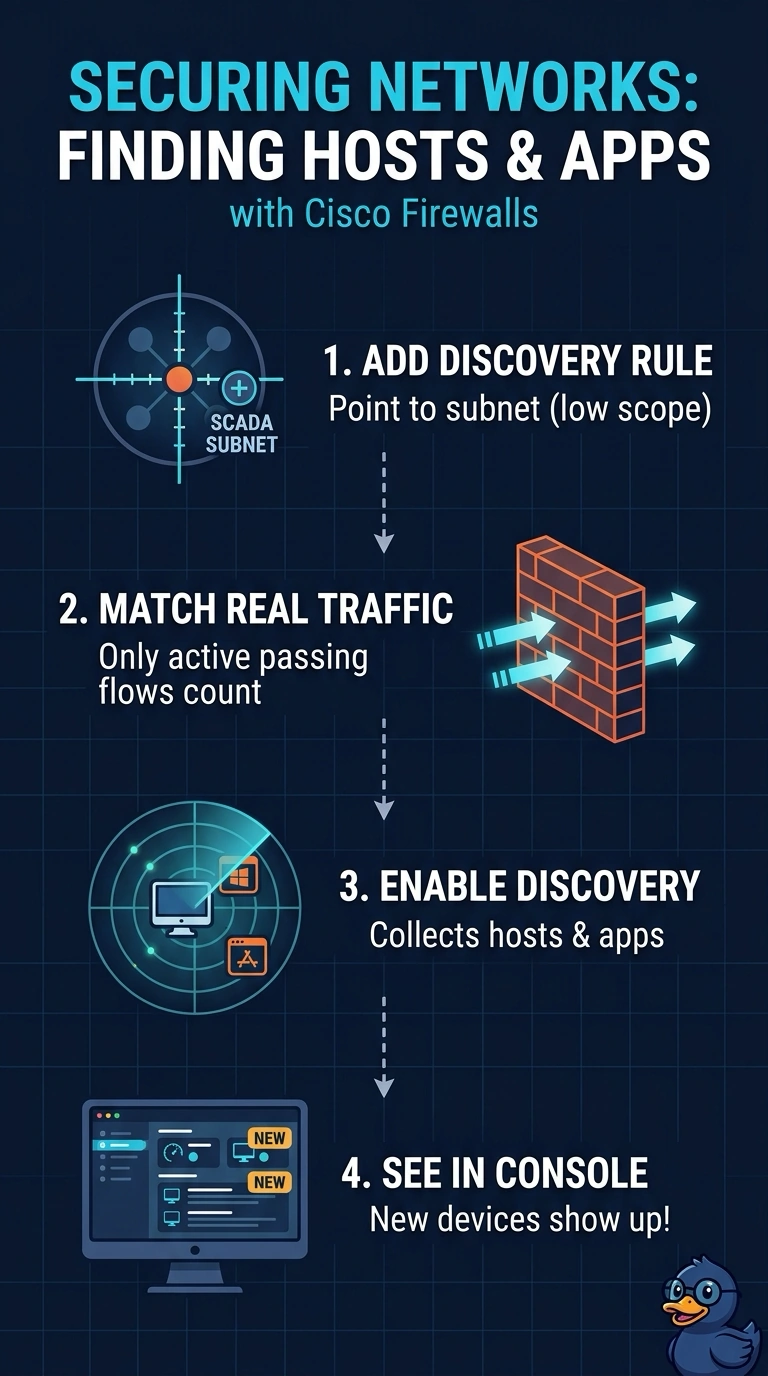
Add a network discovery rule for your SCADA subnet and make sure host and application discovery are enabled in the discovery policy. It’s like pointing a camera at one street, so you get visibility into that segment without filming the whole city.
Full Explanation
Network discovery uses rules to select traffic for observation, including by network. The discovery policy's host and application discovery settings determine what information is collected from selected traffic. Because the SCADA segment is new and no rule selects it, nothing is learned there even though packets are flowing, so adding a rule scoped to that subnet fills the inventory while keeping the analysis scope narrow. Permitting the traffic and enabling access control logging fails the visibility requirement, because connection records are logs rather than discovered host and application entries and they do not identify what runs on a device. Importing the subnet as a network object also does not create discovered host records: objects are configuration aliases, not observed devices. Directory integration resolves user identity through directory services; it does not create host records or identify server applications. Discovery only sees traffic that actually traverses the device, so a segment switched elsewhere stays invisible. After deploying the rule, generate traffic and check the discovery results for the new hosts and applications.