
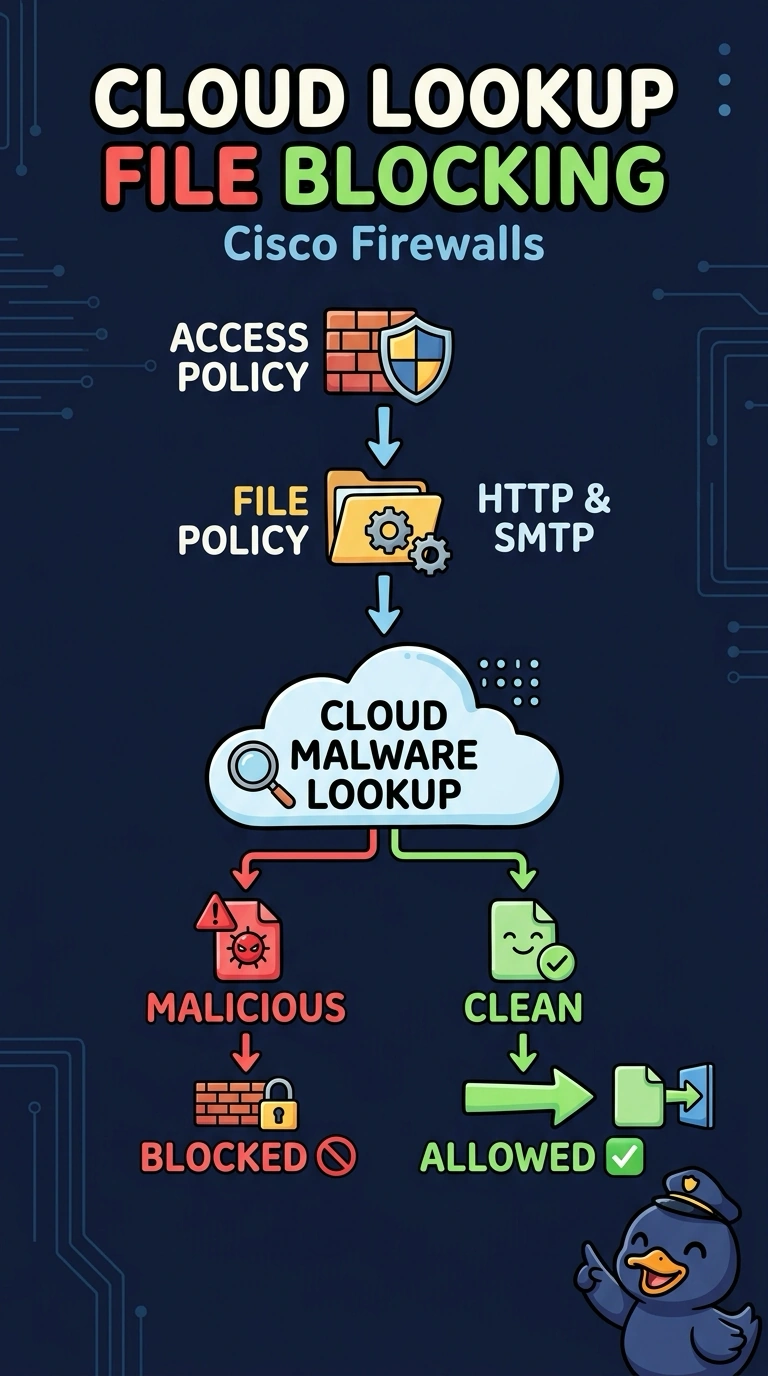
A logistics firm enables Secure Malware Defense in the Management Center to protect employee web and email traffic. Files must be checked against the cloud for a verdict, only files reported malicious may be blocked, and both HTTP downloads and SMTP attachments are in scope. Which file policy configuration should the engineer apply?
Select an answer to reveal the explanation.
Short Explanation
Exactly right — you tied the cloud lookup to the file policy and kept the block tied to the verdict. Secure Malware Defense works like a mail-order lab: the file's hash is checked against Cisco's cloud, the verdict comes back, and only a malicious result stops the transfer. HTTP-only coverage just wouldn't cover SMTP attachments.
Full Explanation
A file policy attached to an access control policy is where file control and malware analysis meet, and enabling Secure Malware Defense adds a cloud lookup that returns a disposition for eligible files. The engine compares that verdict with the policy's blocking criteria, so a file is blocked only when the cloud reports it as malicious, while HTTP downloads and SMTP attachments are both covered by the configured rules. File-control rules can match file types, but they do not consult the cloud for a live malware verdict. Blocking every inspected file ignores the disposition entirely, which would block legitimate transfers and violate the requirement to block only on a malicious result. Restricting the policy to HTTP keeps the cloud lookup and the correct verdict criteria but leaves SMTP attachments outside this policy's coverage. On the exam, remember that a file policy must be referenced by an access control policy or it will not be applied. A practical check is to test a known sample in a lab over HTTP and again as an attachment, then confirm both file events show the cloud verdict and the expected block behavior.