
A hospital is onboarding ten new FTD appliances into one FMC. The hardening standard requires identical NTP servers, DNS servers, and a login banner on every device, and operations wants FMC to raise alarms when CPU, memory, or disk use crosses a limit or an interface goes down. Which two policies should the administrator assign?
Select an answer to reveal the explanation.
Short Explanation
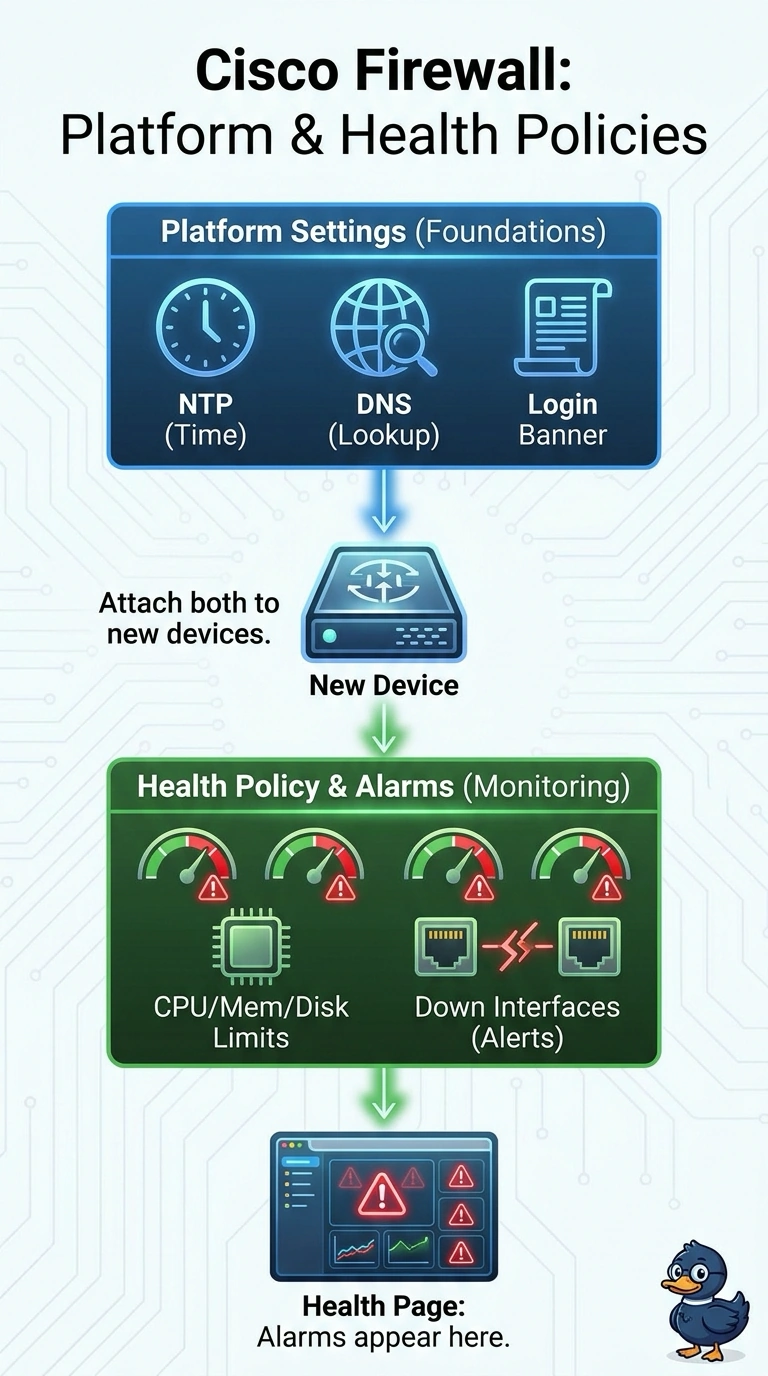
You’re handling two separate parts of the onboarding standard with two assignable policies. Think of it as giving every new appliance the same baseline settings while also connecting it to a health monitor. A platform settings policy carries the time, DNS, and banner settings, while a health policy holds the resource and interface alarms.
Full Explanation
The correct pairing separates device configuration from monitoring: platform settings apply the required NTP servers, DNS servers, and login banner to the FTD appliances, while a health policy monitors CPU, memory, and disk thresholds and interface-down conditions so FMC can raise alarms. A pairing that uses platform settings and a health policy but monitors only CPU, memory, and interfaces misses disk utilization; those checks cannot detect a disk limit being crossed. A pairing that applies the required platform settings and monitors CPU, memory, and disk still misses interface-down monitoring, so FMC would not raise the requested alarm when an interface fails. A pairing that monitors all the requested health conditions but configures only time and the banner omits DNS servers, leaving a hardening requirement unmet. An exam caveat is to distinguish platform settings, which configure device properties, from health policies, which define what FMC monitors and alarms on. In practice, verify that the assigned policies include the intended settings, thresholds, and interface condition, then confirm successful deployment to all ten devices and review FMC health monitoring for the expected alarms.