
The SOC at a logistics firm wants one screen that every analyst opens at shift start, showing the day's blocked hosts and the latest intrusion alerts together. The compliance officer needs the same blocked-connection and intrusion figures emailed to her every Monday morning automatically. Which FMC dashboard and reporting setup satisfies both requirements?
Select an answer to reveal the explanation.
Short Explanation
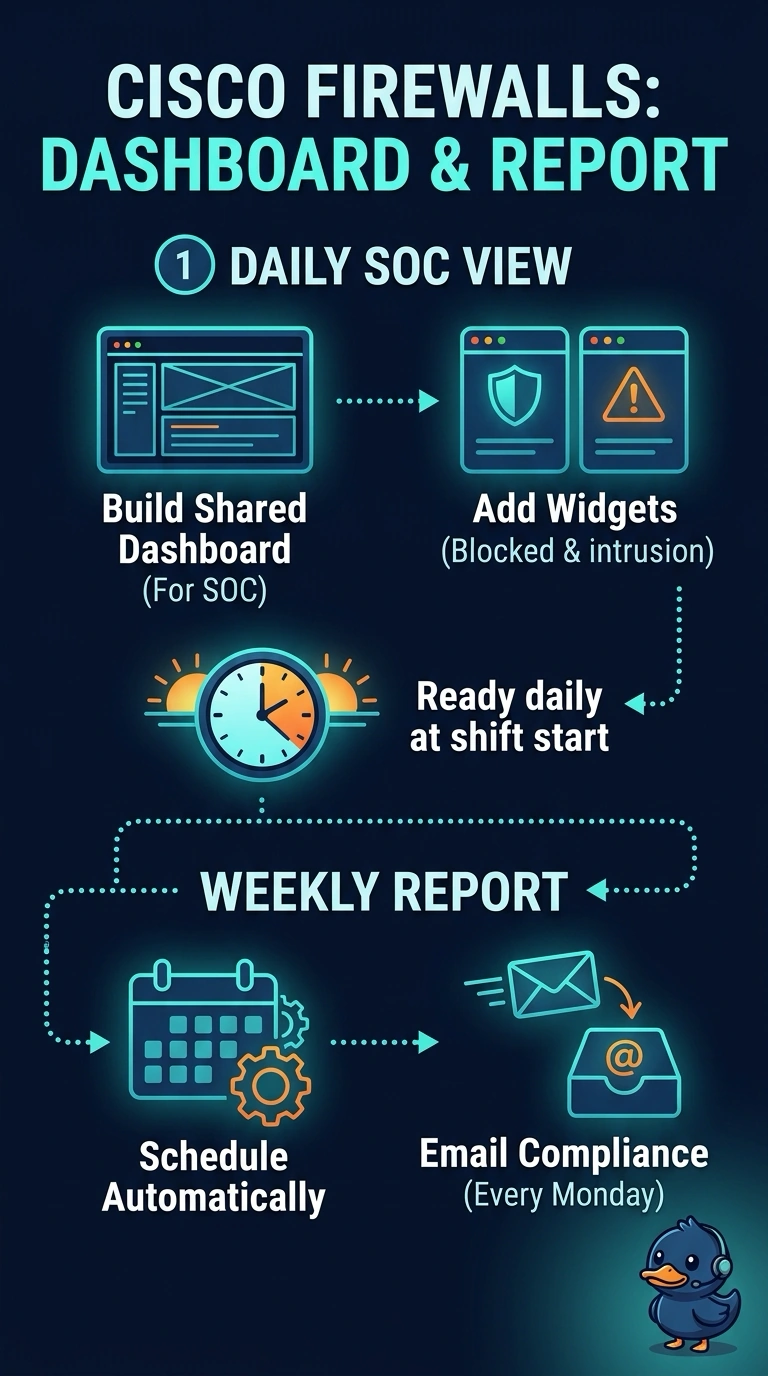
You need two mechanisms: a shared custom dashboard for the SOC’s live view and a scheduled report for automatic email delivery. The dashboard gives analysts one screen to open at shift start, while the weekly report sends compliance both required figures without anyone having to log in. Together, they cover both needs.
Full Explanation
The correct setup pairs a shared custom dashboard with a scheduled weekly report. The dashboard gives analysts one consistent screen showing the day’s blocked hosts and latest intrusion alerts, while the scheduled report emails compliance both the blocked-connection and intrusion figures automatically each Monday. A shared dashboard with a saved bookmark makes the figures easy to revisit, but opening the bookmark is a manual action and does not provide automatic email delivery. A Monday email report containing both figures satisfies compliance’s need, but asking analysts to filter separate event views does not provide one shared screen that brings the requested information together at shift start. A shared dashboard paired with a scheduled weekly intrusion report provides the SOC’s view and automatic delivery, but the intrusion-only report omits the blocked-connection figures compliance needs. Exam caveat: a dashboard is a live presentation view, while a scheduled report is a separately configured delivery; having one does not imply the other. Practical check: verify the dashboard’s data sources and time range, then preview the report to confirm it includes both metrics and check its recipient and Monday delivery schedule.