
A retailer added the payment-server subnet 10.48.12.0/24 last month. Connection events from those servers appear in the event viewer, but the servers never show up in the network map and have no host profile. Network discovery has been enabled on the inside interface all along, and its rules still cover only 10.48.0.0/22. Which change restores host and application visibility?
Select an answer to reveal the explanation.
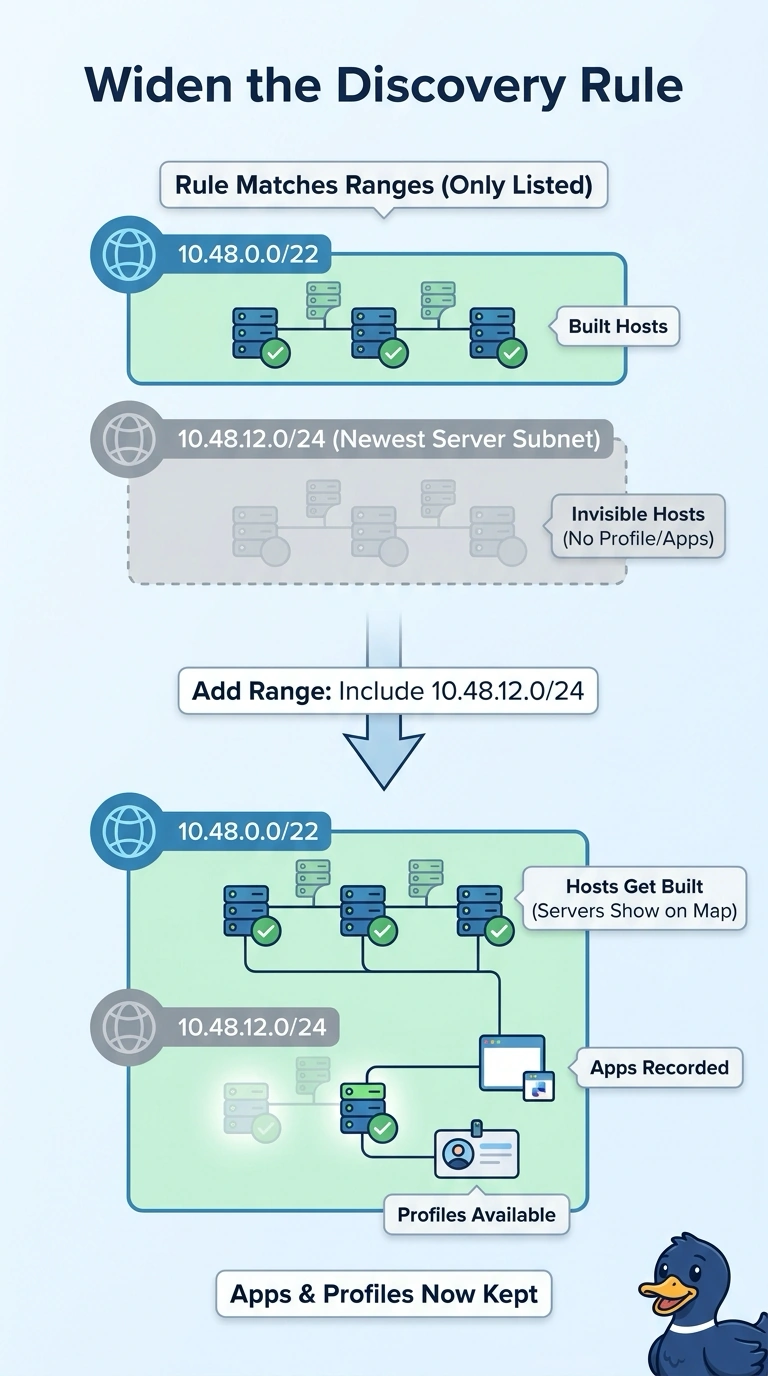
Short Explanation
Discovery rules decide which traffic is allowed to create a host record, so a subnet outside the matched range never lands in the map. Widen the rule and the hosts, their profiles and their applications all come back together. It's like adding a new street to your delivery map: until you do, those houses simply aren't on it.
Full Explanation
Network discovery rules decide which traffic may create and update host records, and anything outside the matched networks never enters the inventory even though the same packets are logged as connection events. Widening the rule to include the new subnet puts those servers into the network map, which is also where their host profiles, detected systems and application identifications live, so host and application visibility return together. Enabling discovery on another interface does not help, because the traffic is already being seen on the inside interface and the limit is the rule's matched range rather than the monitored path. A correlation rule watches events that already exist and raises an alert on a pattern, but correlation consumes discovery data instead of producing it, so the hosts would still be missing from the map. An access control rule with application logging records applications in the event stream, yet event data does not build host records on its own. Exam caveat: discovery is passive, so a host appears only after matching traffic is observed under a matching rule. Practical check: filter connection events by the subnet, then compare that range with the discovery rule's networks.