
Our sales team of 40 people works from home laptops and must reach only the application servers in 10.20.30.0/24, and the security team requires per-user certificate authentication from the company PKI. Web browsing must keep leaving directly from each laptop, and the FMC already manages an FTD appliance at the data center edge. Which remote access VPN configuration should you deploy on the FTD?
Select an answer to reveal the explanation.
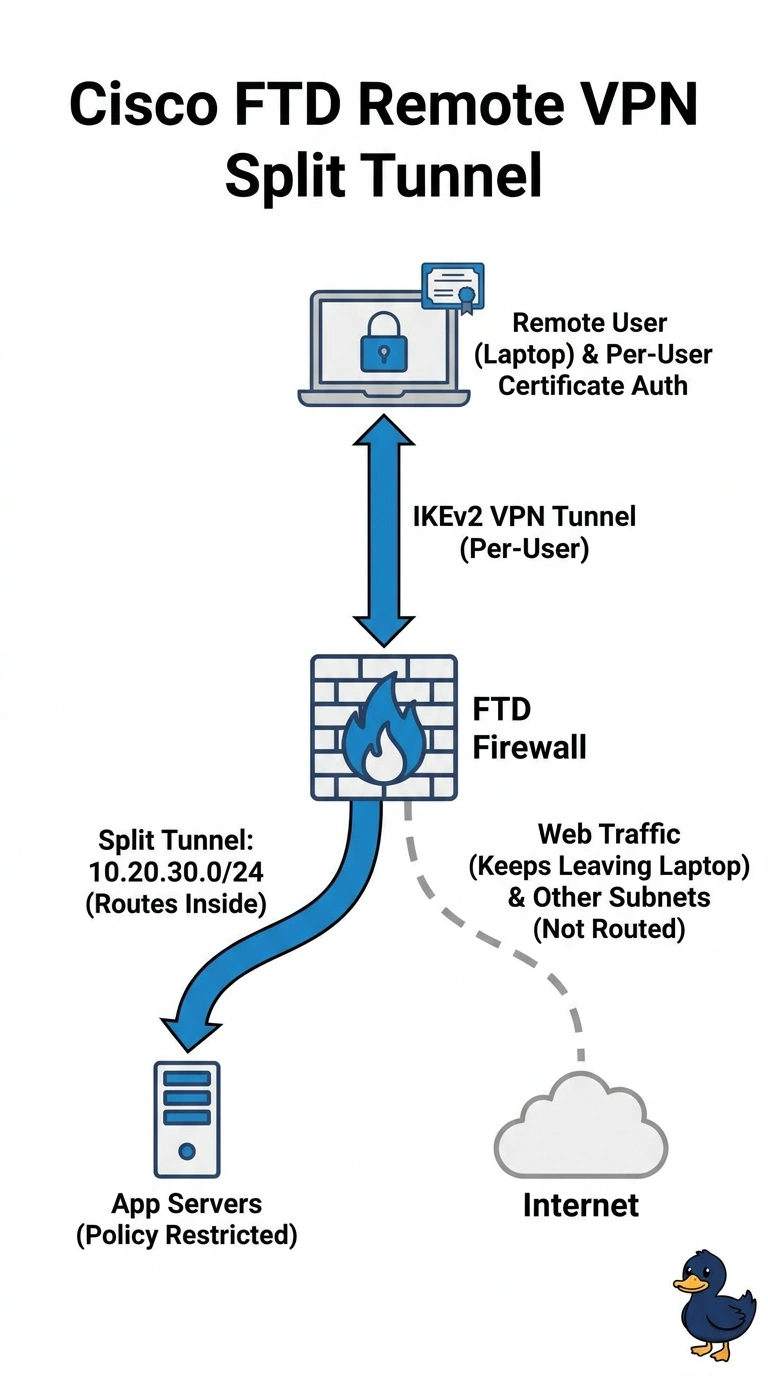
Short Explanation
Set up IKEv2 with per-user certificates, then use split tunneling to send only 10.20.30.0/24 through the VPN while your web browsing stays local. Think of the tunnel as a private hallway to the application network: you’ll still need an access policy to limit which application servers you can reach, since routing alone doesn’t restrict access.
Full Explanation
The correct configuration combines IKEv2 remote access with per-user certificates issued by the company PKI, so access is authenticated as an individual rather than merely as a device. Split tunneling sends the application subnet through the VPN while ordinary web traffic continues to exit directly from each laptop. A policy limited to the application servers enforces the requirement that remote users reach only those systems, and FMC can manage the existing FTD appliance. Routing all client traffic through the FTD is a common full-tunnel design, but it would also send web browsing through the data center, contrary to the required local internet exit. Device certificates are also widely used for VPN authentication, but they identify a laptop, not the individual user; they do not meet the explicit per-user certificate requirement. Allowing access to every host in 10.20.30.0/24 is a conventional subnet-based split-tunnel and access-policy design, but it grants reachability beyond the application servers and violates least privilege for this scenario. Exam caveat: confirm that the deployed FTD software version and licensing support the intended IKEv2 remote-access certificate workflow through FMC. Practical check: test with a representative user certificate, inspect the client’s installed routes to confirm only the application subnet uses the tunnel, and verify that policy denies access to a non-application host in that subnet.