
An engineer is adding a rule for partner subnet 10.20.30.0/24 reaching internal servers on TCP 8443, plus a URL condition for a legacy portal. That subnet also sits in a network group holding several other ranges, shared with another policy that must stay unchanged. Which set of object types keeps this rule correct and the other policy untouched?
Select an answer to reveal the explanation.
Short Explanation
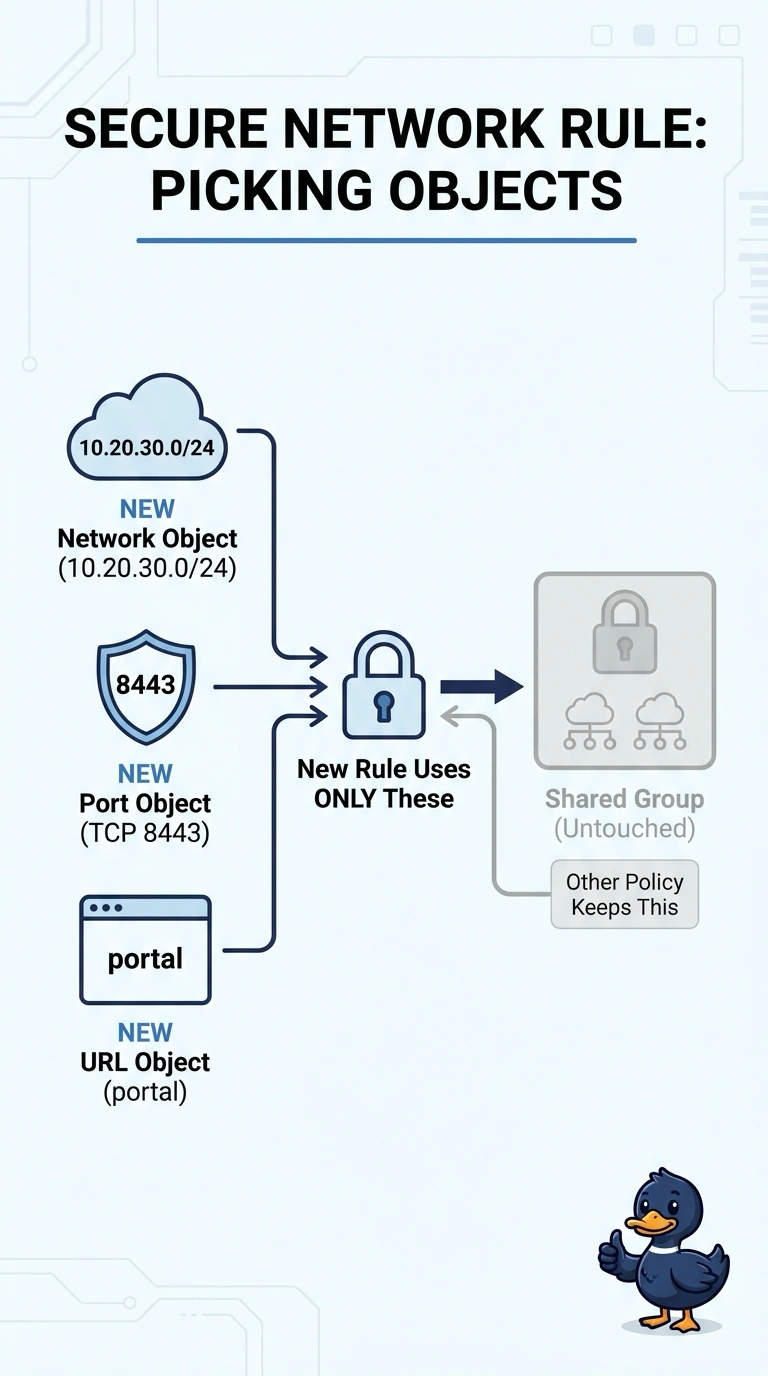
You’ll keep the rule correct by using a network object for the subnet, a port object for TCP 8443, and a URL object for the legacy portal. Leave the shared group untouched—like using a spare key for this rule instead of changing the master key another policy relies on.
Full Explanation
Object types are chosen by what a rule condition actually matches, so a subnet belongs in a network object, a TCP port number belongs in a port object, and a web path belongs to a URL object. The shared group is the trap: objects are global resources, and every access control policy referencing the same group sees the same contents, so editing it there silently changes behavior for the other policy. Building a fresh network object for this rule is the scoping mechanism you actually have, and it leaves the shared group exactly as it was. Referencing the shared group instead keeps that policy safe but drags every range it holds into your match, so the rule no longer stops at the partner subnet. Matching the portal with a security zone fails because zones describe interface segments, not web addresses, so the URL condition can never match. Cloning the access control policy does not duplicate its objects, so editing the shared group inside the copy still reaches the original policy. Exam caveat: object reuse keeps policies tidy, but shared edits have global reach. Practical check: after an object edit, reopen the other policy and confirm its subnets are unchanged.