
An IOS XE IPsec tunnel to an Azure VPN gateway is up, and ping across the tunnel works. BGP stays Idle. An ACL applied inbound on the tunnel permits ICMP and blocks TCP 179. What is the fault?
Select an answer to reveal the explanation.
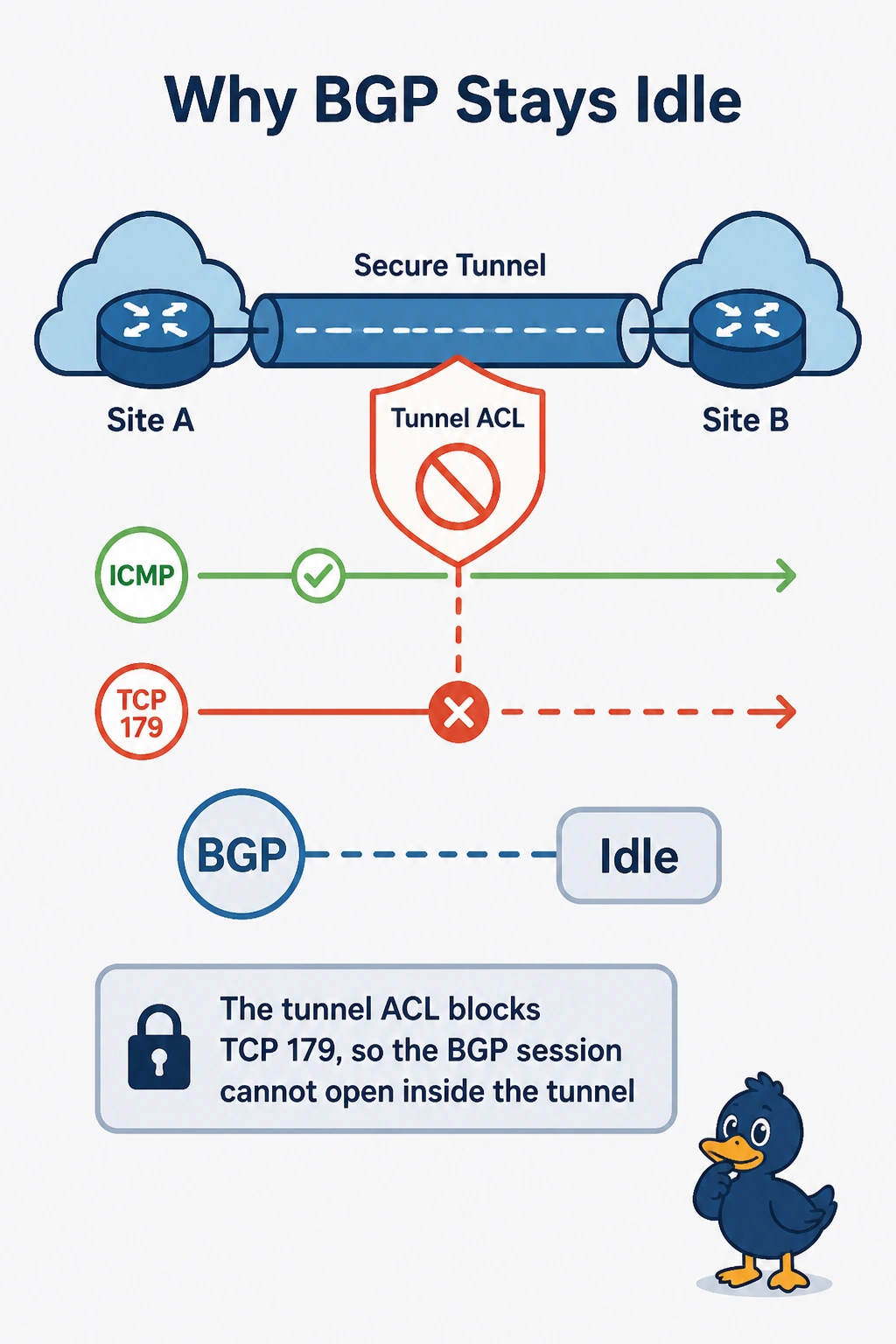
Short Explanation
Think of the tunnel as a hallway with the BGP session at the far end. You allowed ping but blocked TCP 179 in the tunnel ACL, so BGP cannot open even though IPsec is up. IKE has already succeeded, and Azure does not require OSPF area 0 for this BGP session.
Full Explanation
BGP uses TCP port 179 inside the IPsec tunnel. The inbound tunnel ACL permits ICMP but blocks TCP 179, so ping succeeds while the BGP TCP handshake is dropped and the session remains Idle. The tunnel being up and carrying ping shows that the IKE/IPsec connection is established; a rejected IKE proposal would not explain why only BGP is blocked while ICMP passes. Azure does not require OSPF area 0 before answering BGP on a route-based VPN gateway, and OSPF is not a prerequisite for this BGP session. The pre-shared key authenticates IKE; it is not the BGP password, so rewriting it as one would not fix the blocked TCP connection and could disrupt the working tunnel. Exam caveat: check both directions, since an ACL on the far side that drops TCP 179 toward this router can also prevent the session from opening. Practical check: permit TCP 179 in the tunnel ACL, then inspect show ip bgp summary and the TCP logs or debug to confirm that the handshake completes and the BGP state changes from Idle.