
A nightly script backs up SD-WAN configuration through the SD-WAN Manager API. Every run returns HTTP 401 with a JSON message reporting an invalid or expired session, even though the password is correct. What does the 401 error response tell you to fix first?
Select an answer to reveal the explanation.
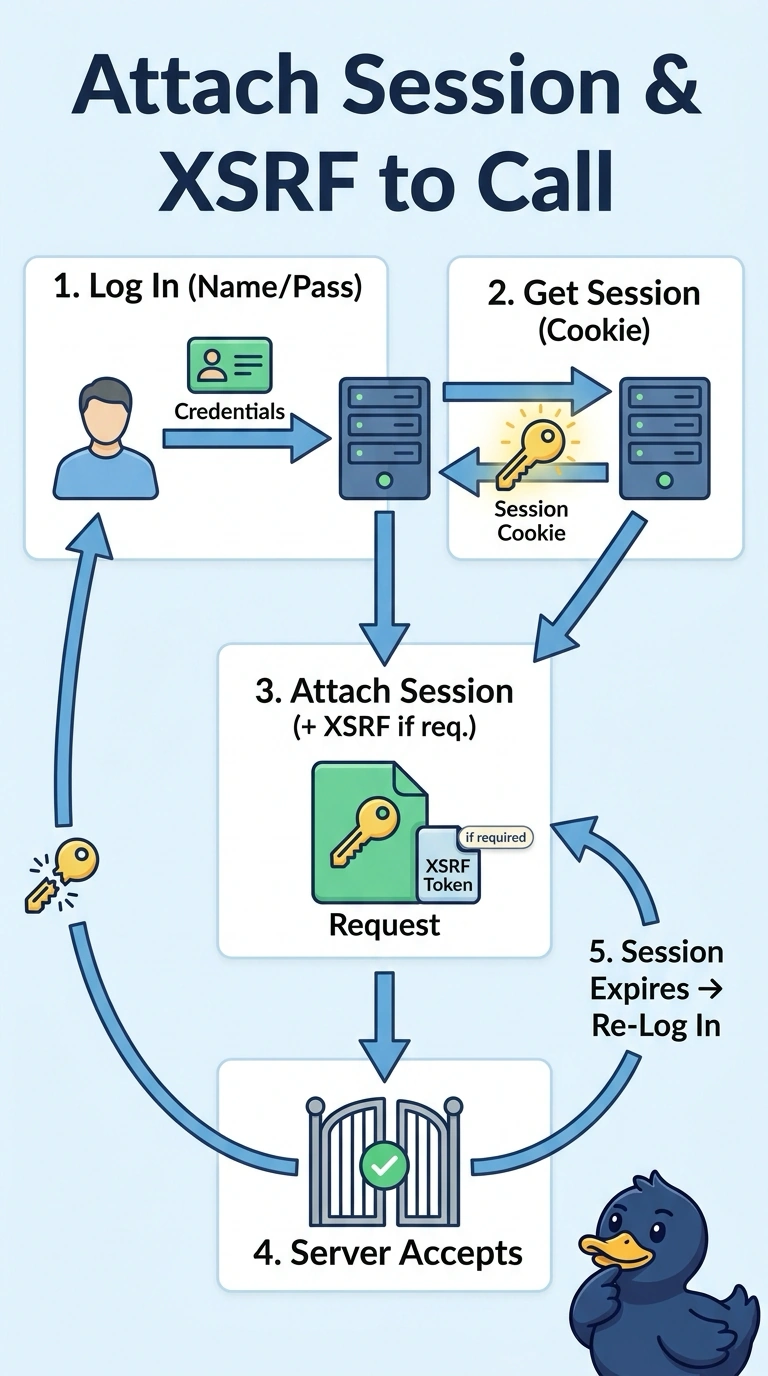
Short Explanation
A 401 with an invalid or expired session message tells you to fix the login session first: authenticate and carry its cookie on each backup call. Your password can be correct and the call can still fail if the cookie is missing or expired; include an XSRF token when the request requires one.
Full Explanation
An HTTP 401 whose JSON body reports an invalid or expired session points first to session authentication, not to an incorrect password or a backup-file problem. You should establish a valid Manager login session, retain the session cookie returned by the API, and send that cookie with each backup request; include an XSRF token in the expected header when the request requires one. Sending a bearer token instead of the session cookie does not satisfy this API’s session-based login flow. Renewing the session but omitting a required XSRF header can still lead to rejection, because session renewal does not replace that request requirement. Attaching the cookie and any required XSRF token while caching the login session indefinitely also fails once the server expires that session; you need to authenticate again after expiration. Exam caveat: a 401 can have other causes, such as credentials, permissions, or endpoint-specific authentication rules, but the stated session error makes session renewal and propagation the first thing to investigate. Practical check: inspect the login response and a backup request to confirm the cookie is present and current, and that the required XSRF header is included, without logging secret values.