
A teammate sends the link to your team's IOS XE golden-config repository, and you have never cloned it on this laptop. Your local copy will also hold two unrelated scratch files that must stay out of this commit, so you need to stage only your file, commit with a short message, and push for review. Which git workflow completes your first contribution correctly?
Select an answer to reveal the explanation.
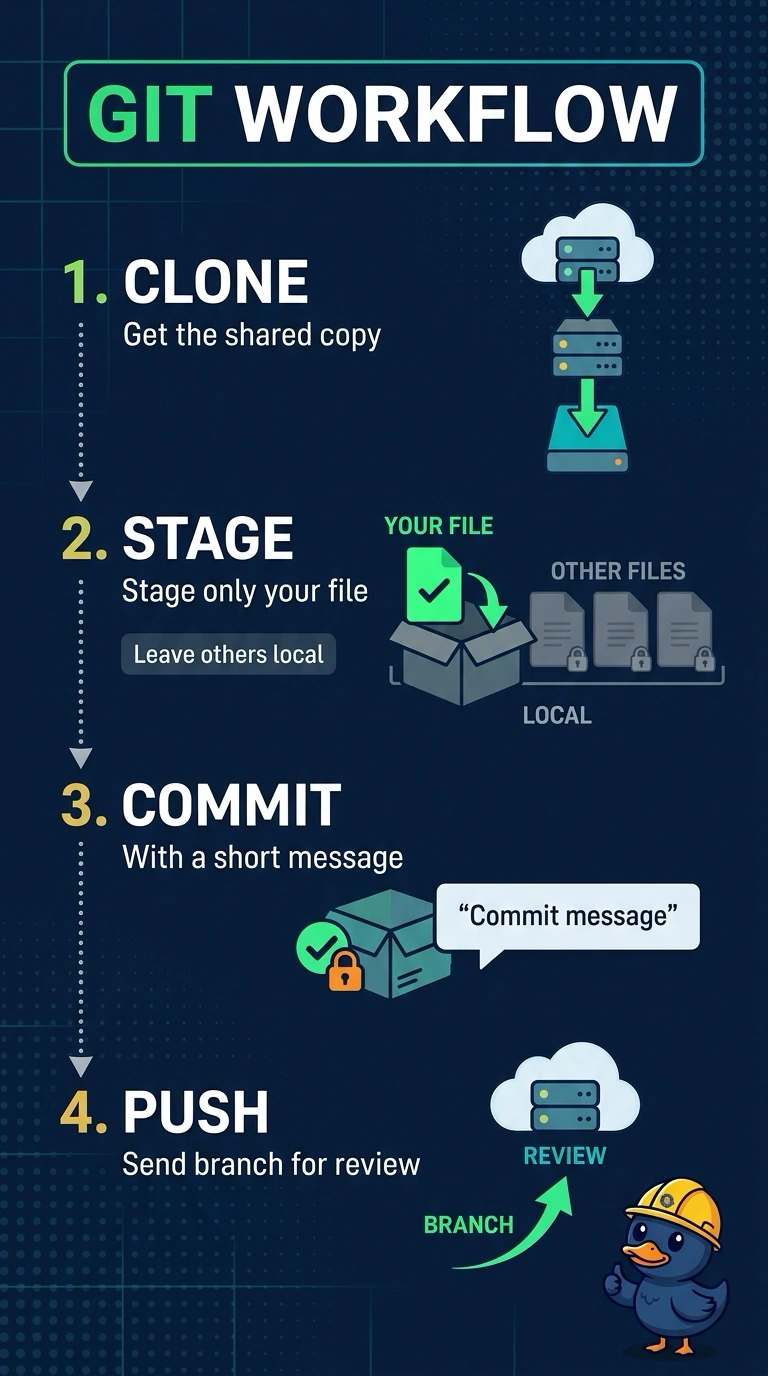
Short Explanation
Git's got four small jobs in order: clone gives you the shared history, add picks exactly what you intend to publish, commit records it, and push puts it up for review. With unrelated files sitting in the folder, staging scope is the whole trick. Your staging area works like a cart before checkout, since only what you put in it leaves the store.
Full Explanation
Cloning first is what ties your work to the team repository: it creates the local copy, the tracking branch and the remote configuration that push needs in order to know where to send the commit. Staging with an explicit path limits the index to the single file you changed, so the unrelated files stay in your working tree and never reach the shared remote. The commit then snapshots exactly that staged file with a message your reviewer can read, and push publishes the branch so the team can see it. Staging every pending change is a common shortcut, but it publishes work that was never meant to be shared and breaks the instruction to stage only your file. Committing locally and stopping short of push keeps a tidy history on your machine while the reviewer waits for something that was never delivered. Skipping the clone step leaves this workflow without the cloned repository and its default remote configuration; cloning is the requested way to set up this first contribution. Exam caveat: helpers such as git add -p and git commit -a change what actually enters a commit, so watch for scope words. Practical check: run git status after staging and confirm only your intended file shows as staged before you commit.