
A pair of SD-WAN edges at a branch cannot carry traffic between their local subnets. Each edge shows its local link up, holds a valid device certificate and has a synced clock, and you have read-only access to the SD-WAN Manager APIs. Which API query should you run first to identify which overlay layer has failed?
Select an answer to reveal the explanation.
Short Explanation
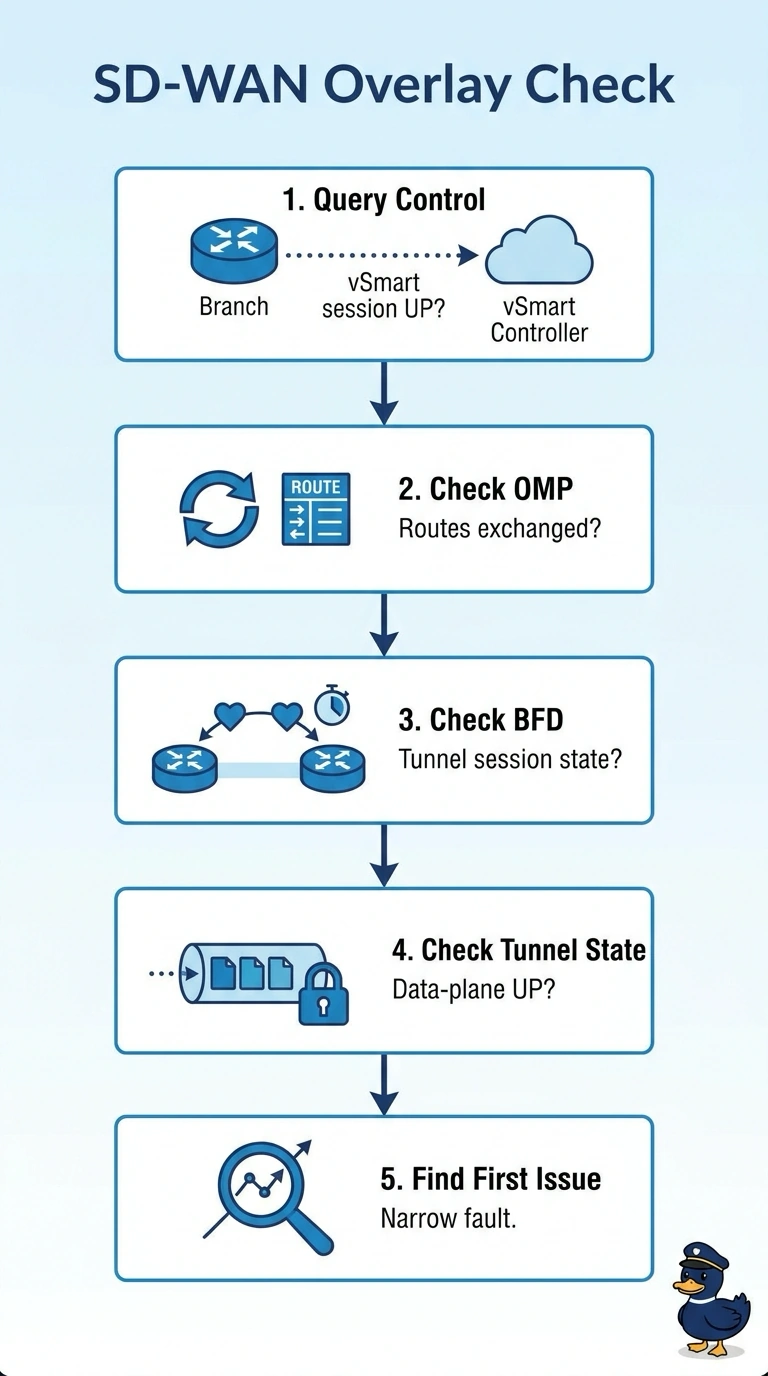
You can start by querying the branch router’s control connections and confirming an up session toward vSmart. Think of it as checking the signal before troubleshooting the route: healthy links, certificates, and clocks do not guarantee that the control plane is connected.
Full Explanation
An SD-WAN edge establishes control connections to the controllers, including vSmart, and uses OMP over those connections to exchange routing information. Querying the branch router’s control connections first checks whether it has control-plane connectivity. If those connections are up, investigate OMP routes and then the relevant BFD and tunnel state. BFD sessions monitor data-plane tunnels between edges, so a down BFD session does not by itself prove a physical link fault. Likewise, finding no active data tunnel does not identify why the tunnel is absent or why traffic is failing; it is a symptom that needs further investigation. The certificate and time checks are already healthy, so querying those endpoints and flagging a failure is not the appropriate first step based on the information given. An exam caveat is that SD-WAN Manager was previously called vManage, and API endpoints can vary by software release. As a practical check, verify the deployed release’s documentation and confirm that the queried control-connection status is up specifically toward vSmart.