
A managed service provider has already created one Meraki organization for a new retail customer. The customer now needs three separate networks, one per store, each holding MX security appliances and MR access points, with its own wireless settings and VLANs. Which Meraki hierarchy and create-network request produces those three store networks?
Select an answer to reveal the explanation.
Short Explanation
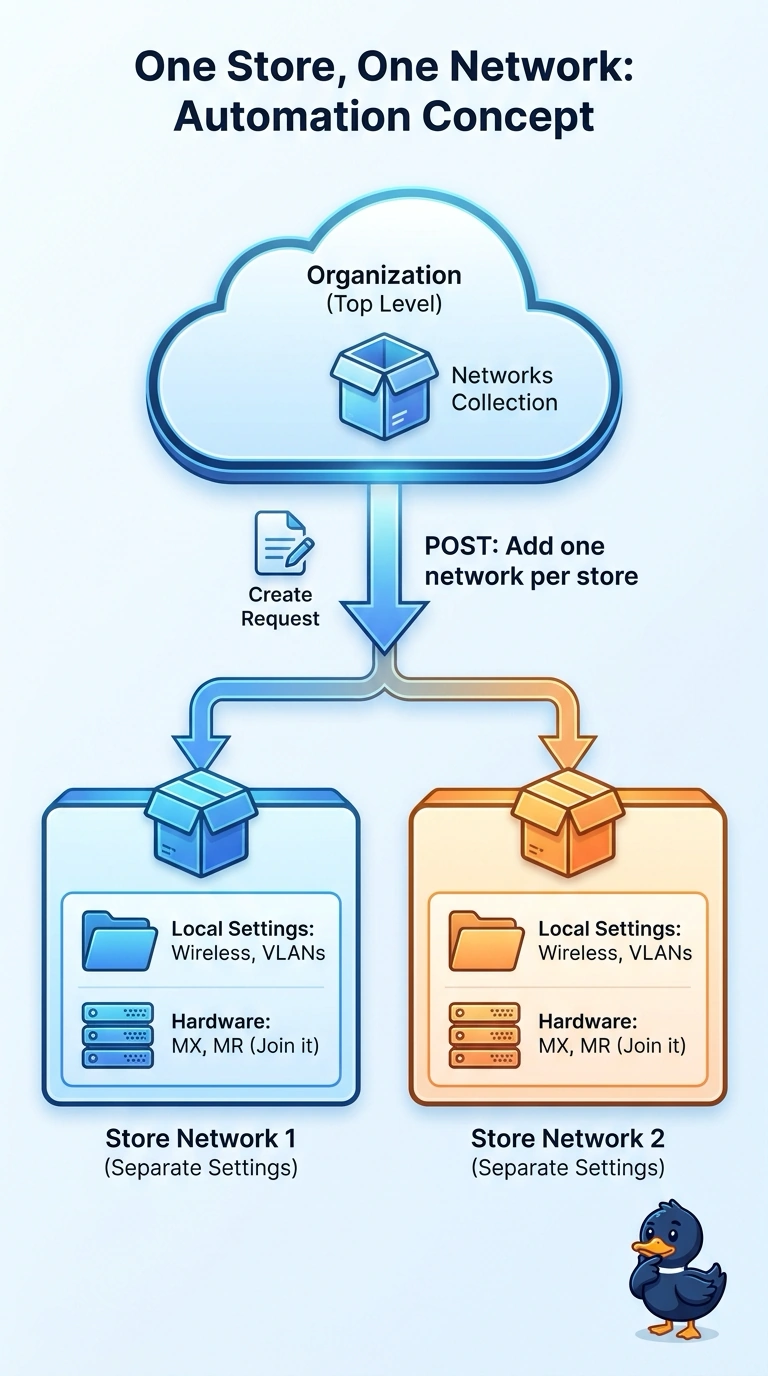
In Meraki's world, the organization sits on top and the networks hold the real site settings. Create each store as its own network with a create-network request and you keep every store's settings apart. It's the shape the dashboard already assumes.
Full Explanation
Meraki's object model is a strict two-level hierarchy: the organization sits at the top and owns administrators, licensing, and reporting, while networks live underneath it and own device membership plus real configuration such as SSIDs, VLANs, and firewall rules. Creating each store as a network with a POST to that organization's network collection gives you three independent configuration containers, so an MX and MR in store A never inherit store B's wireless policy. Spawning an organization per store fails because the customer already runs one organization and the three stores must live as networks inside it, so per-store tenants would scatter licensing and administrators. Collapsing everything into one network with site tags fails because a single network applies one set of SSIDs and VLANs to every device in it, so per-store wireless settings would be shared. Claiming serial numbers first fails because that only fills inventory, and the network object must exist before hardware can join it. Caveat: the create-network body expects productTypes, whose allowed values vary by dashboard release, so check the current schema. Practical check: list your organizations, POST one test network, then GET its details.