
A flagship store wants hourly people counts for four in-store zones plus average occupancy per zone from its existing Meraki MV cameras, with every count produced by the cameras themselves. Which Meraki API capability delivers these zone analytics?
Select an answer to reveal the explanation.
Short Explanation
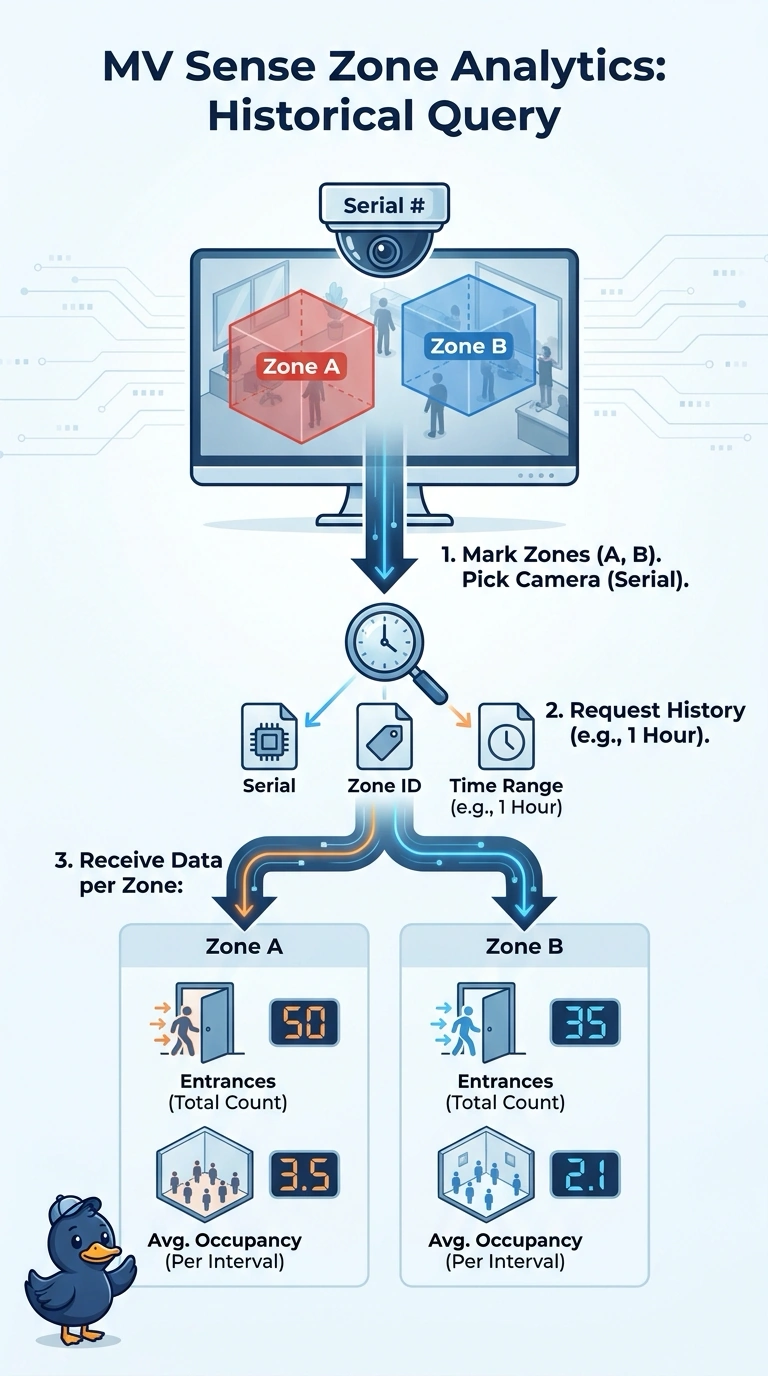
Query each zone’s MV Sense analytics history using the camera serial, zone ID, and time range to get its hourly entrances and average occupancy. It’s like checking a zone-by-zone scorecard, with each camera producing its own metrics.
Full Explanation
The correct approach is to query MV Sense analytics history for each camera serial, zone ID, and requested time range. That returns the camera-produced analytics at zone level, including hourly entrances and average occupancy, using the zone history call with an hourly resolution, matching the four-zone reporting need without moving analytics off the cameras. The daily-history approach retains camera and zone identifiers, but daily totals cannot be reliably split into hourly values; aggregation has discarded the time detail the store needs. Camera-wide hourly summaries preserve the time interval and can include entrance and occupancy metrics, but omit zone IDs, so they cannot distinguish the four areas or report their separate results. Polling live zone values is a common monitoring pattern, but periodic snapshots are not historical hourly count records: they show state at polling times and cannot reliably reconstruct counts or occupancy over the reporting period. Exam caveat: confirm that the selected MV Sense history endpoint exposes both entrance and occupancy data for the camera models and firmware in use; analytics availability can vary. Practical check: test one camera and zone over a known interval, compare returned timestamps and metrics with the dashboard, then repeat for all four zones before scheduling the report.