
Your teammate says a branch only adds a feature to report.py. You stage inventory.py, then edit report.py and config.py locally, and git diff --cached prints one hunk for inventory.py with three plus-marked lines and one minus-marked line. Which change set does that output describe for the commit you are about to create?
Select an answer to reveal the explanation.
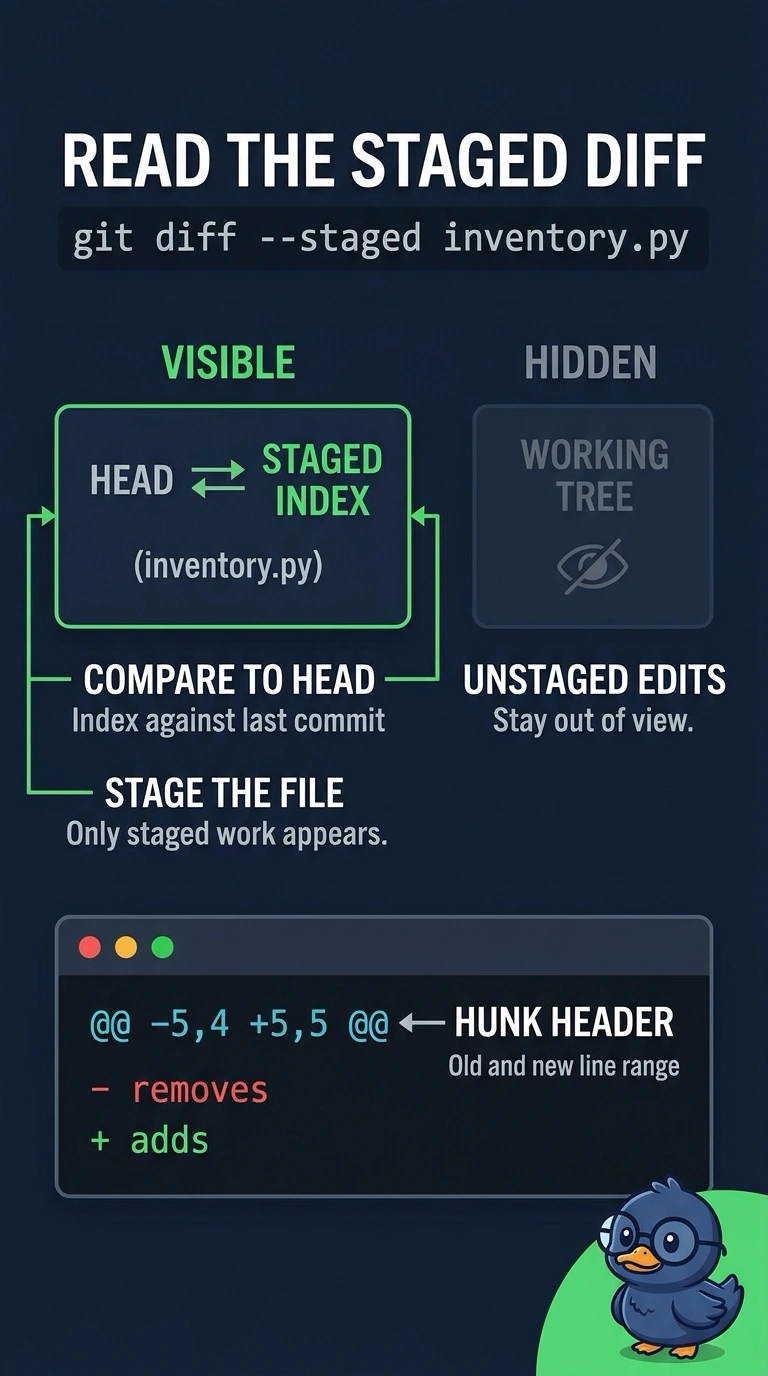
Short Explanation
You read the flag right: --cached compares the index against HEAD, so only staged work appears. That hunk is the blueprint for your next commit, with plus lines it adds and minus lines it drops. Your unstaged edits to report.py and config.py don't show up until you stage them.
Full Explanation
git tracks three places at once: the working tree where you edit, the index where you stage, and HEAD where the last commit sits. The --cached flag moves the comparison to index versus HEAD, so the hunk describes exactly what your next commit would record for inventory.py, which is why report.py and config.py do not appear in it. A leading plus marks an added line, a minus marks a removed one, and the @@ header tells you which stretch of the file the edit sits in. A plain git diff omits that flag and compares the working tree with the index instead, so it would drag in your two unstaged edits while dropping the staged inventory.py hunk, answering a different question. Framing the output as before and after your last commit is history reading, useful in review but useless for checking what is staged right now. Measuring against the remote tracking branch pulls in other people's pushed commits, which is a separate review task entirely. Exam caveat: git diff --stat --cached reports the same comparison with counts instead of line detail, so the flag still decides what you are looking at. Practical check: run git diff --cached and then plain git diff, and confirm only the second one mentions report.py.