
You and a teammate both changed the same lines of the pipeline config file, so your feature branch and main have diverged. A reviewer asks you to merge main into your branch while both edits stay in the final file so CI passes. Which git conflict resolution preserves both changes in history?
Select an answer to reveal the explanation.
Short Explanation
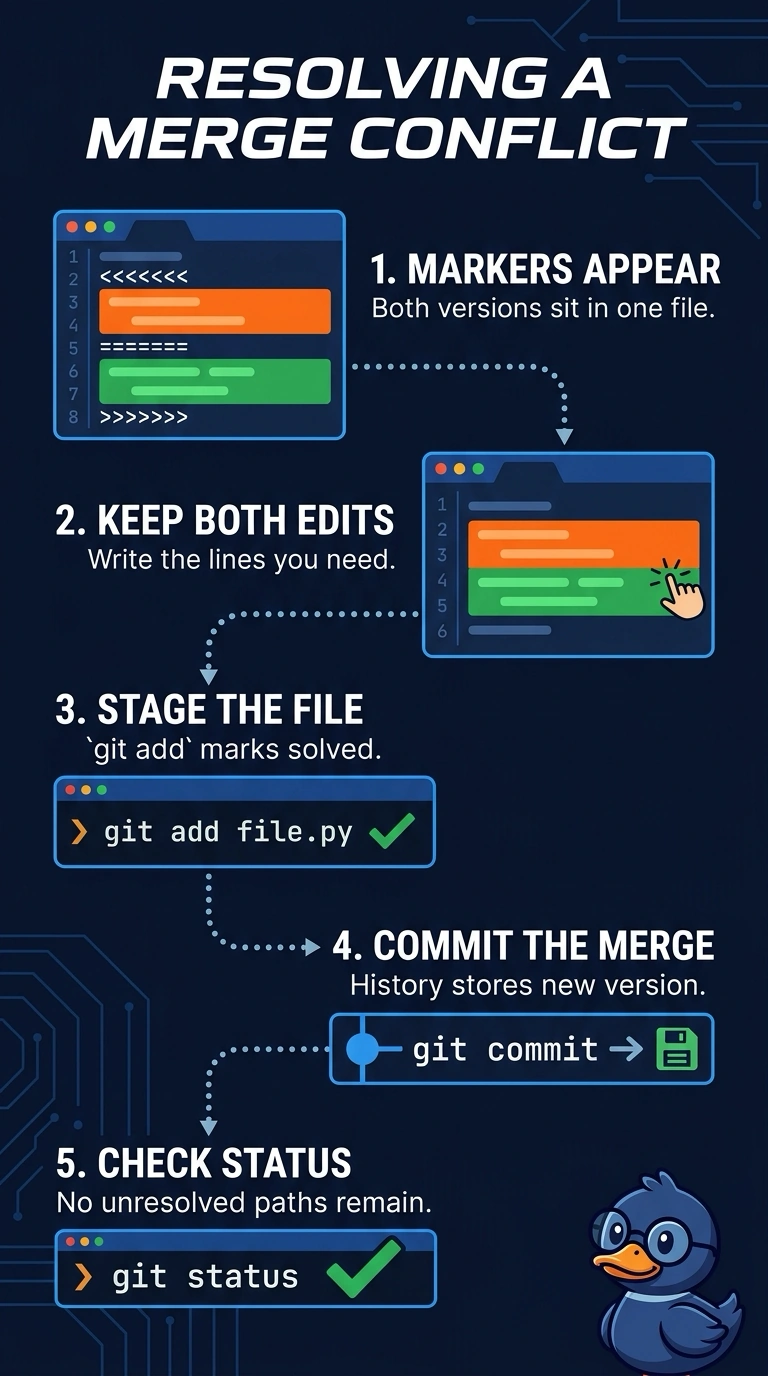
Conflict markers mean git paused exactly where both branches touched the same lines, and the content is yours to decide. Keep both edits, stage the file, and commit so the merge records your resolution. Anything that sidesteps the decision won't leave a recorded resolution.
Full Explanation
The correct approach is to edit the conflicted file so it contains both teammates’ intended changes, stage that resolution with git add, and commit to conclude the merge. The resulting merge commit records the merge relationship between main and the feature branch, while the resolved file preserves both edits. Choosing the current branch’s version with git checkout --ours is a familiar way to resolve a conflict when that side should prevail, but here it discards the incoming conflicting edit, so both changes do not remain in the final file. Rebasing the feature branch onto main and combining the edits can preserve their content, but it replays feature commits instead of merging main into the branch; it therefore does not satisfy the requested merge operation and can rewrite feature-branch commit IDs. A squash merge can bring main’s content into the feature branch and allow a combined file, but it records the result as a new commit rather than preserving main’s commits and their ancestry through a merge commit. Exam caveat: git checkout --ours and --theirs refer to the current and incoming sides of a particular merge, not permanently to “feature” and “main” in every Git operation. Practical check: after resolving, inspect the file and run git diff --cached before committing; after the merge, use git log --graph --oneline --decorate to verify the merge commit and its parents.