
A retail chain's Meraki alert service misbehaves in production: informational notices reach the pager, and a sender retry opens a second ticket for one incident. The team wants tickets only for the alert types enabled in Dashboard, each naming the affected device's serial. Which payload fields should the parser read to fix the service?
Select an answer to reveal the explanation.
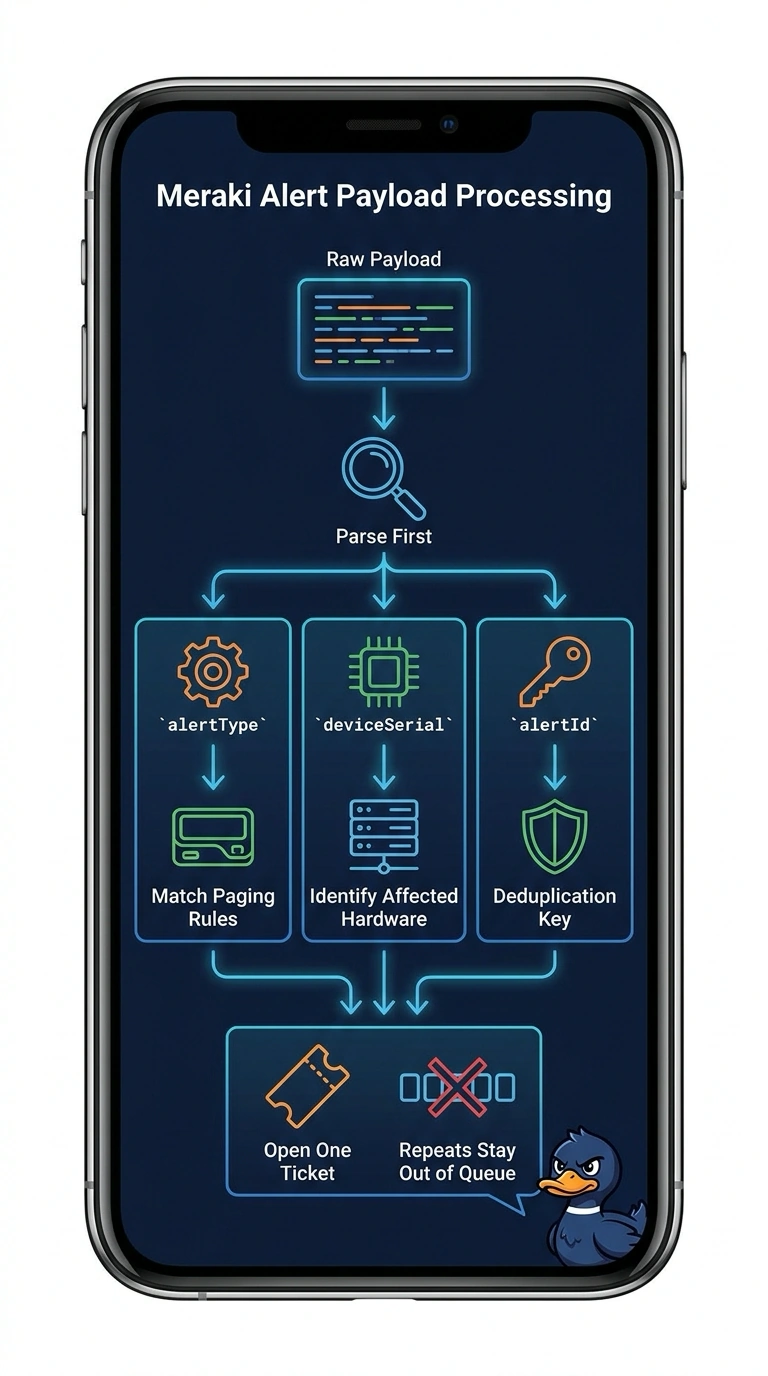
Short Explanation
The parser has to settle three things before it replies: which alerts matter, which device is affected, and whether you already handled this delivery. Treat the alertId as your ticket key and sender retries become harmless repeats. It works like checking a name against last week's guest list before opening the door.
Full Explanation
Meraki Dashboard posts the whole alert as one JSON document, and the fields you need live at different levels of it. The top-level alertType tells you which condition fired, so matching it against the alerts the team enabled is what keeps informational noise off the pager; the top-level deviceSerial identifies the affected hardware; and the top-level alertId is unique to that alert instance, making it a natural ticket key. Keying on the alertId is what survives a redelivery, because your delivery service may repost the same payload when delivery is retried. Paging on every alert type fails the selection requirement and floods the rotation with events nobody asked for. Building the ticket text from the alert description alone fails the identification requirement, leaving the on-call engineer without a serial to search on. Caveat: Meraki can add optional keys to payloads, so read fields with .get() and sensible defaults instead of assuming a fixed schema. Practical check: replay one captured payload twice with curl and confirm exactly one ticket is created.