
A network operations team must upgrade 80 WAN Edges to 20.12.1 during a weekend window using SD-WAN Manager with minimal downtime and easy rollback. Images are ready but not yet staged, and policy requires setting the new version as default only after verified boot. Which software image management sequence from the Manager meets this upgrade requirement?
Select an answer to reveal the explanation.
Short Explanation
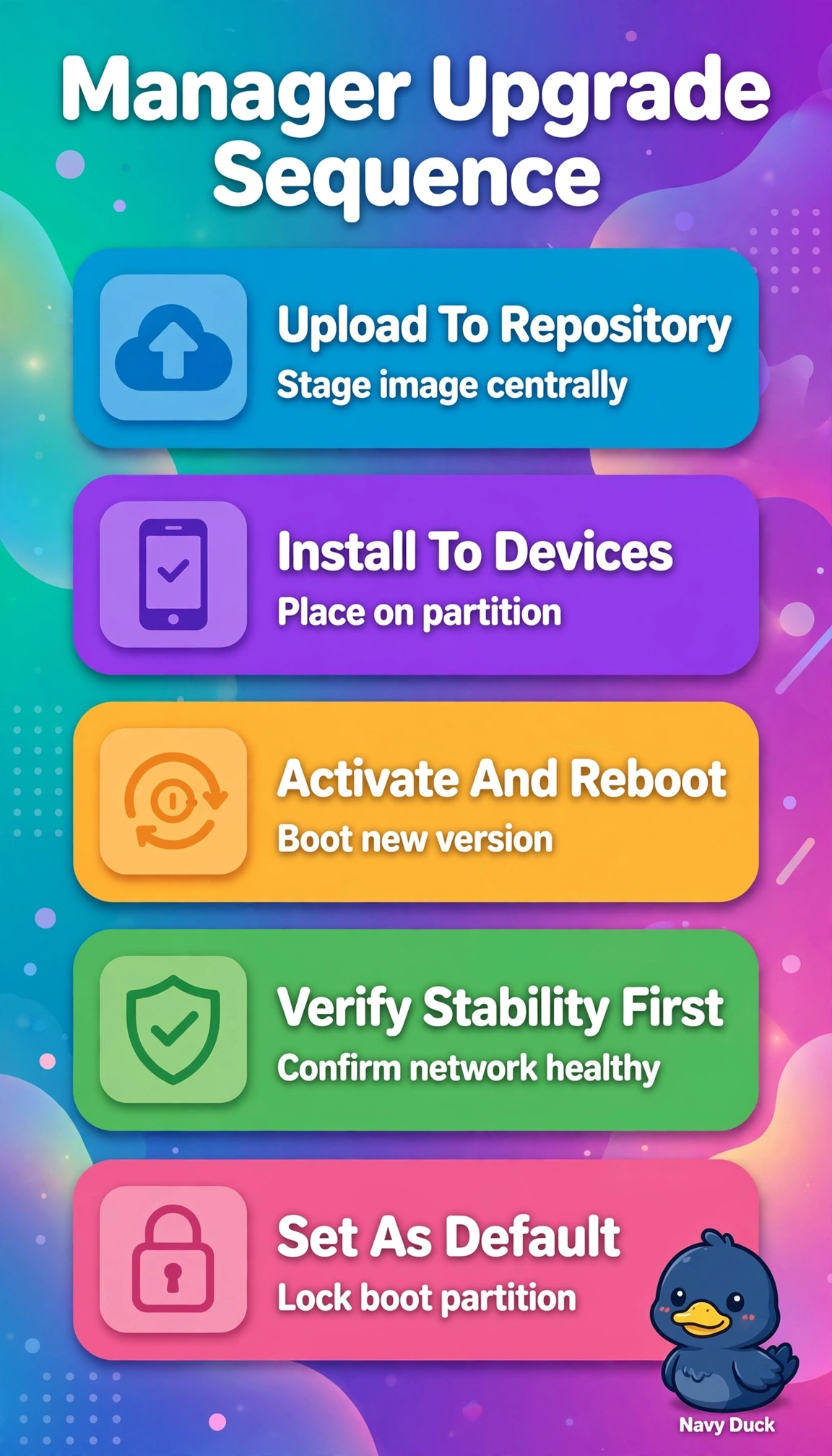
Upgrades go smoother when you stage before you switch. Following the repository-first upload, install, activate, then default workflow gives you that safe rollback path.
Full Explanation
The correct sequence reflects SD-WAN Manager best practice for large-scale upgrades because central staging in the software repository ensures all 80 WAN Edges pull a consistent validated image, installation pre-positions files without disrupting forwarding, activation with reboot moves traffic to 20.12.1 in a controlled window enabling fast rollback if boot verification fails, and deferring the default flag until after verified boot satisfies change policy and completes lifecycle compliance. The sequence that installs then sets default before activation and reboot is operationally familiar but fails the policy timing concept because marking default early removes the safety gate and can propagate an unverified version as preferred. The sequence that completes activation but deliberately retains the old default is also common for conservative rollback but fails the lifecycle completion concept because the Manager will continue to report non-compliance and future provisioning may revert unexpectedly. The manual flash-copy sequence with local install is valid for lab or isolated recovery but fails the centralized scale concept because pushing images device-by-device for 80 sites increases downtime, human error, and loss of Manager visibility when images are not yet staged. Exam caveat is to sharply distinguish install versus activate versus default, since install only stages files, activate actually boots the new partition, and default only defines the preferred version after success. Practical check is to verify repository sync, confirm installed version on a pilot group, activate and validate control connections and BFD sessions, then set default and re-check inventory before closing the weekend window.