
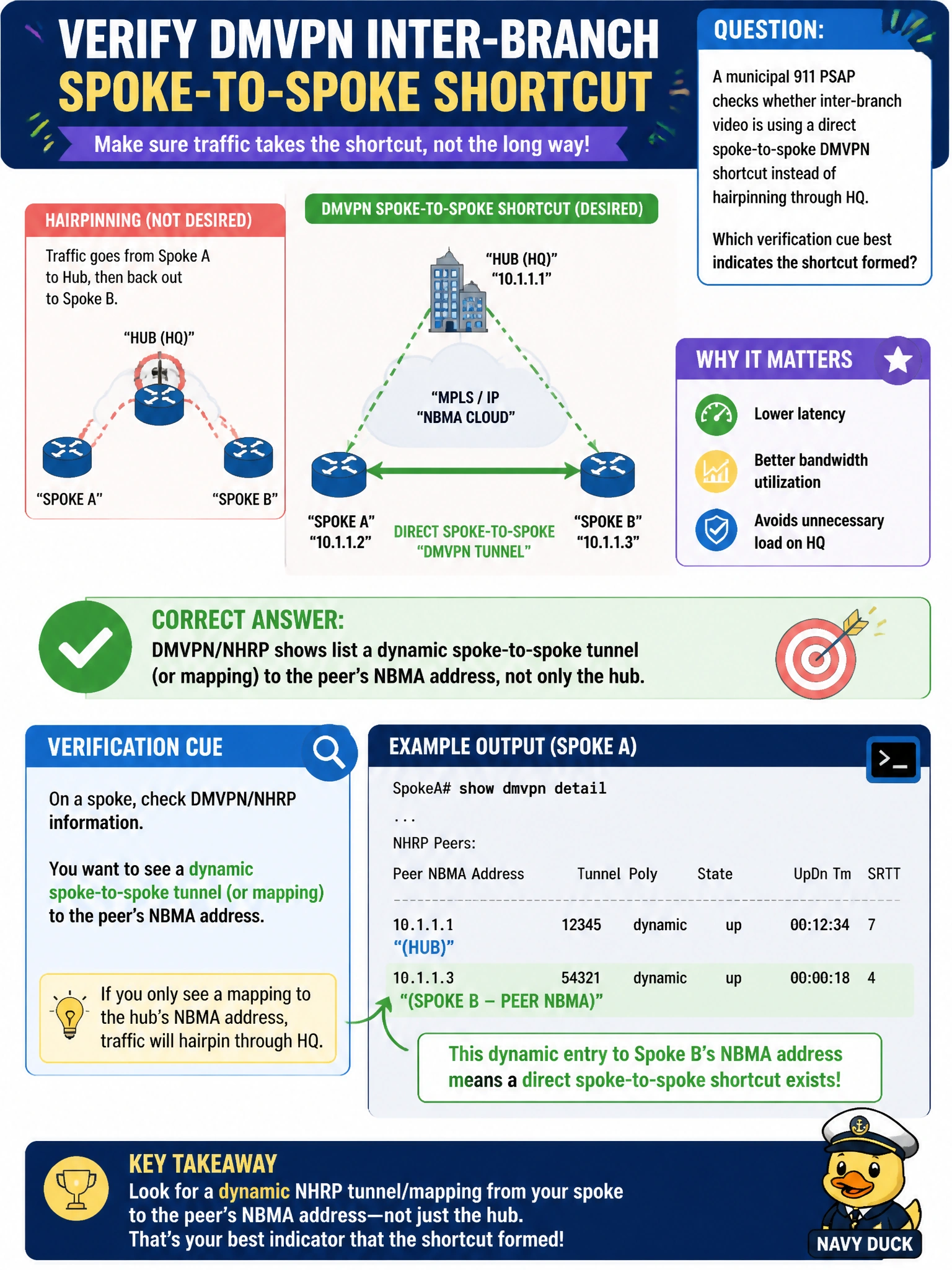
A municipal 911 PSAP checks whether inter-branch video is using a direct spoke-to-spoke DMVPN shortcut instead of hairpinning through HQ. Which verification cue best indicates the shortcut formed?
Select an answer to reveal the explanation.
Short Explanation
When you see DMVPN/NHRP show a dynamic tunnel or mapping to the other branch’s NBMA address, you’ve found the shortcut. If the evidence points only to HQ, the traffic is still hairpinning.
Full Explanation
To verify that inter-branch video uses a direct DMVPN shortcut, look for DMVPN/NHRP evidence of a dynamic tunnel or mapping to the peer branch’s NBMA address, not only to the hub. When the shortcut forms, the spokes list each other as dynamic peers, and traffic to that destination uses the spoke-to-spoke tunnel rather than permanently hairpinning through HQ. This is the clearest verification cue at ENARSI operational depth. NHRP mappings only on the hub, with no dynamic peer entries on spokes, suggest that shortcuts have not formed. A route table showing the remote branch only through the ISP-facing default route, with no tunnel next hop, indicates missing overlay routing rather than a shortcut. Crypto sessions only to the hub, with no session listing the remote spoke’s NBMA address, indicate hub-only connectivity or that spoke-to-spoke IPsec/NHRP has not completed. Exam caveat: in some Phase 3 designs, the route table may still show the hub as next hop while CEF uses NHRP shortcuts, so prefer DMVPN/NHRP and CEF adjacency evidence over a single route-table glance. Practical check: during video traffic, run show dmvpn or show ip nhrp on a spoke and confirm a dynamic entry to the other branch’s public address; traceroute or path checks should no longer reflect a pure HQ hairpin once the shortcut is up.