
An analyst applies a Wireshark display filter to a noisy capture and concludes the hidden packets were removed from the file. What did that display filter actually do?
Select an answer to reveal the explanation.
Short Explanation
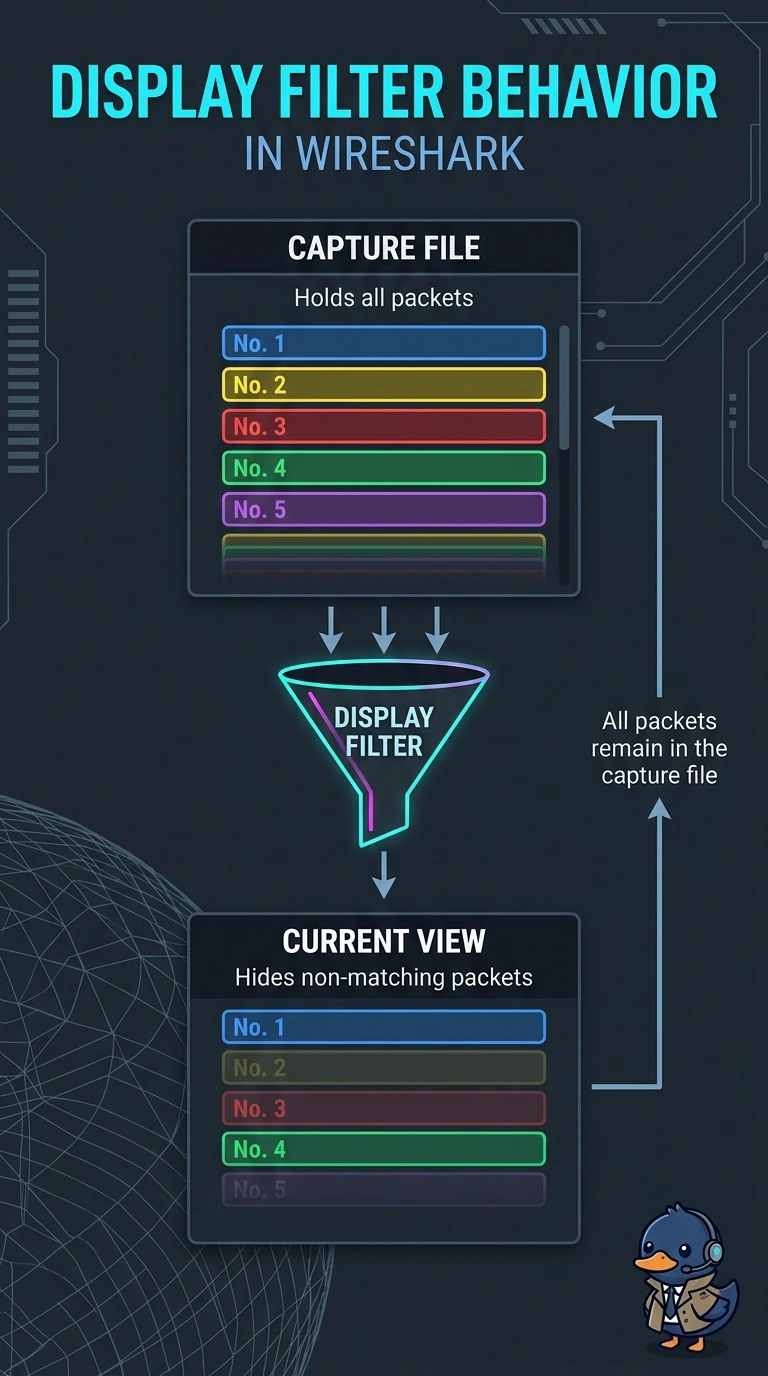
Think of a display filter as a pair of sunglasses, not a paper shredder: it hides nonmatching packets in your current view while the capture file still holds them all. Clear the filter and you can see those packets again; what you cannot see has not been deleted from disk.
Full Explanation
A Wireshark display filter changes which packets you see in the packet list; it does not change the frames stored in the capture file. Nonmatching packets are hidden in the current view, and clearing the filter makes them visible again. The file still holds every frame, and saving the original file without exporting a filtered subset keeps them all. The claim that the filter deletes every nonmatching packet from the file on disk is wrong because applying it leaves the file bytes unchanged. The claim that it rewrites the capture so only matching frames remain when reopened is also wrong: a display filter does not create a shorter capture. The claim that it converts hidden frames into flow records and discards their packet bytes confuses display filtering with flow export; the filter does neither. Exam caveat: explicitly exporting displayed packets can create a smaller file, but merely applying a display filter does not. Practical check: note the displayed packet count, clear the filter, and confirm that the full count of the original capture returns.