
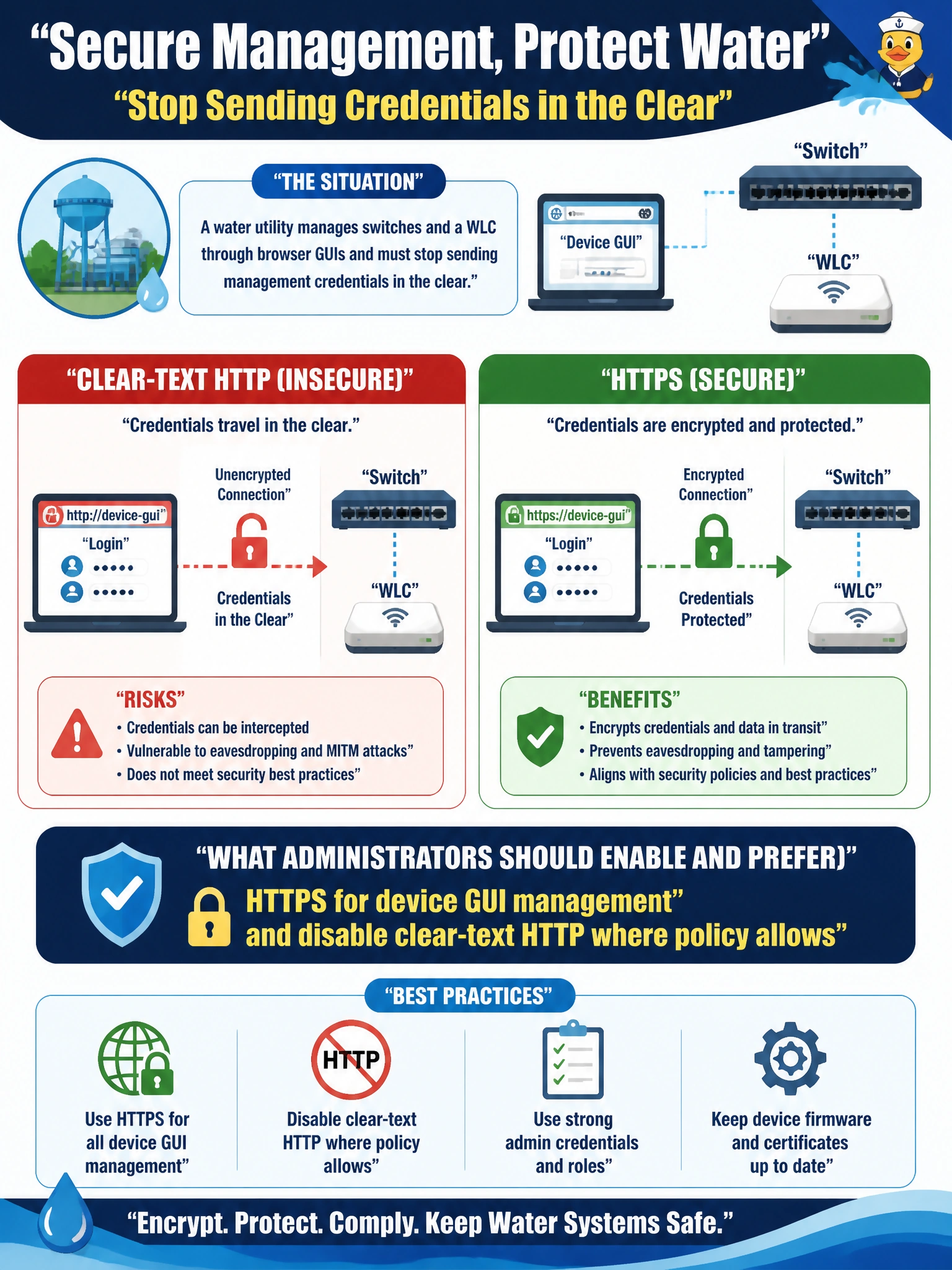
A water utility manages switches and a WLC through browser GUIs and must stop sending management credentials in the clear. What should administrators enable and prefer?
Select an answer to reveal the explanation.
Short Explanation
Plain HTTP is like a glass conference room: anyone on the network can see your login. Enable HTTPS for the switch and WLC GUIs, and disable clear-text HTTP where policy allows so you protect management credentials.
Full Explanation
Browser-based device GUIs on water-utility switches and WLCs must not send management credentials in clear text. Enable HTTPS for GUI management and disable clear-text HTTP where policy allows; HTTPS protects the browser session with TLS. HTTP-only management is unsuitable because clear-text HTTP can expose passwords and cookies on the wire, and network devices can support TLS-wrapped GUI access. Redirecting Telnet to port 80 does not make a browser session secure: Telnet and web management are unrelated protocols, and the redirection provides no proper GUI TLS. FTP anonymous read-write is a clear-text file-transfer method, not a GUI transport. Exam caveat: HTTPS requires a usable certificate trust process, such as a device certificate, an internal CA, or an accepted exception process. If you enable HTTPS but leave HTTP available, an insecure listener may remain. Pair secure transport with AAA and management ACLs. Practical check: enable HTTPS, disable or redirect HTTP according to platform guidance, then open the switch or WLC GUI over https:// from a jump host. Verify encryption with a packet capture or the browser’s security indicator.