
After a stadium event, a museums-and-culture department’s wireless clients fail to roam cleanly inside the SD-Access fabric. Which Catalyst Center capability should operators use first to inspect network and client health in context?
Select an answer to reveal the explanation.
Short Explanation
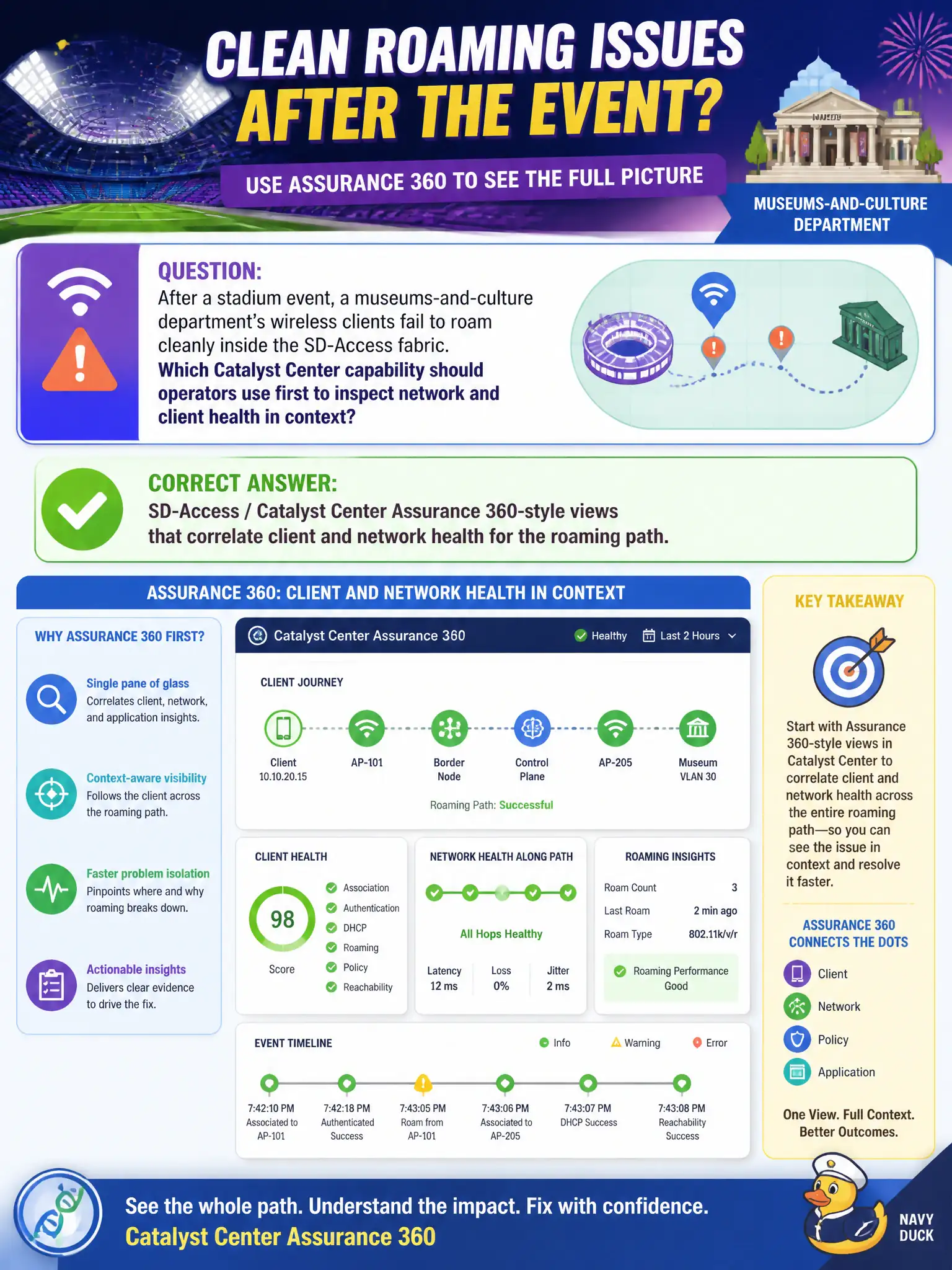
When roaming goes sideways after a big crowd, you want the story of that one client’s night—not a scavenger hunt across every mirror port. Assurance 360-style views stitch client and network health so you can see where the roam broke. Start there before boiling the ocean with SPANs or ripping out LISP.
Full Explanation
After a stadium event, when museums-and-culture wireless clients fail to roam cleanly inside the fabric, SD-Access / Catalyst Center Assurance 360-style views are the right first operational surface. They correlate client and network health—onboarding, AAA, DHCP, roaming, edge/WLC relationships—so civic Wi-Fi issues are triaged with context rather than blind packet board spelunking.
Manual SPAN of every edge uplink into a packet broker before checking any dashboard skips the fastest correlation tool and does not scale for event-driven incidents.
Disabling LISP on all borders until roaming counters increment on the WLC CLI only is destructive and misaligned with fabric wireless troubleshooting order.
Rebuilding the entire underlay IGP solely from the wireless controller’s RF profile treats an overlay/client problem as an underlay redesign without evidence.
Exam caveat: Assurance complements, not replaces, targeted CLI on edge/WLC; use dashboards to narrow, then verify with show commands on the implicated device.
Operational check: open Assurance client 360 for a failing roamer, note failure stage (assoc/auth/DHCP/roam), and validate against edge and WLC logs. File stadium event Wi-Fi postmortems with Assurance screenshots in the culture-department NOC binder.