
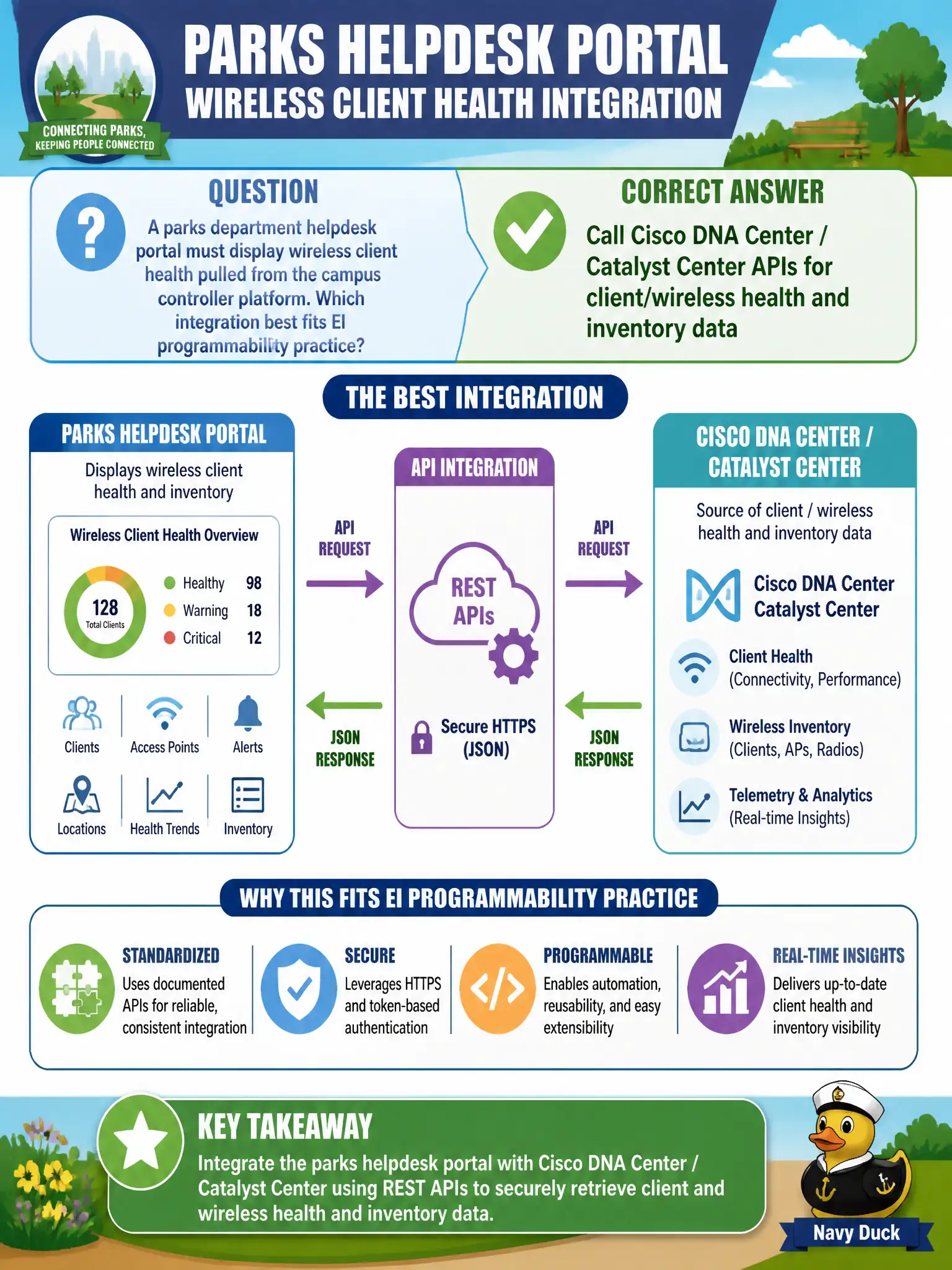
A parks department helpdesk portal must display wireless client health pulled from the campus controller platform. Which integration best fits EI programmability practice?
Select an answer to reveal the explanation.
Short Explanation
Catalyst Center (DNA Center) already knows who is miserable on park Wi-Fi—its APIs feed that health into the helpdesk portal. Webcam OCR on a console is a museum piece, not a civic integration.
Full Explanation
Parks helpdesk portals displaying wireless client health should call Cisco DNA Center / Catalyst Center APIs for client/wireless health and inventory data. EI programmability practice uses the campus controller’s northbound APIs as the integration surface rather than brittle console scraping. That yields structured health objects suitable for a portal.
Scraping the wireless controller’s serial console with a webcam OCR bot is not a supported integration. Inferring client health only from DHCP pool utilization misses RF and client onboarding state. Replacing the portal with printed heatmaps updated once per fiscal year fails operational freshness.
Exam caveat: API payloads differ by software version; pin endpoints and test after controller upgrades. Operational check: authenticate to Catalyst Center, GET client health for a known test device, map fields into the helpdesk UI, and monitor API error rates. Cache briefly to avoid hammering the controller during helpdesk rushes. Record the chosen control and the rejected alternatives in the municipal change record so future on-call staff understand which failure modes were avoided for city services. Re-validate after the next maintenance window that counters, logs, and failover behavior still match the documented design intent.