
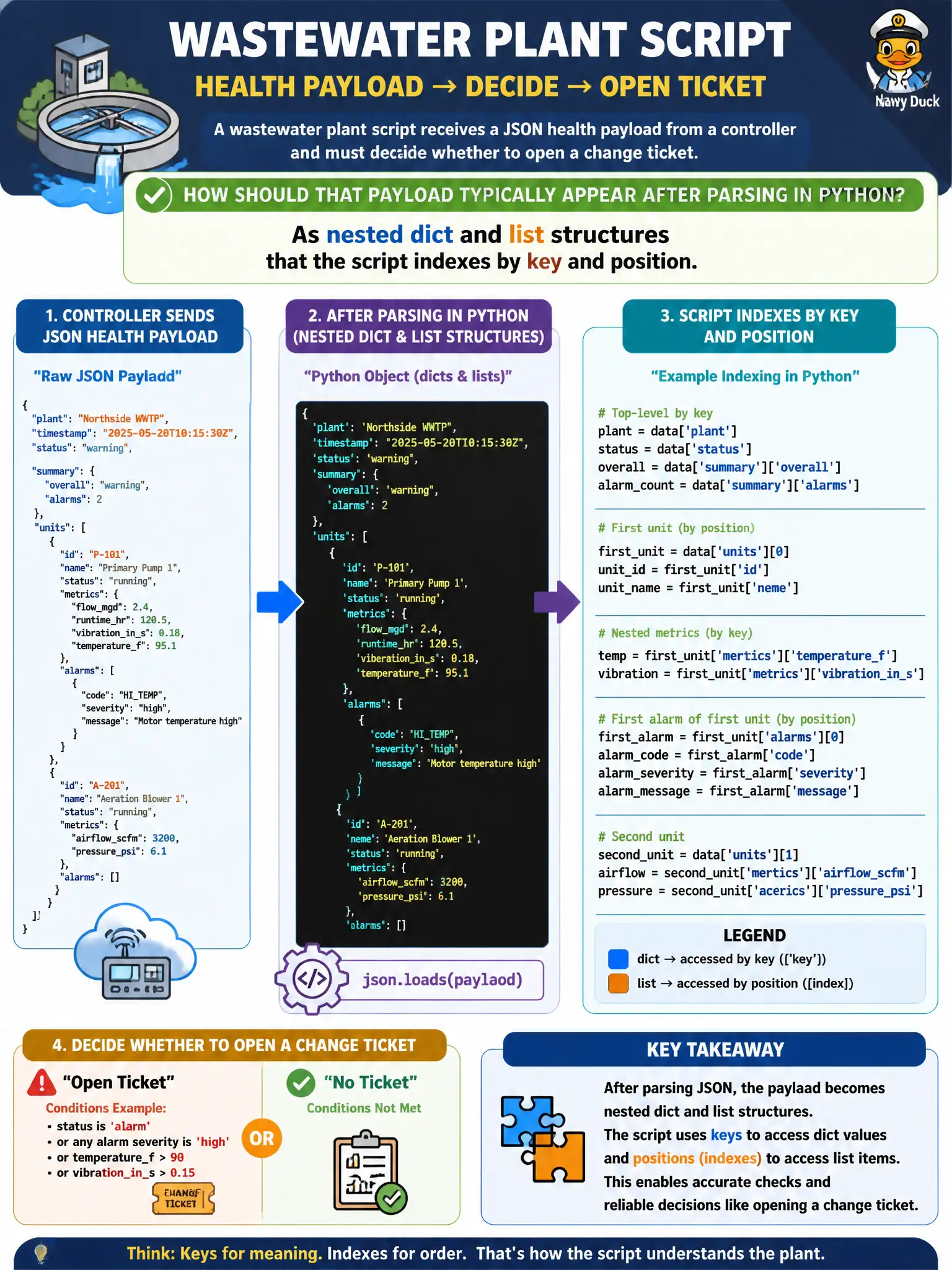
A wastewater plant script receives a JSON health payload from a controller and must decide whether to open a change ticket. How should that payload typically appear after parsing in Python?
Select an answer to reveal the explanation.
Short Explanation
json.loads turns curly braces into Python dicts and square brackets into lists—like unpacking a toolbox so you can grab the wrench named status. Once it is dicts and lists, the plant script can make policy decisions without staring at raw text.
Full Explanation
A wastewater script that receives a JSON health payload from a controller and must decide whether to open a change ticket should parse that payload into nested dict and list structures indexed by key and position. After json.loads (or equivalent), conditional logic evaluates structured fields—severity, device id, metric thresholds—rather than treating the body as opaque text. That is how Python automation consumes controller JSON in practice.
Treating the payload as a compiled IOS image binary mapped into flash confuses file images with API health data. Interpreting it as a spanning-tree BPDU in TCAM invents a Layer-2 object where none exists. Leaving it as an unparsed syslog string that must never become structured data defeats the purpose of a JSON health API.
Exam caveat: validate schema/types before acting—missing keys or stringly-typed numbers can open false tickets or miss outages. Operational check: feed a recorded controller payload through the parser in a unit test, assert ticket-open criteria, and only then enable the plant webhook. Log the parsed decision fields for audit without storing unnecessary personal data. Record the chosen control and the rejected alternatives in the municipal change record so future on-call staff understand which failure modes were avoided for city services.