
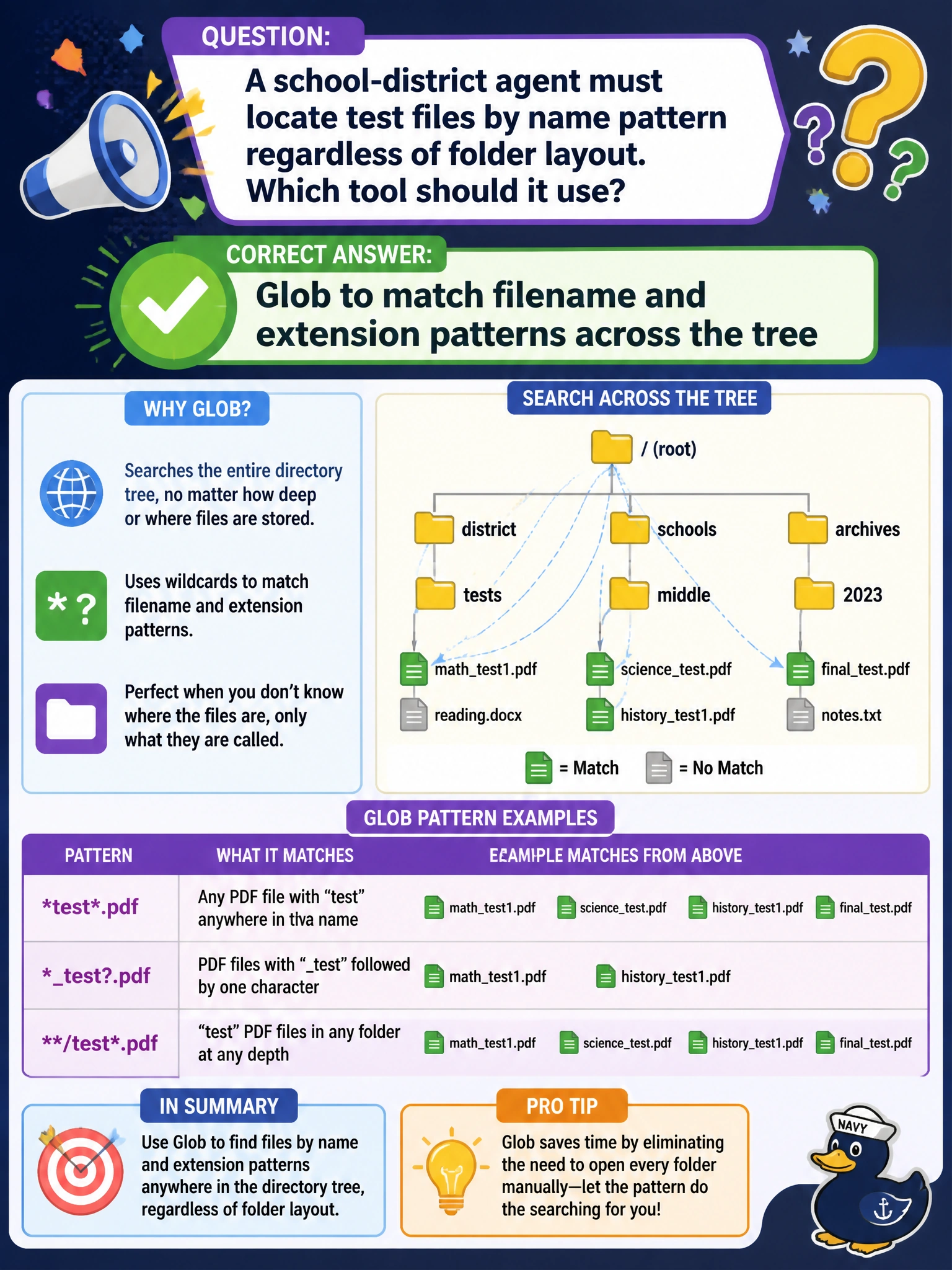
A school-district agent must locate test files by name pattern regardless of folder layout. Which tool should it use?
Select an answer to reveal the explanation.
Short Explanation
Glob is the "find me every test.py no matter the hallway" tool. Perfect when folder layout is a maze but the filename pattern is clear.
Full Explanation
When the need is to locate files by name or extension pattern regardless of folder layout, Glob is the correct built-in. A school-district agent hunting test files (test, _spec., .test.) across an uneven monorepo should Glob the pattern rather than assuming a single directory convention.
Why the correct option works: Glob matches filename and extension patterns across the tree. District repos often mix packages with different test folder customs; Glob returns candidate paths so the agent can Read or run tests without memorizing every layout. It is path-oriented discovery complementary to Grep’s content search.
Why the other three fail by concept: Reading only one hard-coded path ignores other test folders and silently under-covers. Editing random files hoping tests appear nearby is not discovery and risks corruption. Using Bash to delete non-matching directories before searching destroys civic code instead of locating tests.
Exam caveat: Glob ≠ Grep—Glob is names/paths; Grep is contents. Operational check: Glob the district’s test naming patterns, verify hits span multiple packages, then Read a sample rather than assuming one tests/ root. In district monorepos, test discovery failures usually come from assuming a single tests directory; Glob removes that assumption by pattern-matching names wherever packages place them. Pair Glob results with a short Read of one hit to confirm the pattern matched real tests before scheduling runs.