
An enterprise customer has a watsonx assistant used by 10,000 daily users through a web chat channel. The company's IT change management policy requires all changes to be tested in isolation before reaching production. Which deployment workflow correctly follows both watsonx Assistant best practices and the change management policy?
Select an answer to reveal the explanation.
Short Explanation and Infographic
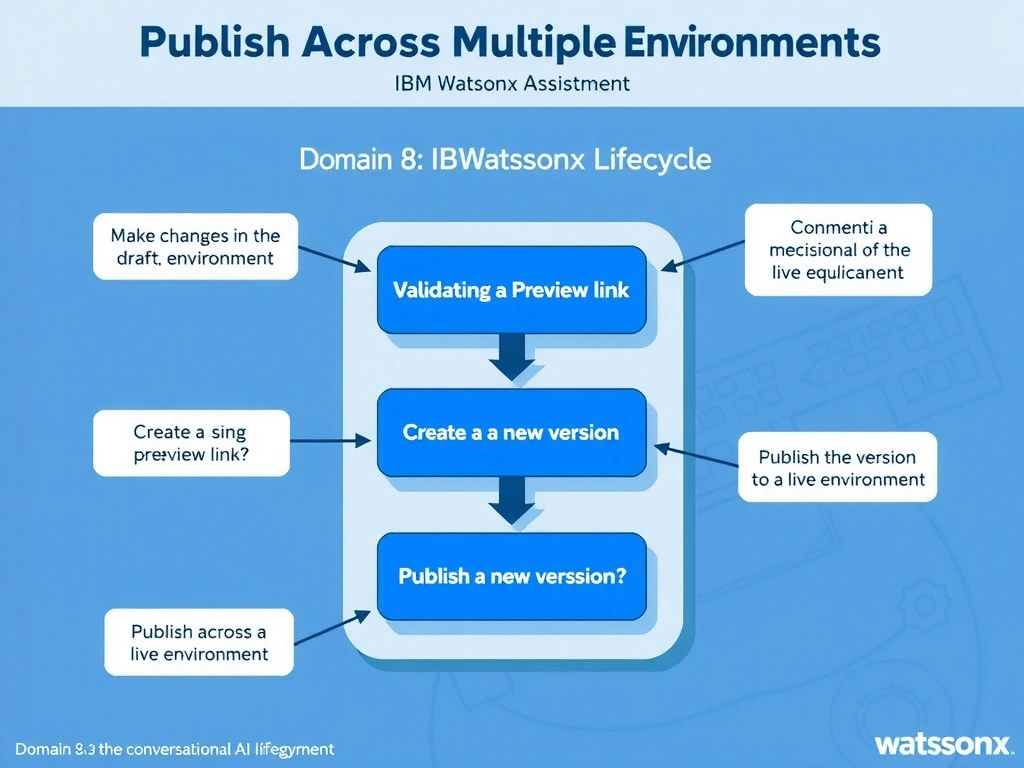
Todd Lammle: 'Imagine you're building a chatbot and this exact situation comes up — make changes in the draft environment → validate using the preview link → create a new version → publish the version to the live environment is your go-to move. The recommended watsonx Assistant deployment workflow is: make changes in the draft environment (which does not affect end users), validate using the Preview link (a sandboxed test interface), create a version to capture the tested state, and then publish that version to the live environment. This is a classic Domain 8: Publish Across Multiple Environments concept you'll want locked in before exam day.'
Full explanation below image
Full Explanation
The recommended watsonx Assistant deployment workflow is: make changes in the draft environment (which does not affect end users), validate using the Preview link (a sandboxed test interface), create a version to capture the tested state, and then publish that version to the live environment. This satisfies IT change management requirements by ensuring testing occurs before any production impact. Making changes directly in the live environment or modifying JSON exports are both unsafe and unsupported approaches. The correct answer, "Make changes in the draft environment → Validate using the Preview link → Create a new version → Publish the version to the live environment", directly satisfies the scenario because it aligns with watsonx Assistant's design principles and the specific capability being tested. The incorrect options ("Make changes directly in the live environment → Monitor user feedback for 24 hours → Create a version to document the change after validation", "Create a version → Publish it to the live environment → Make further changes in draft → Use the Preview link → Roll back if needed", "Export the assistant as JSON → Modify the export file manually → Import the modified file into the live environment → Activate channel integrations") may appear relevant but each misses a key requirement or introduces a step that is either unnecessary or belongs to a different workflow. Mastering the distinction between these approaches is essential for effective watsonx Assistant implementations and is a core focus of the Domain 8: Publish Across Multiple Environments section of the certification exam.