
A financial services company is onboarding a compliance officer who needs to review watsonx Assistant dialog content and view conversation logs, but must not be able to modify any assistant configuration. Which IBM Cloud IAM role should be assigned to this user for the watsonx Assistant service?
Select an answer to reveal the explanation.
Short Explanation and Infographic
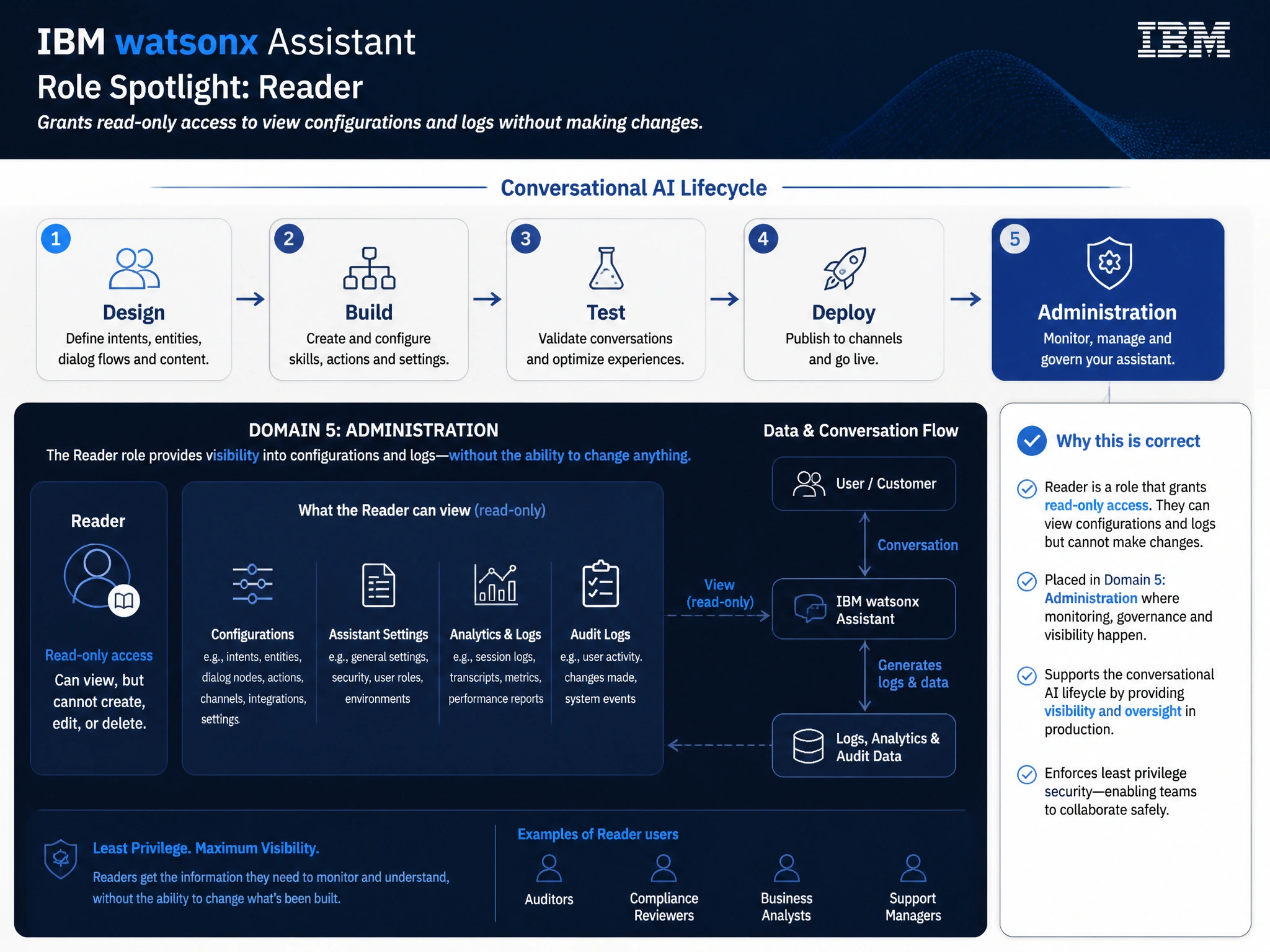
Todd Lammle: 'Imagine you're building a chatbot and this exact situation comes up — reader — grants read-only access to view configurations and logs without making changes is your go-to move. The Reader role in IBM Cloud IAM maps to the Viewer access level in watsonx Assistant. This is a classic Domain 5: Administration concept you'll want locked in before exam day.'
Full explanation below image
Full Explanation
The Reader role in IBM Cloud IAM maps to the Viewer access level in watsonx Assistant. It grants read-only access to view dialog flows, intents, entities, and analytics logs without allowing any modifications. This follows the principle of least privilege for a compliance officer whose role is limited to reviewing, not editing. The correct answer, "Reader — grants read-only access to view configurations and logs without making changes", directly satisfies the scenario because it aligns with watsonx Assistant's design principles and the specific capability being tested. The incorrect options ("Manager — grants full administrative control over the service instance", "Writer — grants the ability to create and edit skills and configurations", "Operator — grants the ability to start and stop the service but not modify content") may appear relevant but each misses a key requirement or introduces a step that is either unnecessary or belongs to a different workflow. Mastering the distinction between these approaches is essential for effective watsonx Assistant implementations and is a core focus of the Domain 5: Administration section of the certification exam.