
An organization has product documentation ingested into IBM Watson Discovery collections. They want watsonx Assistant to search those collections to answer customer questions. Which configuration is most appropriate?
Select an answer to reveal the explanation.
Short Explanation and Infographic
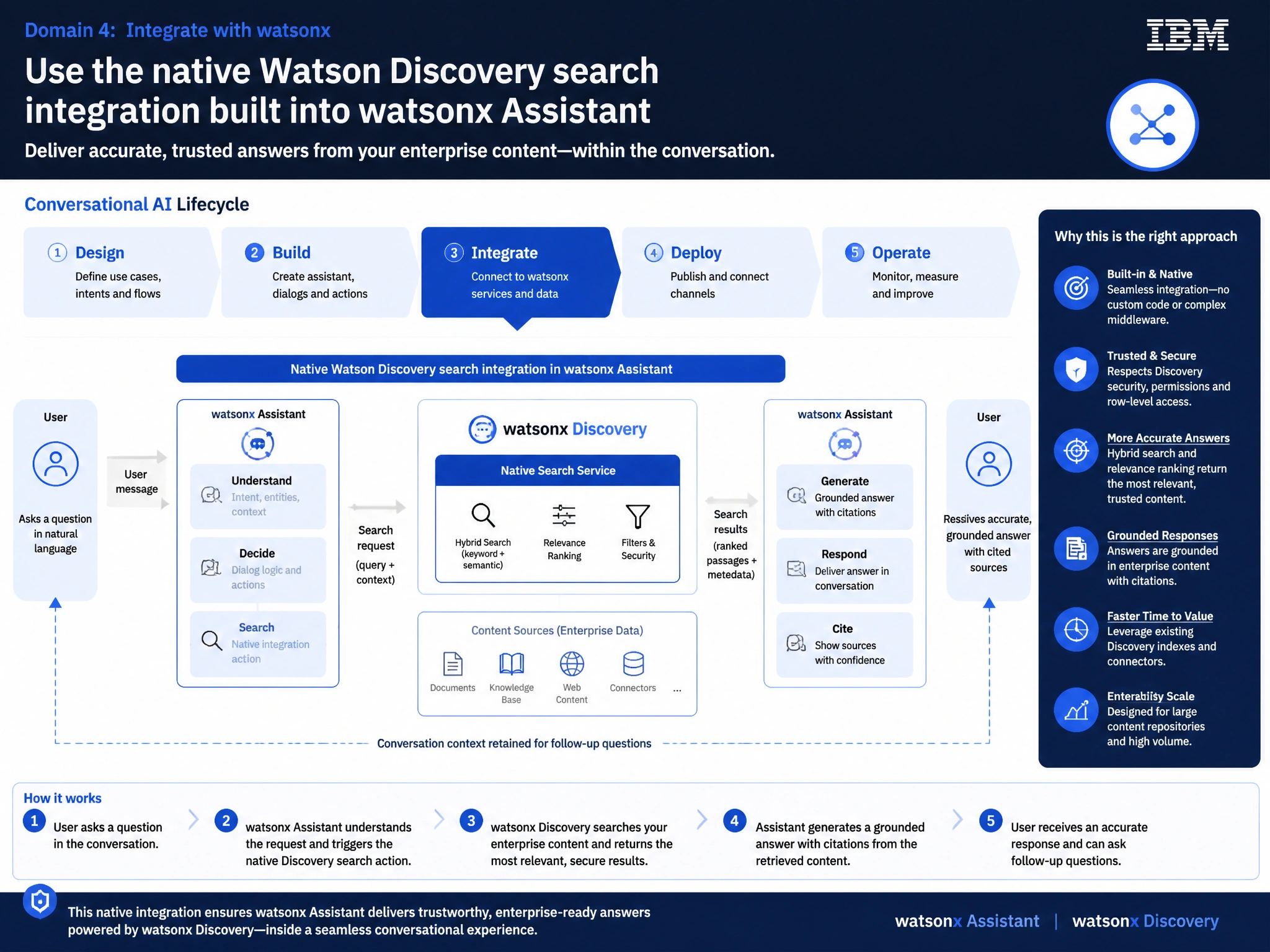
Todd Lammle: 'Imagine you're building a chatbot and this exact situation comes up — use the native watson discovery search integration built into watsonx assistant is your go-to move. watsonx Assistant provides a native Watson Discovery search integration that connects directly to Watson Discovery projects and collections. This is a classic Domain 4: Integrate with watsonx concept you'll want locked in before exam day.'
Full explanation below image
Full Explanation
watsonx Assistant provides a native Watson Discovery search integration that connects directly to Watson Discovery projects and collections. This built-in option handles authentication, result retrieval, and passage extraction without requiring custom code, making it the most appropriate choice when Watson Discovery is already the knowledge base. The correct answer, "Use the native Watson Discovery search integration built into watsonx Assistant", directly satisfies the scenario because it aligns with watsonx Assistant's design principles and the specific capability being tested. The incorrect options ("Create a custom extension using the Watson Discovery v2 OpenAPI specification", "Export Watson Discovery results to Elasticsearch and use the Elasticsearch integration", "Configure a webhook action that calls Watson Discovery and manually formats the response") may appear relevant but each misses a key requirement or introduces a step that is either unnecessary or belongs to a different workflow. Mastering the distinction between these approaches is essential for effective watsonx Assistant implementations and is a core focus of the Domain 4: Integrate with watsonx section of the certification exam.