A developer has finished training a deep learning model using TensorFlow's Keras API and needs to export the complete model architecture, weights, and training configuration to a file on disk. Which method should they call to accomplish this?
Select an answer to reveal the explanation.
Short Explanation and Infographic
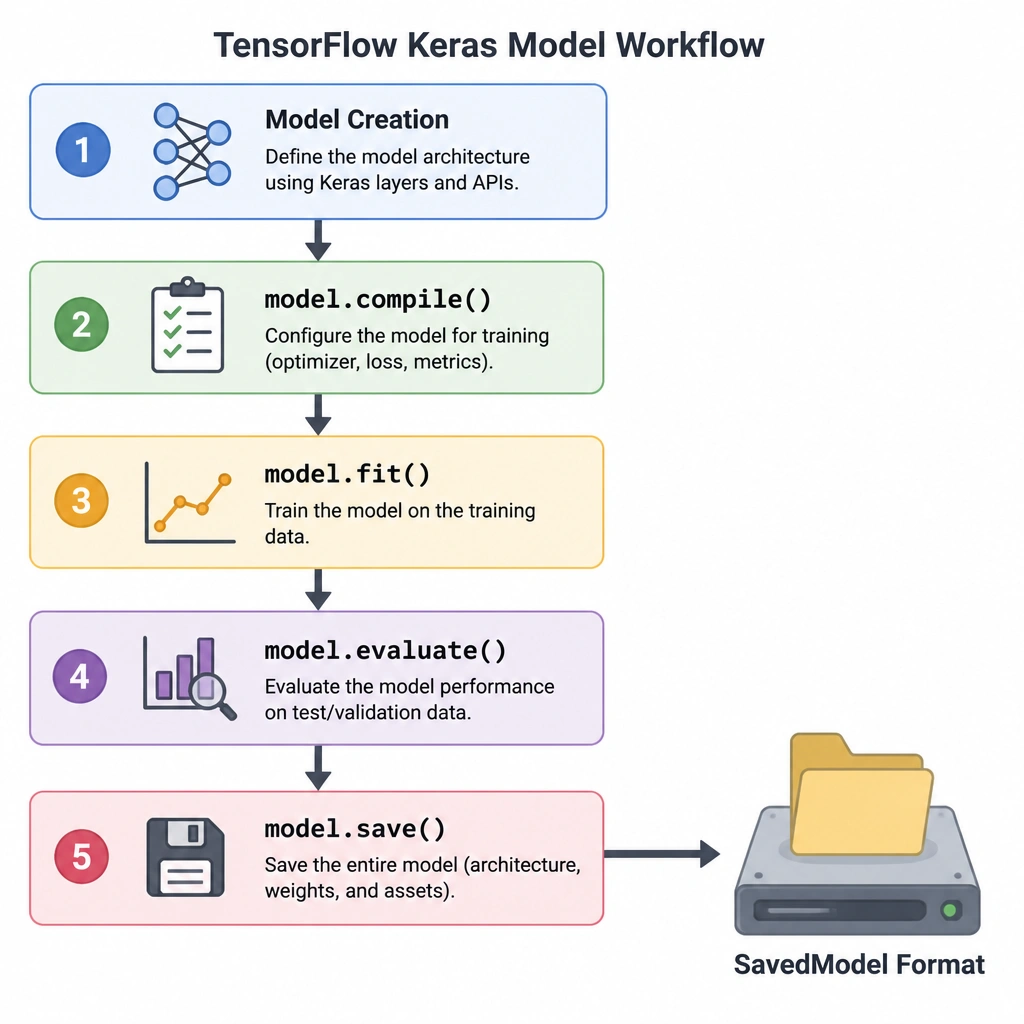
So, you've spent hours training a great model in TensorFlow, and now it's time to pack it up and save it to disk so you can deploy it later. How do you do that? It's simple: you call model.save(). This command is awesome because it grabs everything—the architecture of your network, the weights it learned during training, and even the optimizer configuration—and saves it all into a single file or directory (like a SavedModel format). Don't confuse this with fit() (which trains the model) or compile() (which configures the training process). When it's time to write the model to disk, model.save() is your go-to command. Got it? Sweet!
Full explanation below image
Full Explanation
In TensorFlow and its high-level Keras API, saving a model's state is essential for deployment, transfer learning, or resuming training later. The primary method used to export a model is model.save().
When calling model.save(filepath), TensorFlow saves: 1. The model architecture, allowing you to recreate the model. 2. The model weights, which represent the learned parameters. 3. The training configuration (passed to .compile()), which includes the loss function, metrics, and optimizer. 4. The state of the optimizer, allowing you to resume training exactly where you left off.
This can be saved in either the TensorFlow SavedModel format (the default directory structure containing assets and variables) or the HDF5 (.h5) format.
Let's examine why the other choices are incorrect: - Option A (model.compile()) is used to configure the learning process before training starts. It specifies the optimizer, the loss function, and the evaluation metrics. - Option B (model.evaluate()) is used to compute the loss and metrics for a model on a test or validation dataset; it does not perform any saving operations. - Option D (model.fit()) is the method that executes the training loop, feeding the training data through the model for a specified number of epochs; it does not save the model to disk.
By storing the complete model including the optimizer state, model.save() ensures that you don't just save a snapshot of the weights, but a fully functional training checkpoint that can be loaded seamlessly via tf.keras.models.load_model(). This allows other developers or deployment pipelines to serve the model or continue training without needing access to the original source code that defined the model's architecture.