
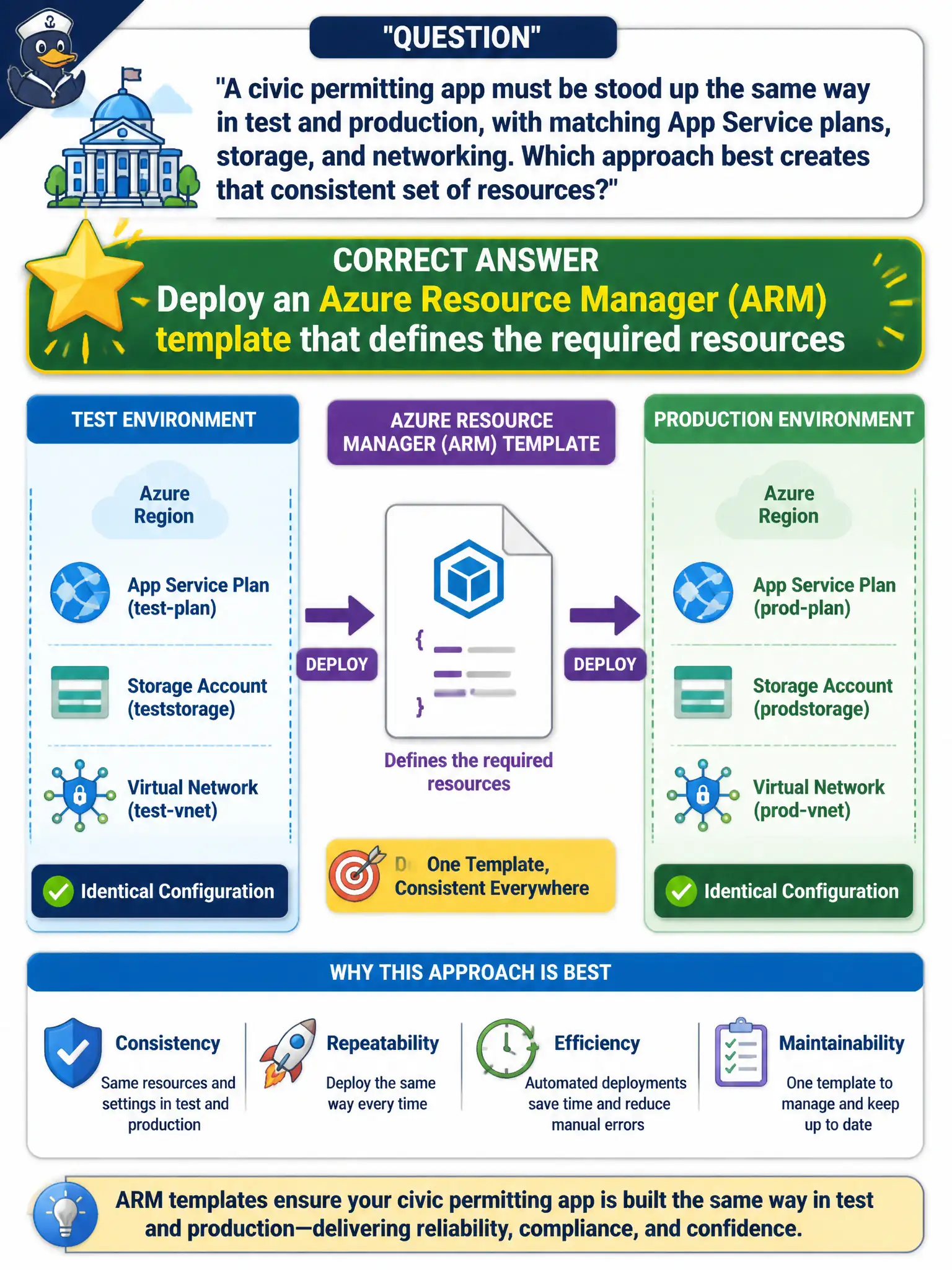
A civic permitting app must be stood up the same way in test and production, with matching App Service plans, storage, and networking. Which approach best creates that consistent set of resources?
Select an answer to reveal the explanation.
Short Explanation
An ARM template is like a blueprint for the whole neighborhood of resources. Deploy the same template to test and production and you get the same layout every time instead of hoping someone clicks the portal the same way twice.
Full Explanation
An Azure Resource Manager (ARM) template is a declarative definition of the App Service plans, storage accounts, networking, and related resources the civic permitting app needs. Deploying that same template into test and production produces matching layouts because Azure applies the declared desired state rather than relying on ad-hoc clicks. Infrastructure as code through ARM therefore gives the municipality repeatable environments and a reviewable artifact for change control.
Manually recreating each resource in the portal for every environment fails because human clicks drift: sizes, SKUs, networking names, and tags diverge between test and production and are hard to audit. Relying only on Azure Advisor cost recommendations fails because Advisor suggests improvements after resources exist; it does not provision a consistent stack. Waiting for Azure Service Health alerts and rebuilding by hand fails because Service Health reports platform incidents and maintenance—it is not a deployment mechanism and reacting to outages with manual rebuilds does not create identical environments.
Exam caveat: AZ-900 expects you to know that templates (and related declarative approaches) create consistent deployments; it does not require authoring complex JSON or Bicep on the exam itself.
Operational check: deploy the template to a test resource group, then redeploy the identical template to production and compare resource types, names, and key properties in the portal or with CLI list commands to confirm the environments align.