
On a municipal cloud hierarchy poster, where should management groups be placed relative to subscriptions?
Select an answer to reveal the explanation.
Short Explanation
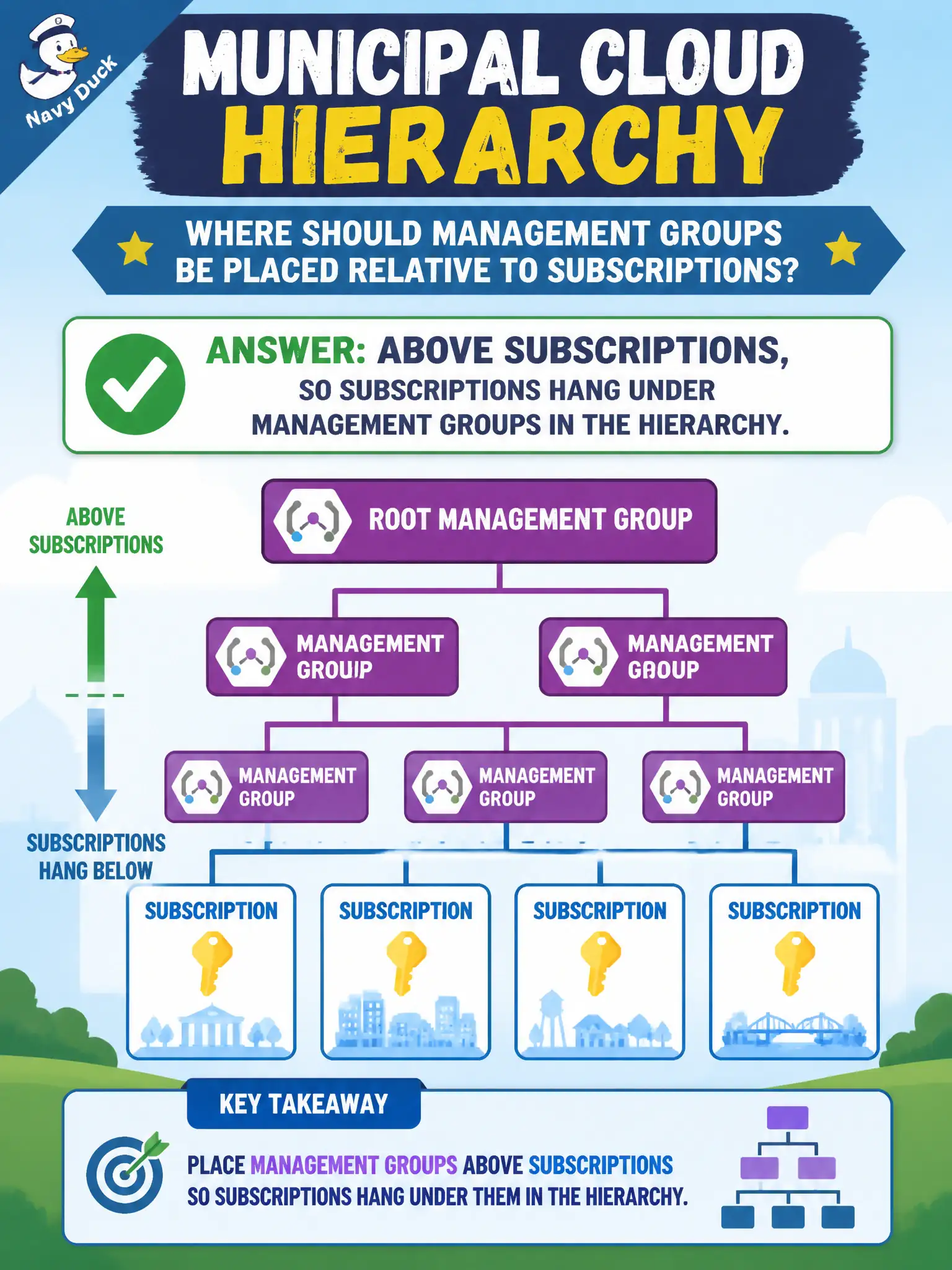
Management groups sit on the top shelf; subscriptions hang underneath. Resource groups and resources come even lower. Get that vertical order right and inheritance talk finally makes sense.
Full Explanation
On a municipal cloud hierarchy poster, management groups belong above subscriptions. Subscriptions hang under management groups; resource groups hang under subscriptions; resources hang under resource groups. Placing management groups on that upper shelf is what makes inheritance discussions—policy and access flowing downward—intelligible for city staff learning Azure Fundamentals.
Putting management groups below resource groups and below individual disks buries the governance container under the objects it is meant to organize, which is inverted. Placing them beside blob tiers only, with no relationship to subscriptions, confuses a storage access tier with the account hierarchy. Treating management groups as a required NIC setting inside each virtual network subnet invents a networking dependency that does not exist—management groups are an Azure resource-management hierarchy feature, not a subnet property.
Exam caveat: not every small estate must create a deep management-group tree on day one, but whenever the poster shows the full hierarchy, the vertical order must still be management groups above subscriptions. Operational check: open Azure management groups in the portal and confirm subscriptions appear as children of the intended parent node; if a subscription sits directly under the tenant root only, update training materials so staff do not invent mid-level parents that were never created.