
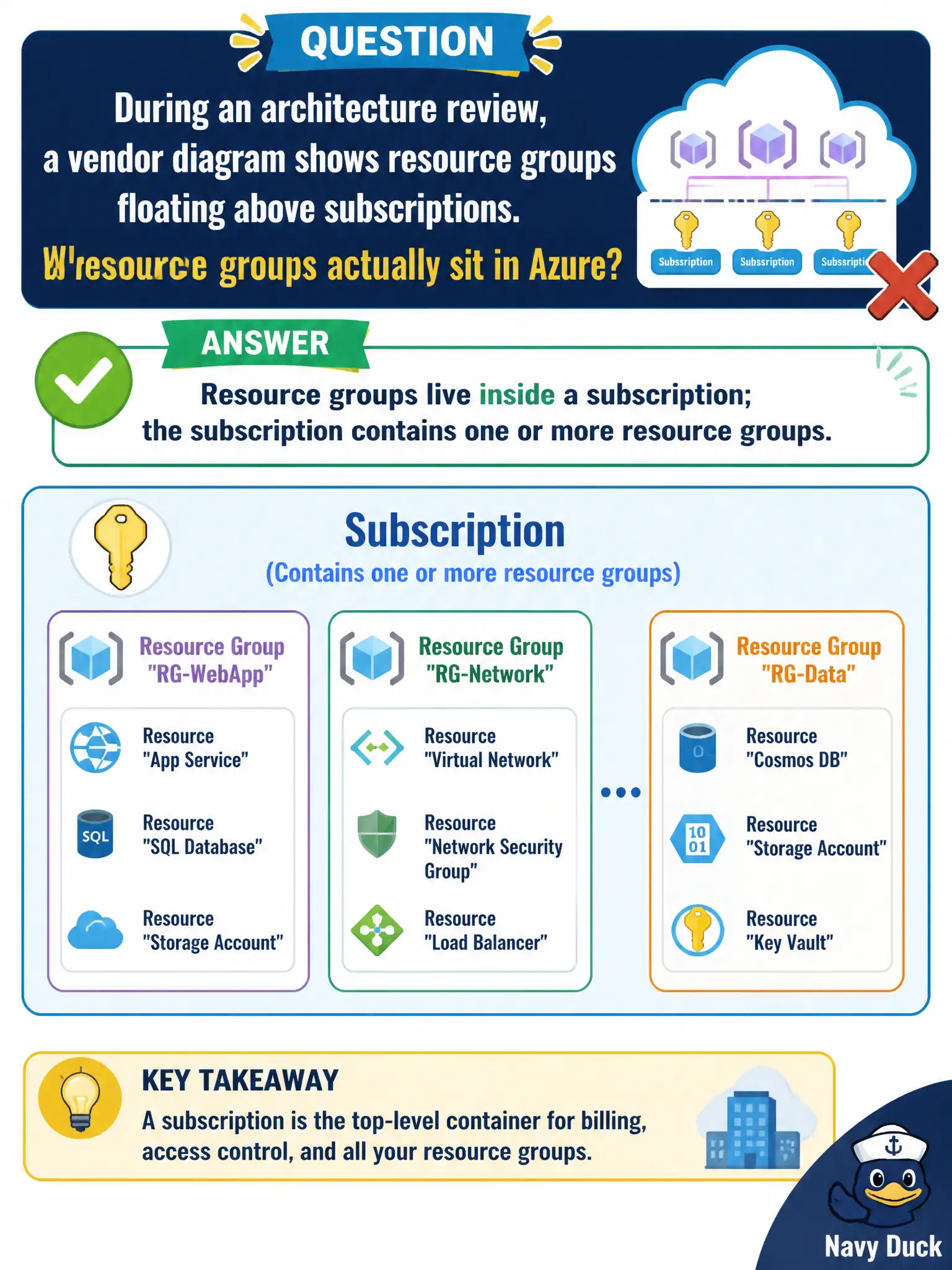
During an architecture review, a vendor diagram shows resource groups floating above subscriptions. Where do resource groups actually sit in Azure?
Select an answer to reveal the explanation.
Short Explanation
Picture nested boxes: the subscription is the outer box, and resource groups are trays inside it. Resources sit in those trays. Flip that order on a slide and the whole hierarchy story falls apart.
Full Explanation
In Azure’s management hierarchy, a subscription contains one or more resource groups, and those resource groups contain resources. During an architecture review, any vendor diagram that floats resource groups above subscriptions is inverted: resource groups live inside a subscription, not above it and not above management groups. Correcting that placement keeps lifecycle, RBAC, and policy conversations grounded in how Azure actually nests objects.
Saying resource groups sit above management groups and own every subscription reverses multiple layers of the hierarchy at once. Saying resource groups replace subscriptions and never appear under any subscription denies the required parent relationship Azure uses for billing and organization. Saying resource groups exist only inside a single virtual machine’s guest OS confuses the Azure control-plane container with an OS-level folder inside a VM.
Exam caveat: a resource can only belong to one resource group at a time, and moving resources between groups is a control-plane operation with service-specific caveats—knowing the hierarchy does not mean every move is trivial. Operational check: in the portal or with Azure Resource Graph, pick a sample municipal resource and confirm its resource group parent and that group’s subscription ID so training slides match live inventory before architecture reviews continue.