
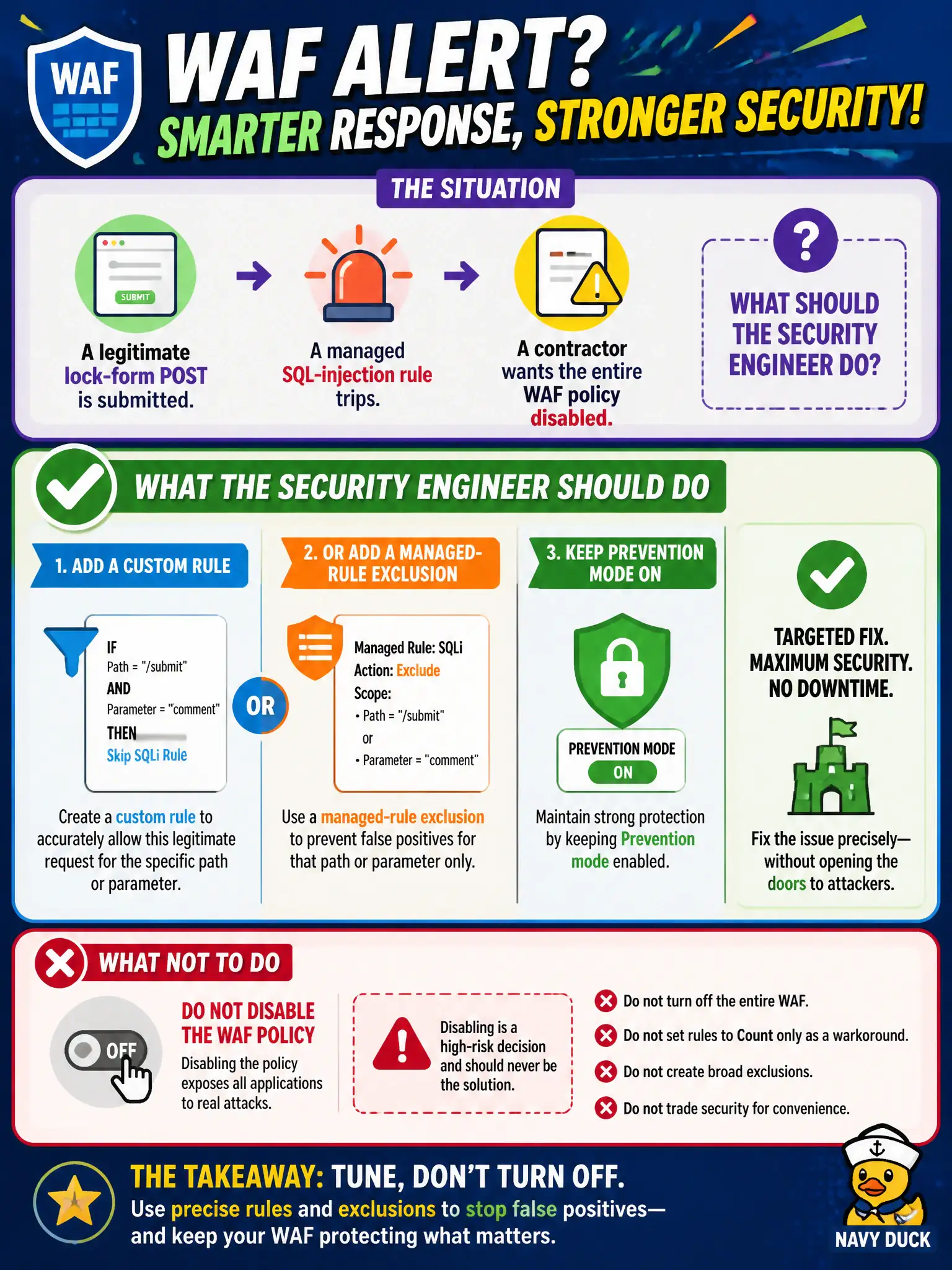
A legitimate lock-form POST trips a managed SQL-injection rule, and a contractor wants the entire WAF policy disabled. What should the security engineer do?
Select an answer to reveal the explanation.
Short Explanation
One noisy form field isn’t a reason to shut the WAF off. Carve a custom rule or managed-rule exclusion for that path, keep Prevention humming, and move on.
Full Explanation
When a legitimate lock-form POST trips a managed SQL-injection rule on the canal booking site, tune narrowly: add a custom rule or a managed-rule exclusion for that path or parameter, keep Prevention mode on, and do not disable the WAF policy. That preserves protection for the rest of the site while restoring the contractor’s valid form submission without opening the door to every other probe.
Disabling the entire WAF policy fails by concept: it removes managed-rule protection site-wide for one false positive. Switching permanently to Detection for all sites without adding an exclusion fails by concept: it leaves blocking off everywhere instead of fixing the specific false positive on the lock form. Removing Application Gateway and Front Door so no WAF host remains fails by concept: deleting the platform avoids the tuning task rather than solving the rule conflict.
Exam caveat: false positives get scoped exclusions or custom rules—never “turn WAF off” as the first response on AZ-500. Operational check: identify the matched rule and parameter from WAF logs, add the narrowest exclusion or custom rule, retest the lock-form POST successfully in Prevention, and confirm other attack payloads still block.