
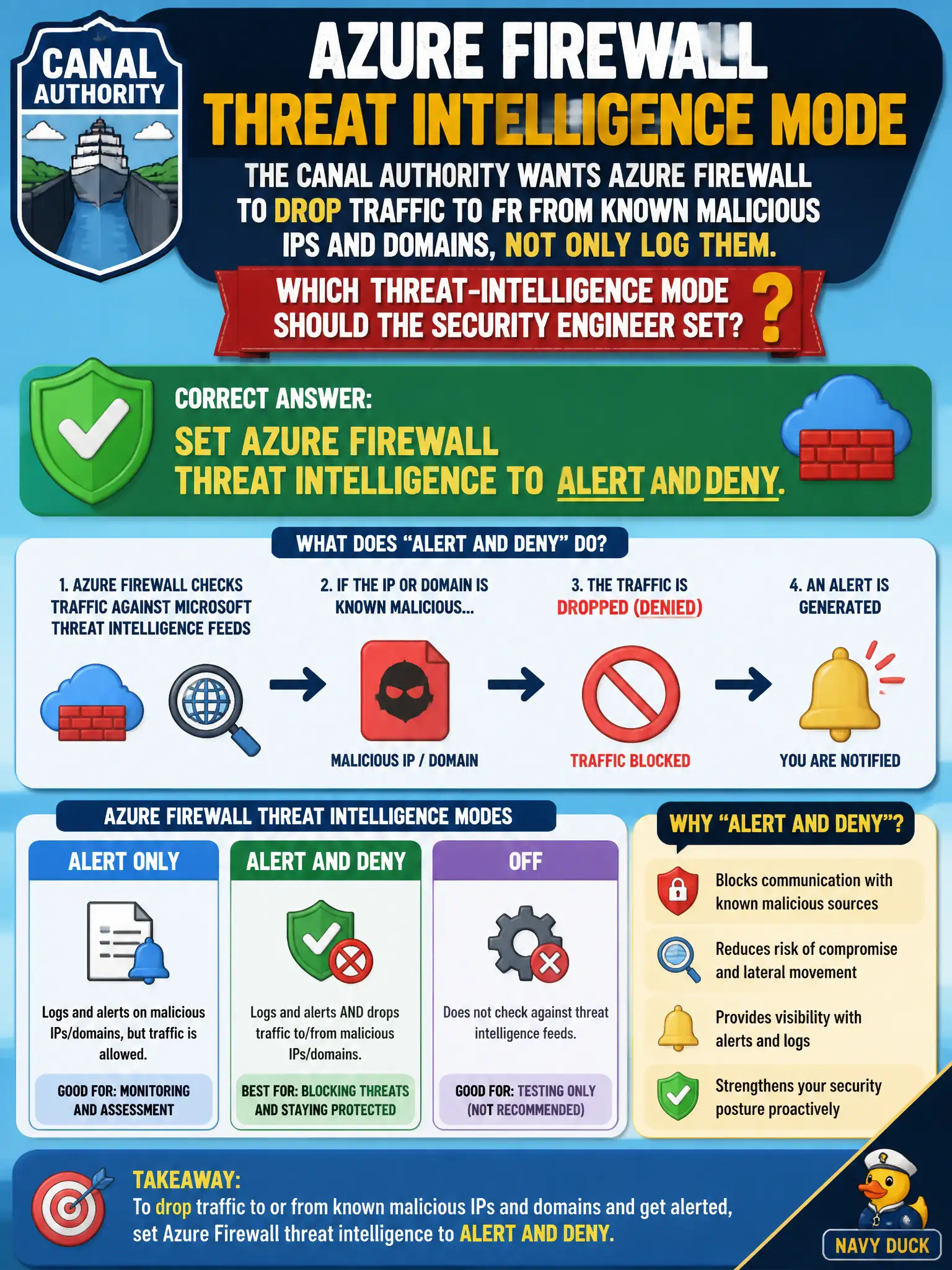
The canal authority wants Azure Firewall to drop traffic to or from known malicious IPs and domains, not only log them. Which threat-intelligence mode should the security engineer set?
Select an answer to reveal the explanation.
Short Explanation
Want the firewall to actually drop bad IPs and domains? Choose Alert and deny—not Off, and not Alert-only which just writes a diary entry.
Full Explanation
When the canal authority wants Azure Firewall to drop traffic to or from known malicious IPs and domains—not merely log them—set threat intelligence to Alert and deny. That mode both alerts and blocks matches against Microsoft’s threat feeds at the firewall, enforcing the deny requirement on hub egress and related paths.
Setting threat intelligence to Off fails by concept: classic network/application rules alone will not automatically deny the threat-intel indicator set. Setting Alert only and relying on Microsoft Sentinel analytics alone to block packets fails by concept: Alert only does not deny at the firewall, and Sentinel analytics are Domain 4 detection/response—not inline firewall deny. Leaving threat intelligence Off and increasing Defender for Cloud Secure Score fails by concept: Secure Score is posture scoring, not packet drop on malicious indicators.
Exam caveat: Off / Alert only / Alert and deny are distinct—Alert only never satisfies a “must drop” requirement. Operational check: set threat intelligence to Alert and deny on the hub firewall policy, generate or simulate a known-bad indicator in a test path, confirm deny plus alert telemetry, and ensure Sentinel remains complementary rather than the sole blocker.