
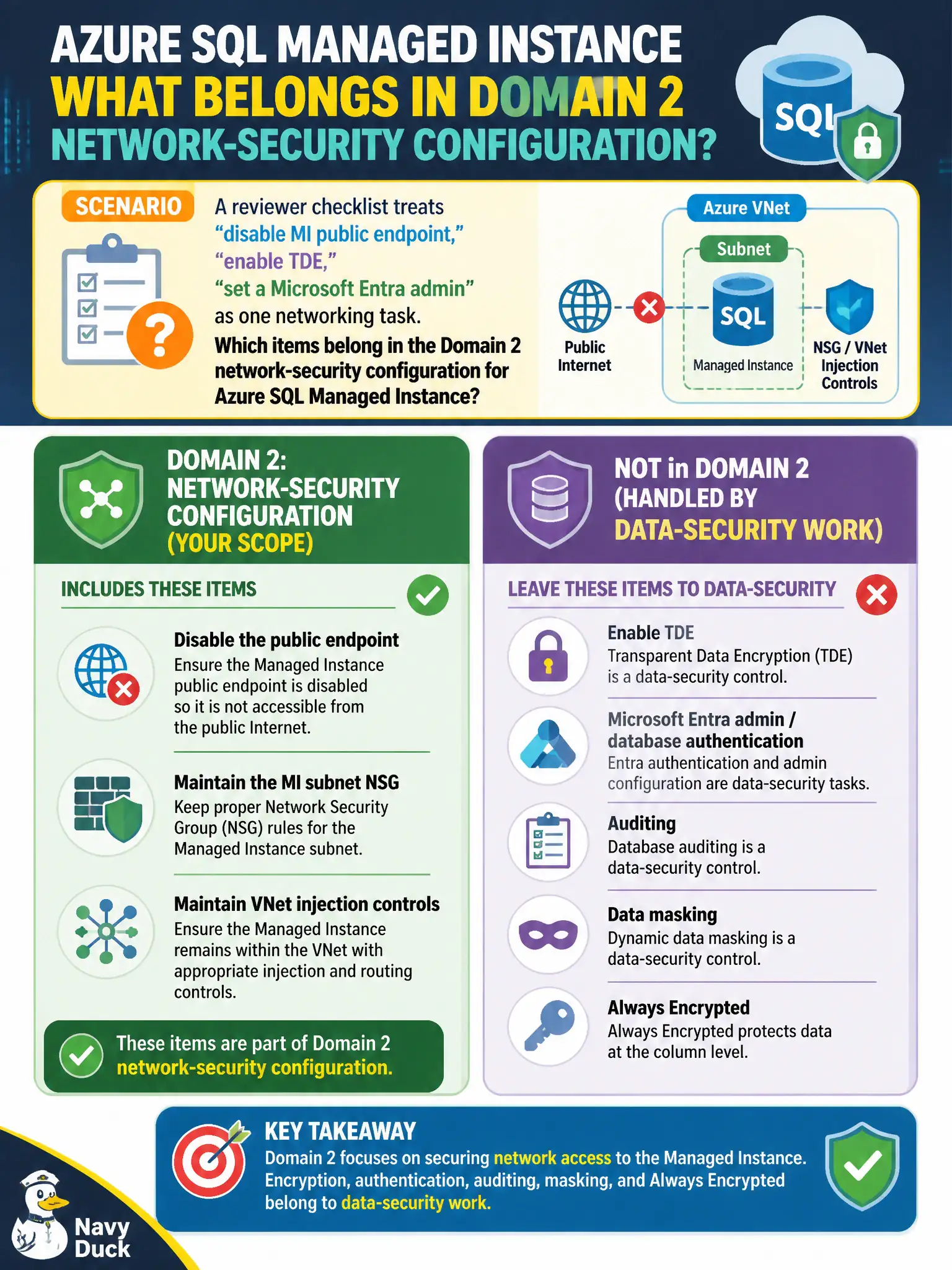
A reviewer checklist treats “disable MI public endpoint,” “enable TDE,” and “set a Microsoft Entra admin” as one networking task. Which items belong in the Domain 2 network-security configuration for Azure SQL Managed Instance?
Select an answer to reveal the explanation.
Short Explanation
Networking for MI is public-endpoint off plus subnet NSG/VNet injection. TDE, Entra admin, masking, and Always Encrypted are a different checklist—don’t mash them into one networking task.
Full Explanation
Domain 2 network-security configuration for Azure SQL Managed Instance covers VNet injection, the dedicated MI subnet, NSG/UDR requirements, and public-endpoint state. For lock telemetry that must stay correctly networked, disable the public endpoint and maintain those MI subnet controls. Leave Transparent Data Encryption, Microsoft Entra database authentication, auditing, dynamic masking, and Always Encrypted to Domain 3 data-security work rather than folding them into one networking checklist item.
Enabling TDE and Always Encrypted first because encryption substitutes for VNet injection fails by concept: encryption does not place MI in a VNet or disable public listeners. Configuring only dynamic data masking and auditing while treating public endpoint state as irrelevant fails by concept: masking and auditing do not define MI network exposure. Assigning a Microsoft Entra admin and turning on TDE while skipping NSG and public-endpoint settings fails by concept: identity and encryption admins do not complete Domain 2 network hardening.
Exam caveat: AZ-500 domain boundaries matter—reviewers who merge networking and data-security into one checkbox often miss public-endpoint disablement. Operational check: verify MI is VNet-injected in the dedicated subnet, confirm public endpoint is disabled, validate NSG/UDR health, and track TDE/Entra/auditing/masking as separate data-security tasks.