
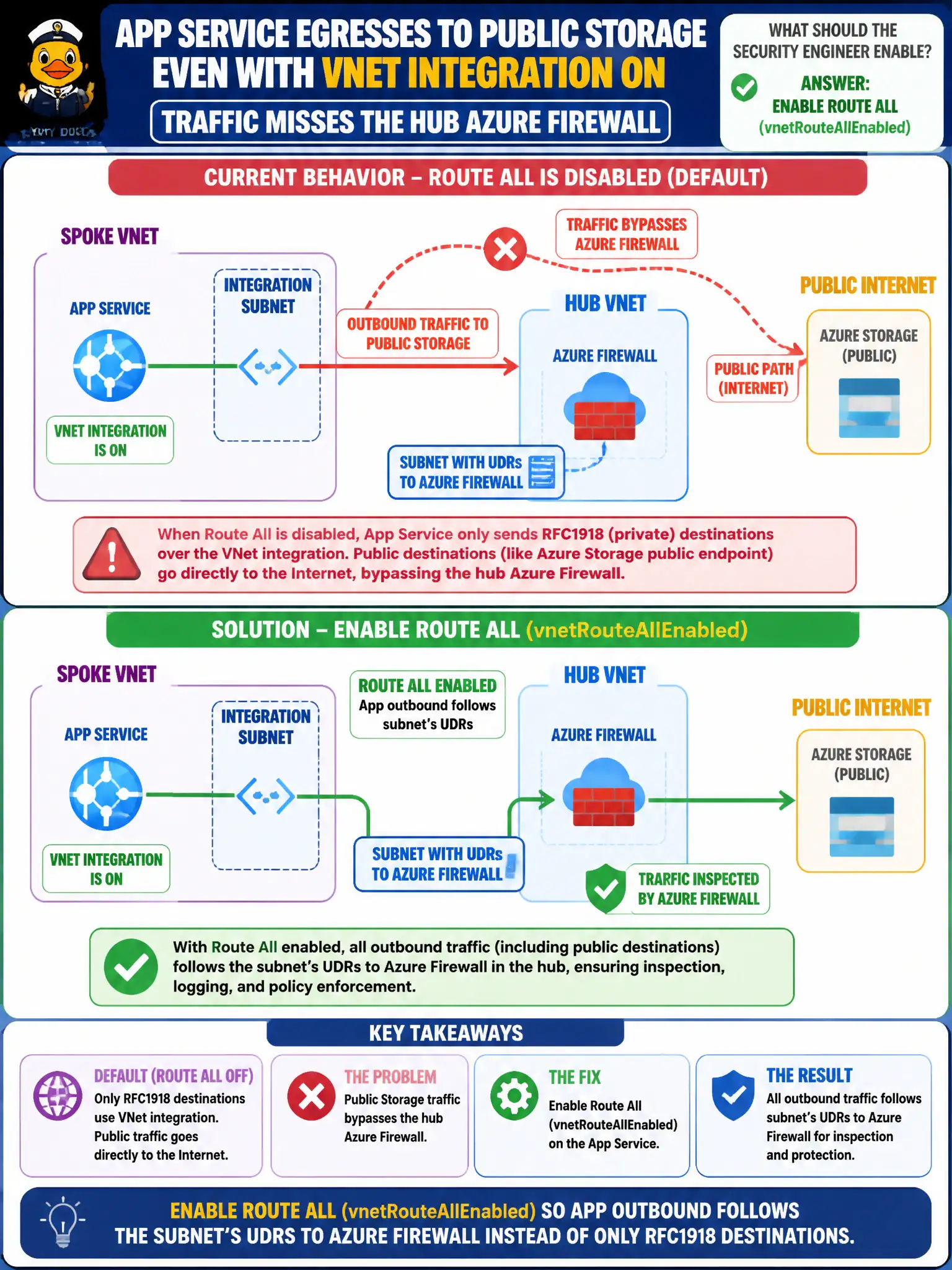
An App Service still egresses to public Storage even though VNet integration is on, so traffic misses the hub Azure Firewall. What should the security engineer enable?
Select an answer to reveal the explanation.
Short Explanation
VNet integration without Route All still lets public Storage sneak out the side door. Flip Route All so outbound obeys the subnet UDR toward the hub firewall.
Full Explanation
Even with VNet integration, App Service may still send non-RFC1918 (public) destinations directly unless Route All / vnetRouteAllEnabled is turned on so outbound follows the subnet’s UDRs—including 0.0.0.0/0 to Azure Firewall. Enable Route All when the app still egresses to public Storage and misses the hub firewall.
Adding a WEBSITE_ONLY_RFC1918 app setting that supposedly forces all public Storage through the firewall fails as stated. Editing Functions host.json to disable public DNS does not replace route-all. Removing VNet integration and publishing Storage on a public IP in the hub fails the inspection design.
Exam caveat: VNet integration without route-all often only steers private destinations—know when to enable route all. Operational check: enable vnetRouteAllEnabled, confirm effective path to Storage hits Firewall, review application rules for required FQDNs, and monitor for asymmetric routing issues. In municipal Azure estates, document the decision in the change record, validate with a nonproduction rehearsal, and confirm monitoring still pages the on-call operator when the control fails closed during an incident drill. In municipal Azure estates, document the decision in the change record, validate with a nonproduction rehearsal, and confirm monitoring still pages the on-call operator when the control fails closed during an incident drill.